Automate the work that already has a procedure.
Operations teams are full of tasks that are well documented and still done by hand every week, because the systems involved never talked to each other. That gap is the opportunity: a model to read and decide, integrations to reach the systems, and a person wherever the consequence is real.
- Documented processes still done by hand because two systems do not integrate
- Data re-keyed between systems, with the error rate that implies
- The one legacy application that blocks automating an otherwise simple chain
Six things operations teams use this for.
Not an exhaustive list. These are the ones that come up first, and the ones that make the case for the rollout on their own.
The weekly report writes itself.
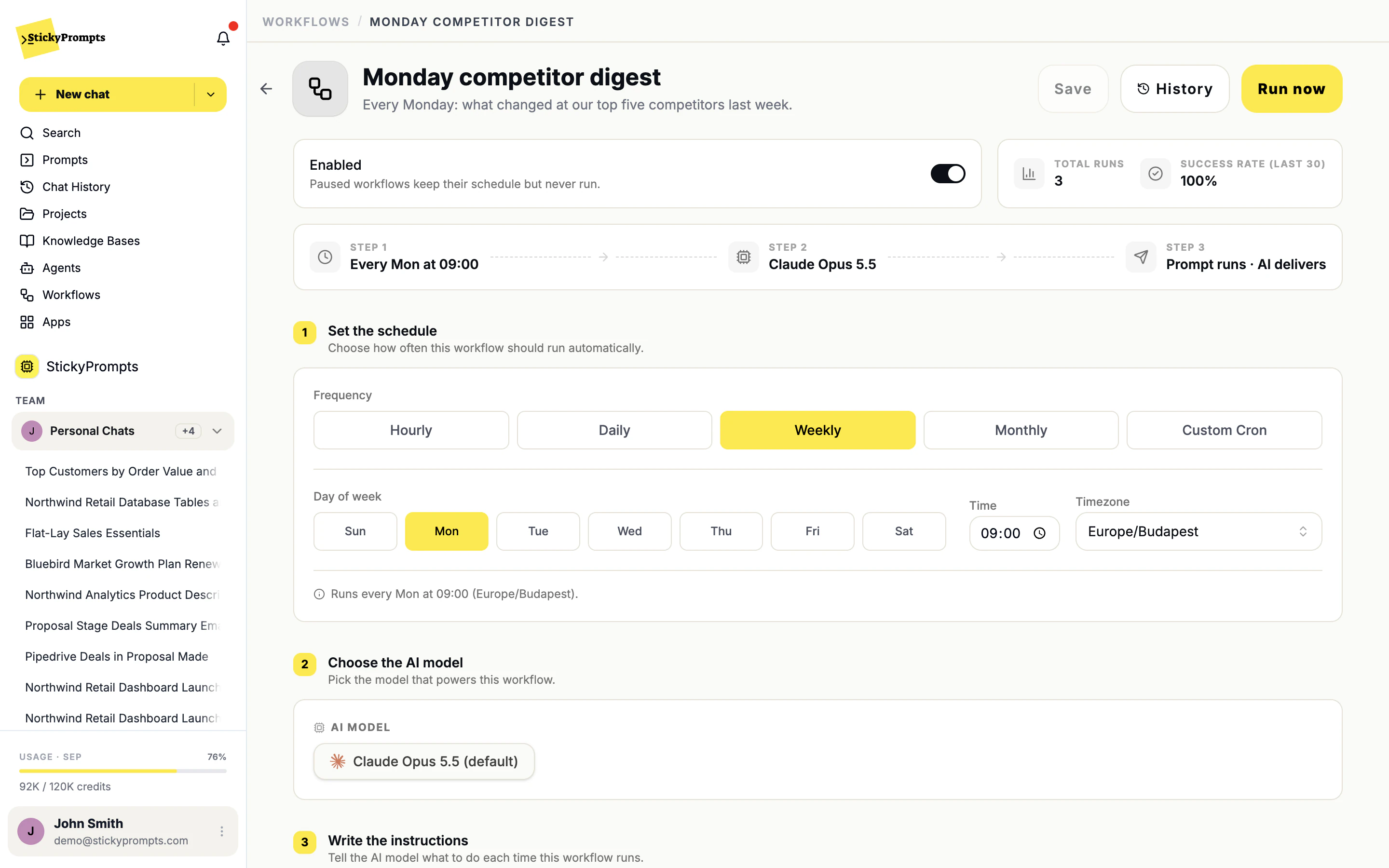
Turn a prompt you run every Monday into a scheduled workflow. It runs on time, uses your connected systems, and keeps every result in its history.
See workflowsTwo systems, one request.
Find the Proposal Made deals in Pipedrive and email a summary through Postmark. Seventeen tool actions, each one visible in the chat.
See the full product tour- Run history with every result and a success rate per workflow
- Run now to test a workflow before you trust its schedule
- Paused workflows keep their schedule and never run
- Database access set to read only, read & write, or full
- CRM connections read-only until you allow write access
- Usage by user and model in the workspace statistics
What operations teams ask us.
Where should we start?
With the most boring job that has the clearest procedure, ideally one nobody enjoys and everybody agrees on. Build it as a workflow, run it by hand for a fortnight and read every result, then switch the schedule on.
What if one step needs a legacy system with no API?
If it has a database, connect that instead. Driving the application itself through desktop control is on our roadmap rather than in the product today; talk to us if it is the step that blocks you.
How do we know it is still working?
Every run is kept in the workflow's history with its result, and the workflow shows its success rate. A run that returns nothing useful should be treated as a failure, and the instructions can say so.
By team
Try it on your own work before you commit.
Start free with a $5 trial balance. No card, no procurement marathon - bring one real task and see how far it gets.