Live this week, not next quarter.
There is nothing to install and nothing to migrate. You sign up, set the rules you want enforced, and invite people. The hard part of an AI rollout was never the software. It was agreeing the rules, and here you write them down once.
Four steps, and none of them needs a consultant.
This is the sequence we see work, shown in the real app.
- DAY 1
Sign up and use it
Sign up with Google or email, choose where your data lives, and start with a $5 trial balance. No card, no install, no sales call. Most people have something useful done in their first session.
- Nothing to install
- Every model in the picker from the start
- Data stored in the EU by default
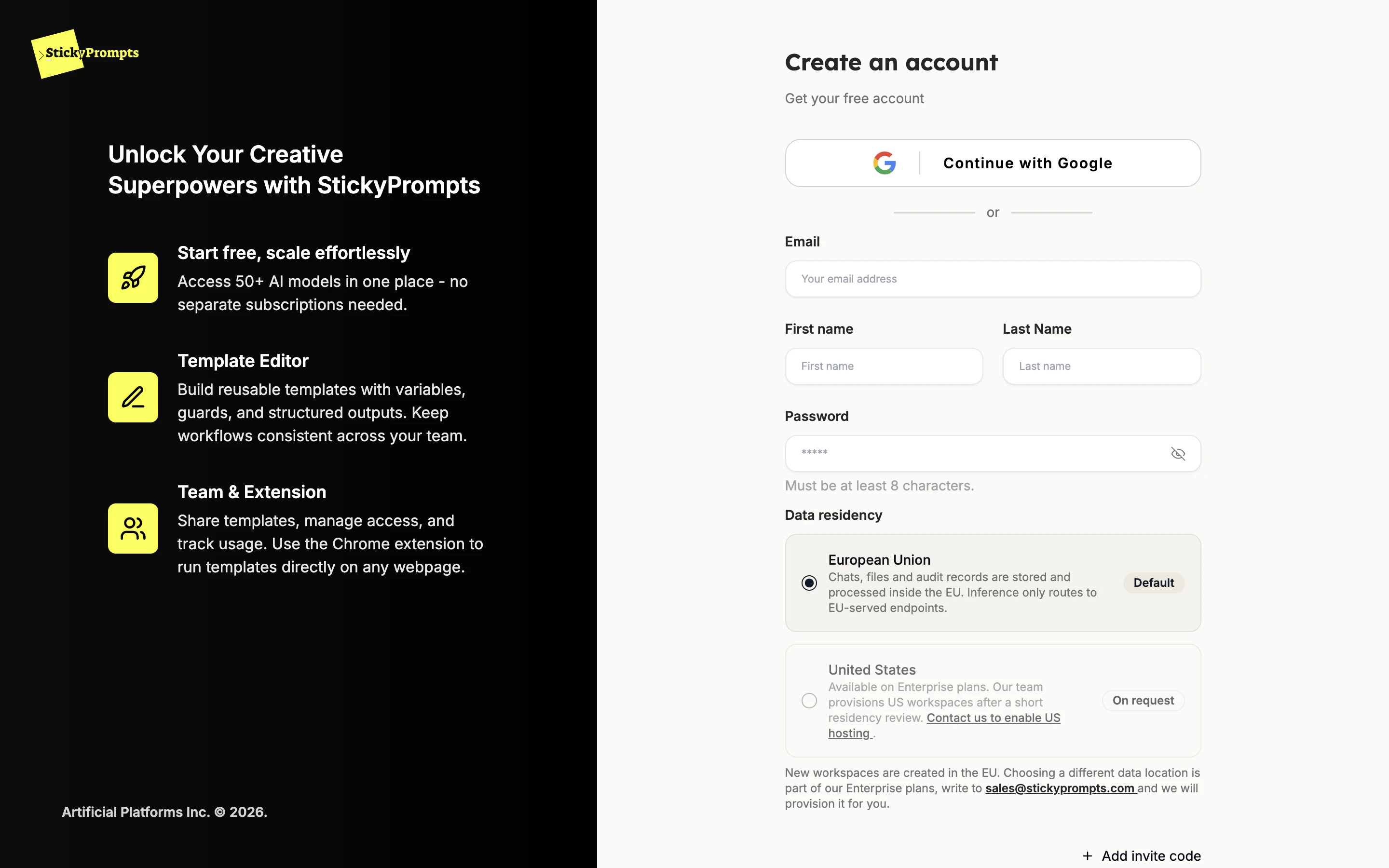
Data residency is chosen at sign-up: the EU by default. - DAY 2
Set the guardrails
Before you invite anyone, decide the rules. Which sensitive data is warned about, redacted or blocked. Which model providers each team may use. Whether inference has to stay in the EU. You set it once, and it applies to chat, agents and workflows alike.
- Warn, redact or block, per detector
- Allow, block or limit providers per team
- Optional EU-only inference and zero data retention
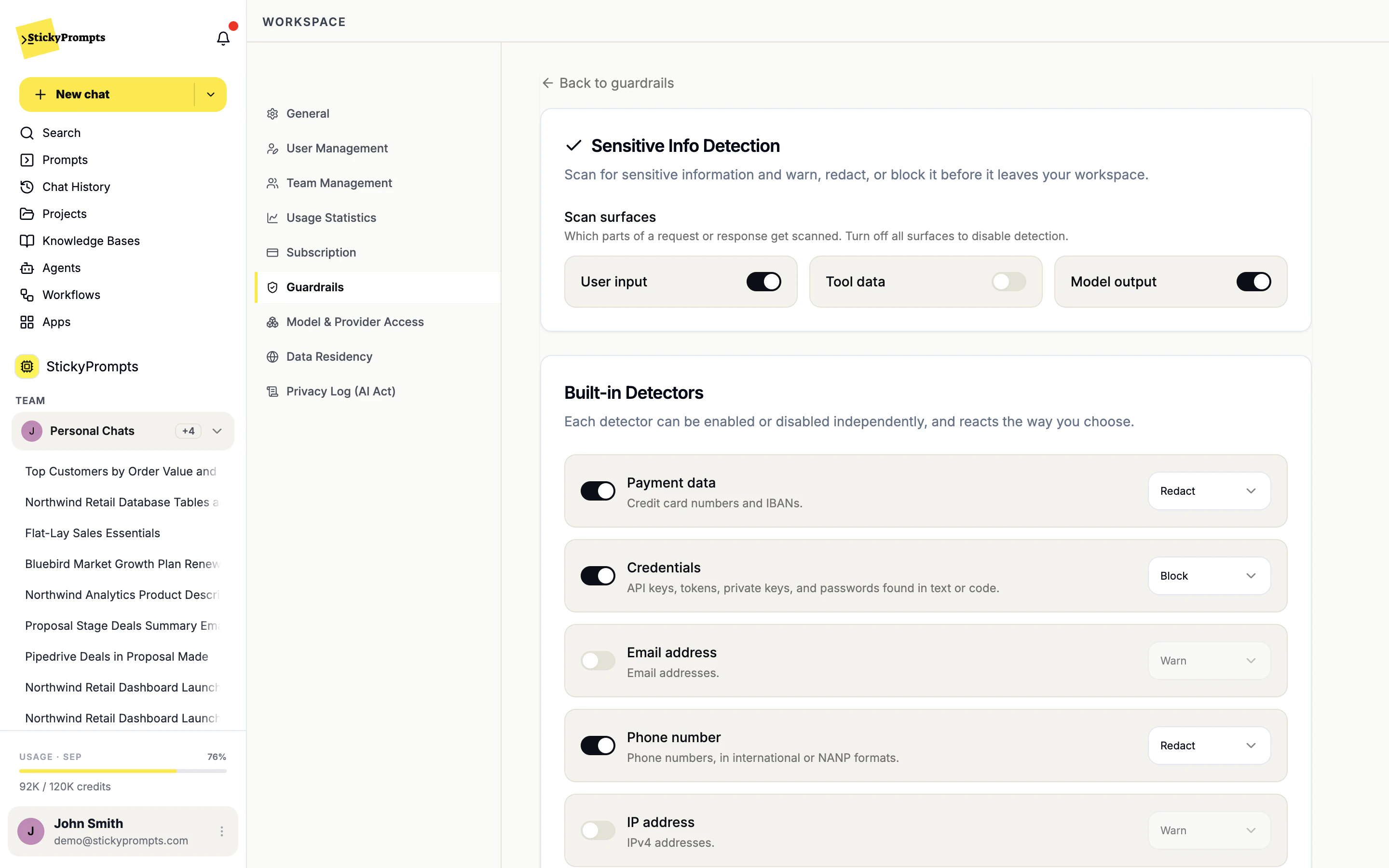
Sensitive info detection: warn, redact or block, per detector. - WEEK 1
Bring in the first teams
Invite colleagues by email, or let anyone with your company domain join. Put them in teams, give each team an owner who approves its prompts, and seed the prompt library with what already works. Adoption spreads faster from a colleague's saved prompt than from a training deck.
- Invite by email or by company domain
- Teams with their own owners and model access
- Team chats where the AI answers when asked
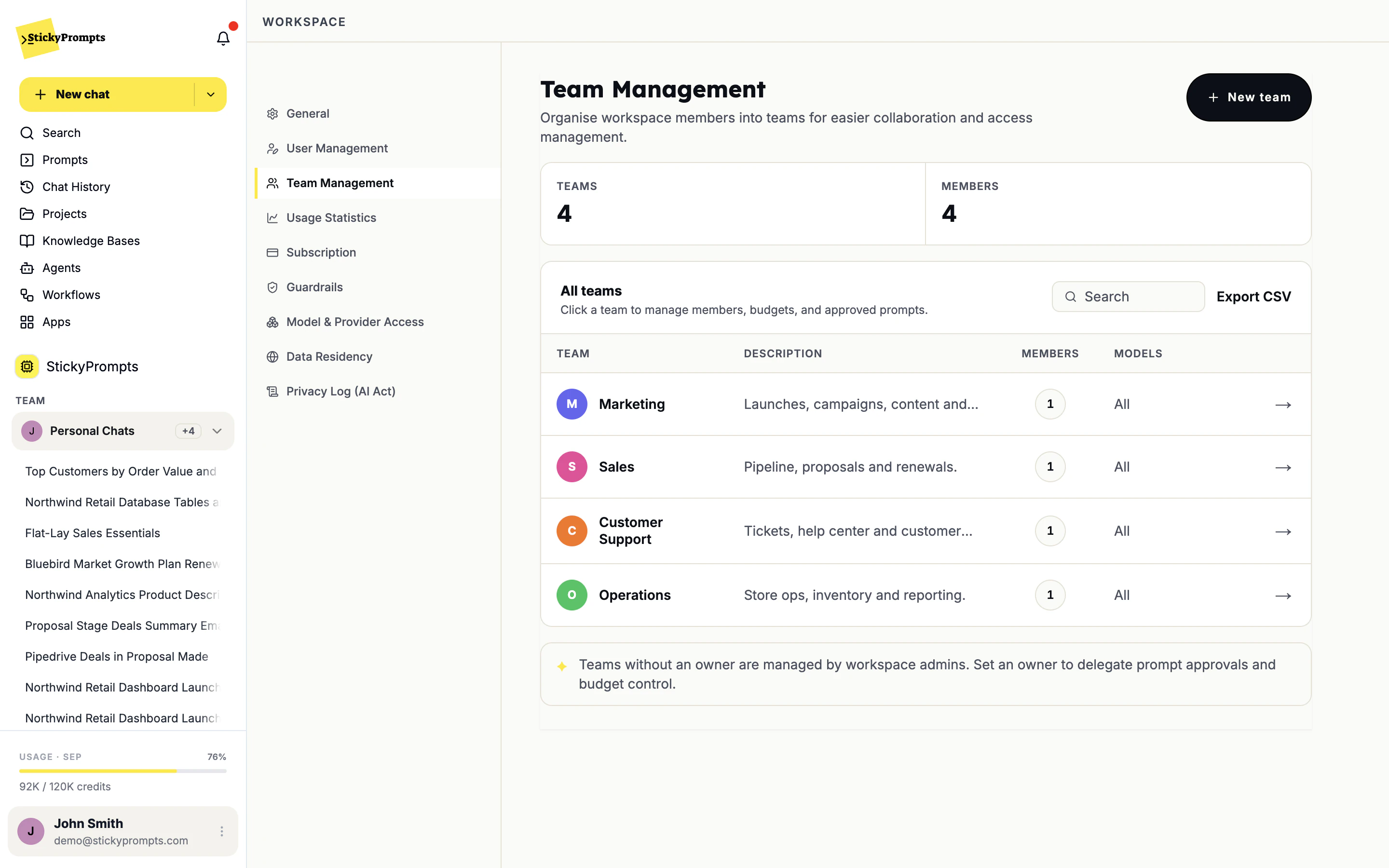
Teams with their own members and model access. - ONGOING
Automate what repeats
Once a prompt has been run by hand fifty times, put it on a schedule as a workflow, or give it to an agent with its own instructions and knowledge base. Every run keeps its result in the history, and usage shows up by model and by user.
- Schedules from hourly to custom cron
- Agents with their own tools and knowledge
- Run history with a success rate
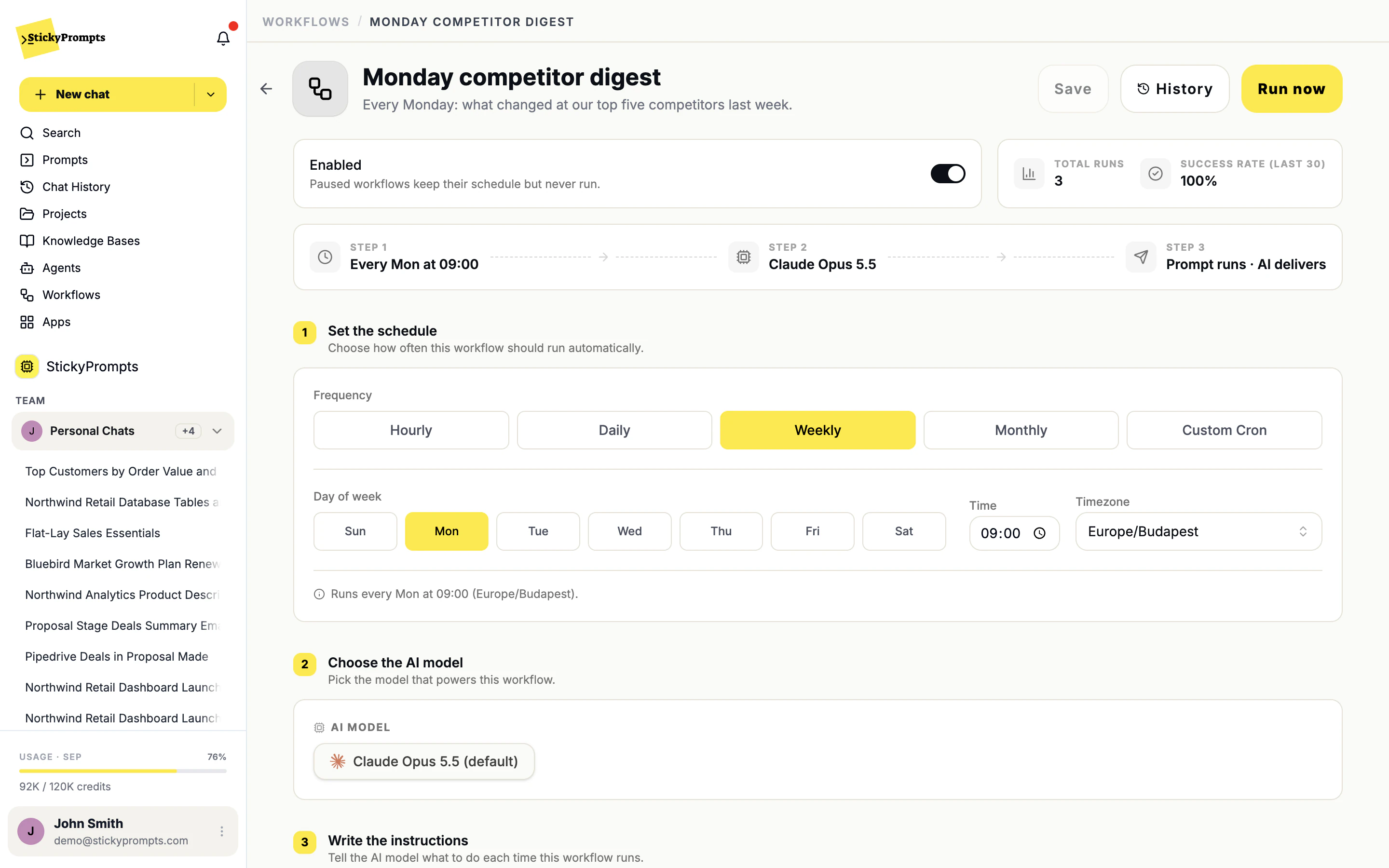
A workflow: schedule, model and instructions, with Run now and history.
Write the policy before anyone arrives.
Sensitive info detection, model access and data residency are set once in the workspace settings and apply to chat, agents, workflows and connected tools from that moment. Nothing waits on a per-team rollout.
- Card numbers, credentials and IDs caught before they reach a model
- Choose which model providers each team may use
- Guardrail triggers and policy changes land in the privacy log
People copy colleagues, not training decks.
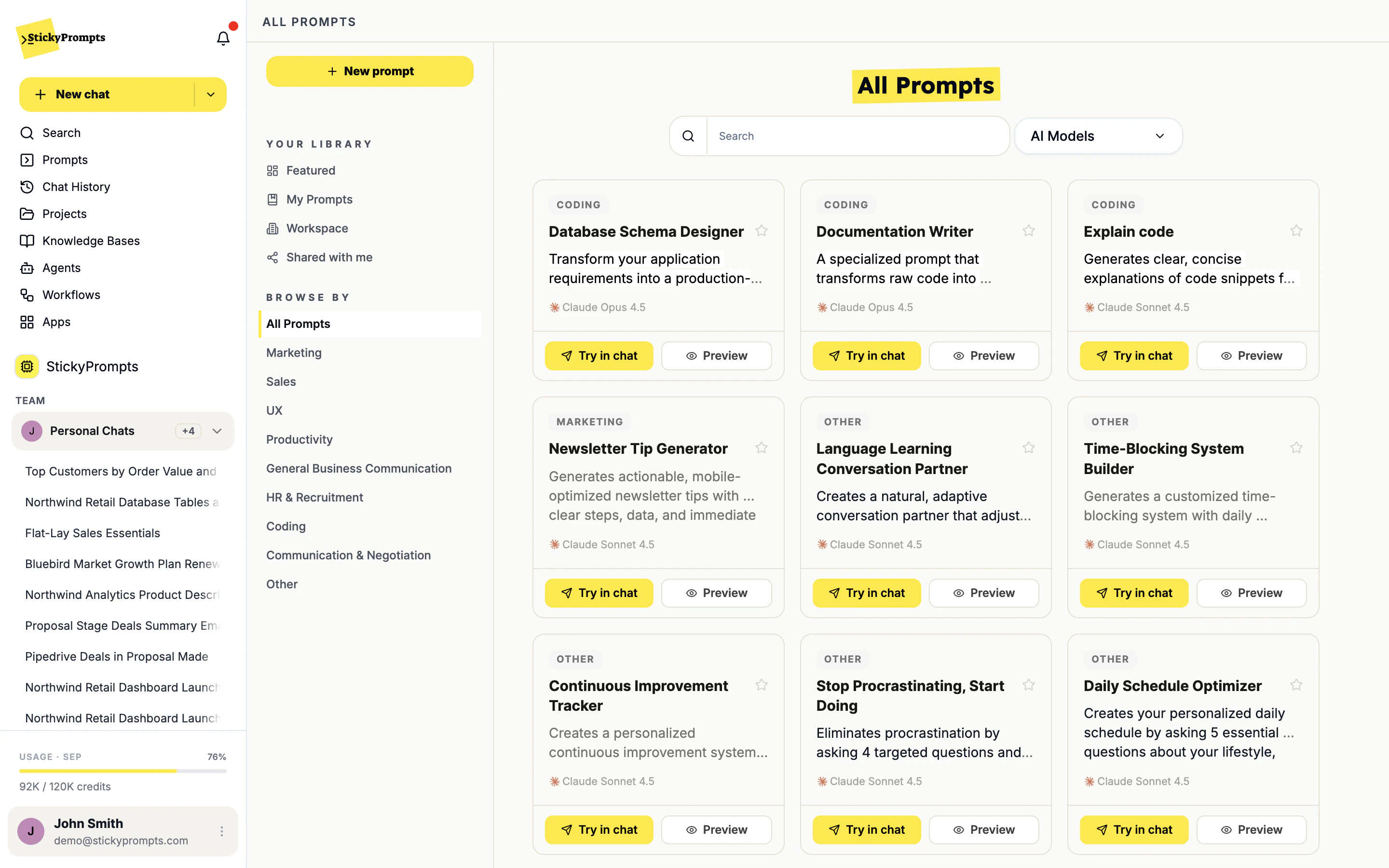
The prompt library is how adoption spreads. When someone works out how to do a job well, they save it as a prompt with variables, share it with the workspace, and colleagues run it with their own details filled in.
- Featured, My Prompts, Workspace and Shared with me
- Variables detected automatically from {{placeholders}}
- Try any prompt in chat with one click
Four groups have to say yes.
A rollout stalls when one of them was not considered until late. Here is what each gets.
- No infrastructure to provision
- No data migration: StickyPrompts is not a system of record
- No new tool to buy each time a capability appears
- No retraining when a better model ships: it appears in the picker
- No separate log per tool: guardrail events land in one privacy log
- No card needed to start
What teams ask before rolling out.
How long does a rollout actually take?
The setup is an afternoon: invite people, create teams, set the guardrails, model access and data residency. What takes longer is deciding who gets what and which use cases to lead with, and that moves at your organisation's pace. Starting with one department and expanding from there is the pattern that works.
Do we have to migrate anything?
No. StickyPrompts sits above the model providers rather than replacing a system of record. Existing prompts can be pasted into the library as they are, and integrations read from the CRM and databases you already run.
What happens to the tools people are already using?
That is usually the point: scattered personal AI accounts become one governed workspace. You do not have to switch everyone at once. Most companies run both for a few weeks, then let the individual accounts lapse once the work has moved.
Do we need to train people?
Less than you would expect, because the interface is a chat box. What helps far more is seeding the prompt library with a dozen genuinely useful prompts from each team's own work, so the first thing a new user sees is relevant to their job.
Can we start restricted and open up later?
Yes, and careful organisations do. Block the providers you have not reviewed yet, turn on redaction, keep database connections read-only, then relax each control as you get comfortable. Policy changes are recorded in the privacy log.
The fastest way to evaluate this is to use it.
A $5 trial balance, no card. Set the rules when you are convinced, not before.