Powerful AI, under your control.
Chat, agents, workflows and every connected system run in one workspace, under one set of controls and one privacy log. Here is exactly what that means for your data, and what you can check for yourself in the product.
Where it lives, where it goes, and who can reach it.
No surprises buried in a sub-processor list. These are the defaults, and most of them are yours to change.
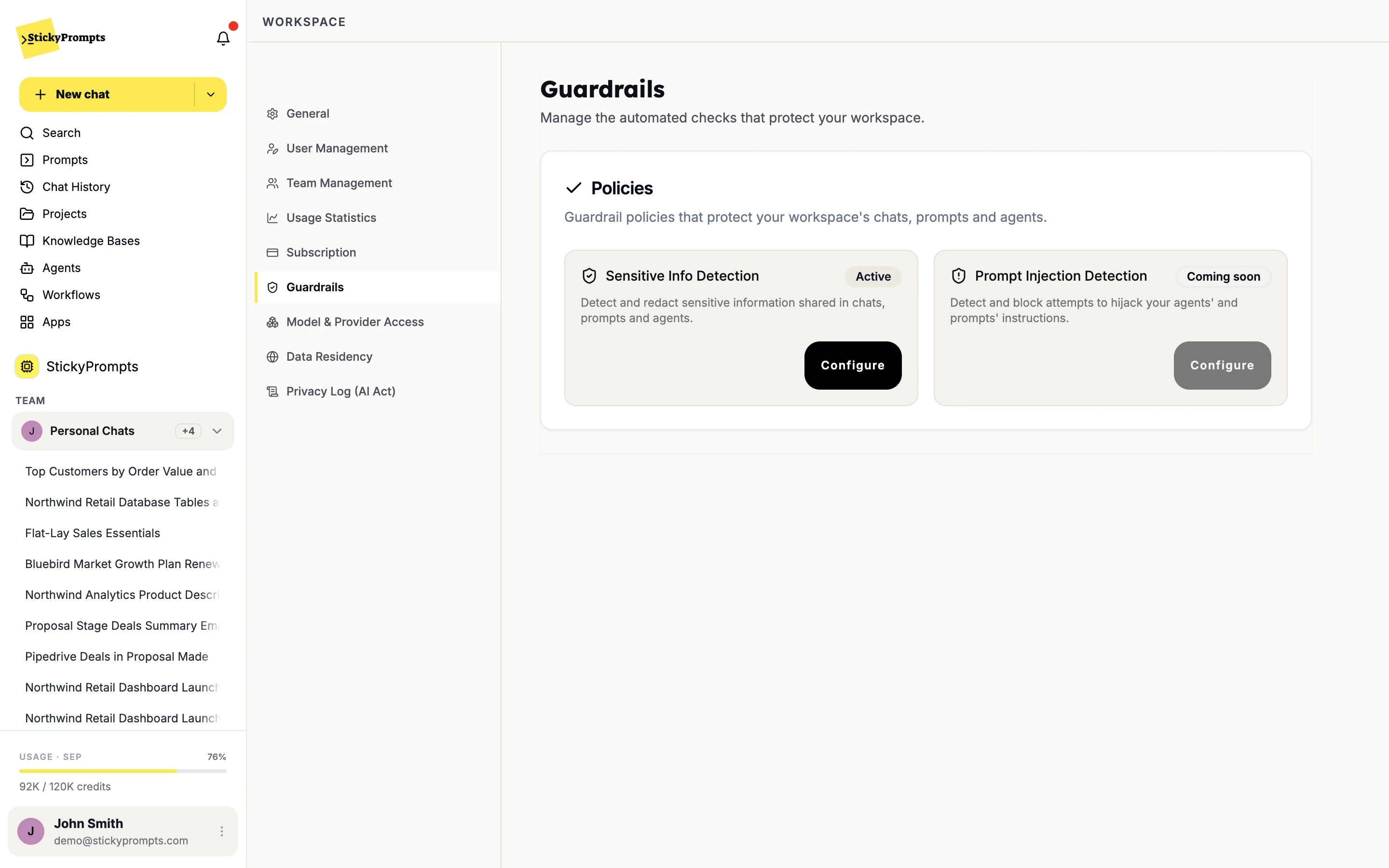
The region is a setting, not a promise.
Workspace settings, Data Residency. Storage sits in the EU unless you ask otherwise, and two switches narrow inference further: EU-served endpoints only, and zero data retention only. The page shows how many models remain usable as you flip them.
Who gets in, and what they can reach.
Sign-in, roles and teams are managed in the workspace. Every integration is scoped to the workspace or to one person.
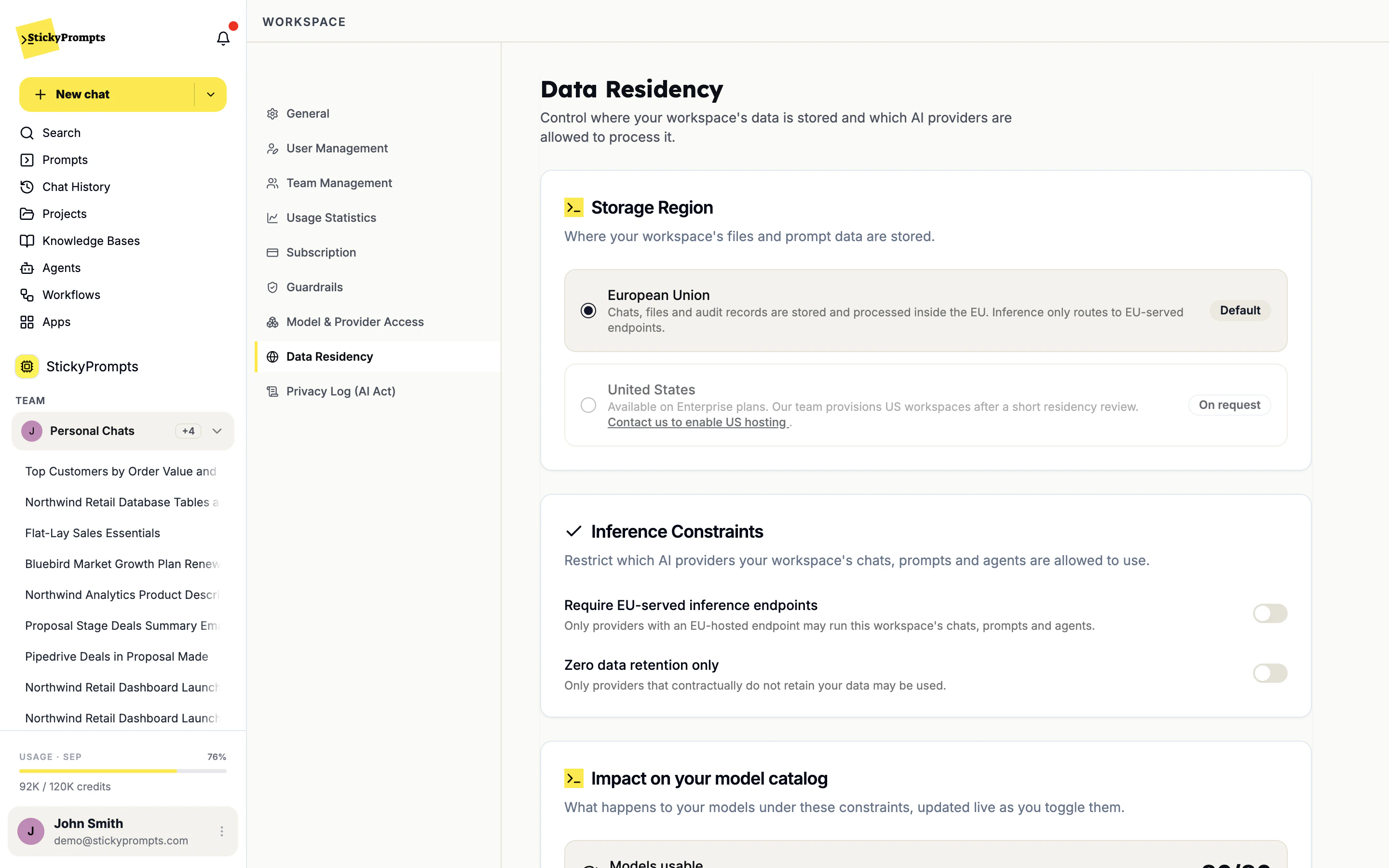
API keys carry permissions, not a master pass.
One key works for the REST API and the MCP server, and each key holds only the permissions ticked for it - read, manage and delete are separate. A key never gets more than its owner has, and model access, residency and guardrails still apply to every call.
Reach systems that never touch the public internet.
Plenty of the data worth asking about lives in a database with no public endpoint - the reporting replica, the order database behind a VPN. StickyPrompts reaches it through a jump host you control, so the database itself is never exposed to the internet.
- Reach a private database through your own jump host
- StickyPrompts connects over SSH to a jump host you control, from one fixed IP address you allow-list.
- Key-based: add the public key StickyPrompts shows you to the SSH user's authorized_keys, and remove it to revoke access.
- Works with PostgreSQL, MySQL, MariaDB and SQL Server databases that have no public endpoint.
- Choose the permission level per connection - read only (SELECT), read & write, or full access - and the SSL mode.
- Guardrails can scan the data that comes back, and every trigger lands in the privacy log.
Nothing leaves the workspace unexamined.
Chat messages, agent steps and scheduled workflows run under the same workspace rules, and the guardrails scan what goes in, what tools return and what comes back.
- Provider access rules: allow, block or limit each provider to named teams
- Zero-data-retention providers only, as one switch
- Sensitive info and secrets redacted before a prompt leaves the workspace
- EU-served inference endpoints only, as one switch
- Open-weight models on infrastructure dedicated to you, on Enterprise
- Provider keys you own, from Business up
The demo above is illustrative. These are the real screens, from a demo workspace.
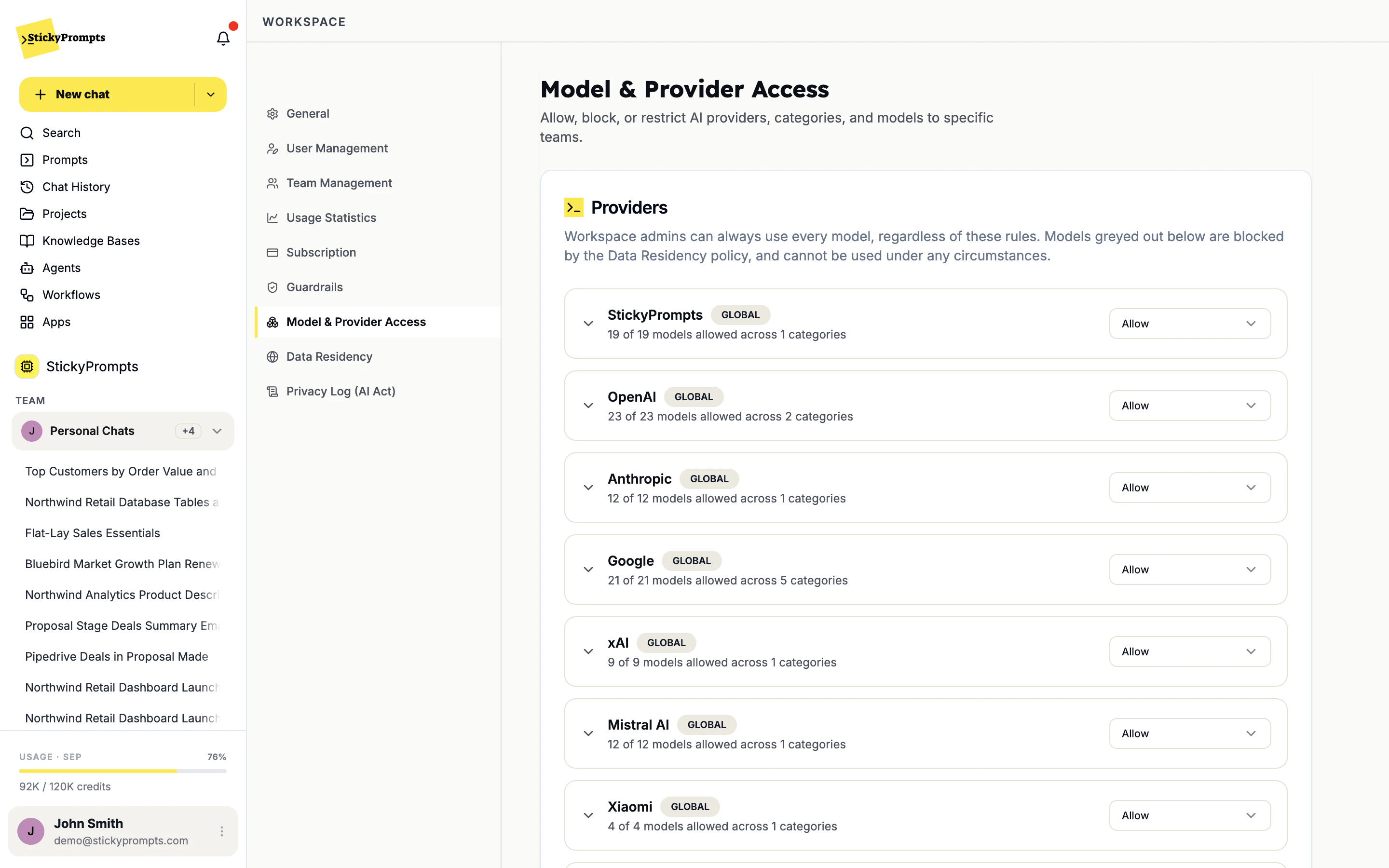
Allow, block or restrict each provider, category and model - per team if needed. Models your residency policy rules out are greyed out for everyone.
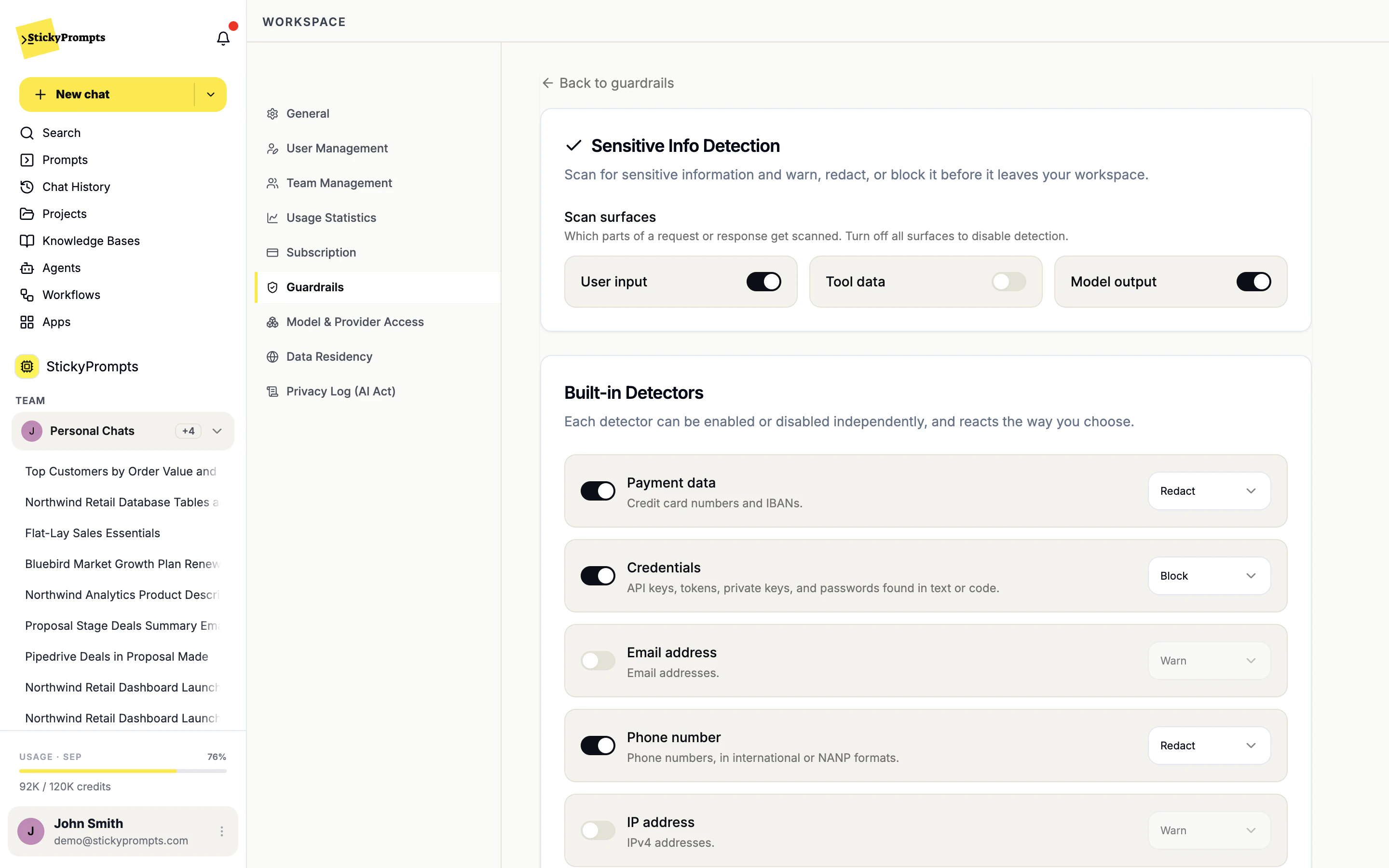
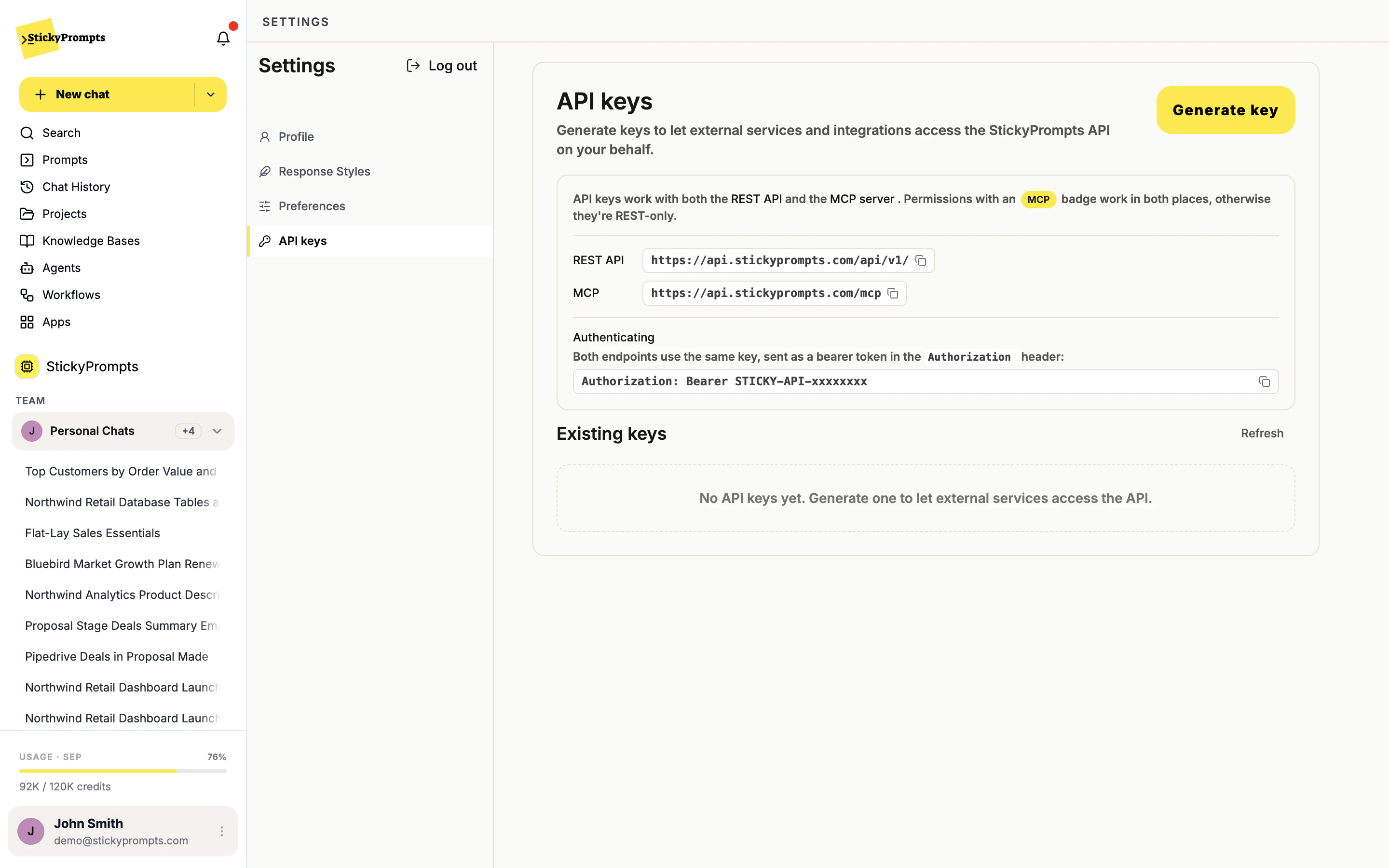
Choose the surfaces to scan - user input, tool data, model output - and warn, redact or block per detector.
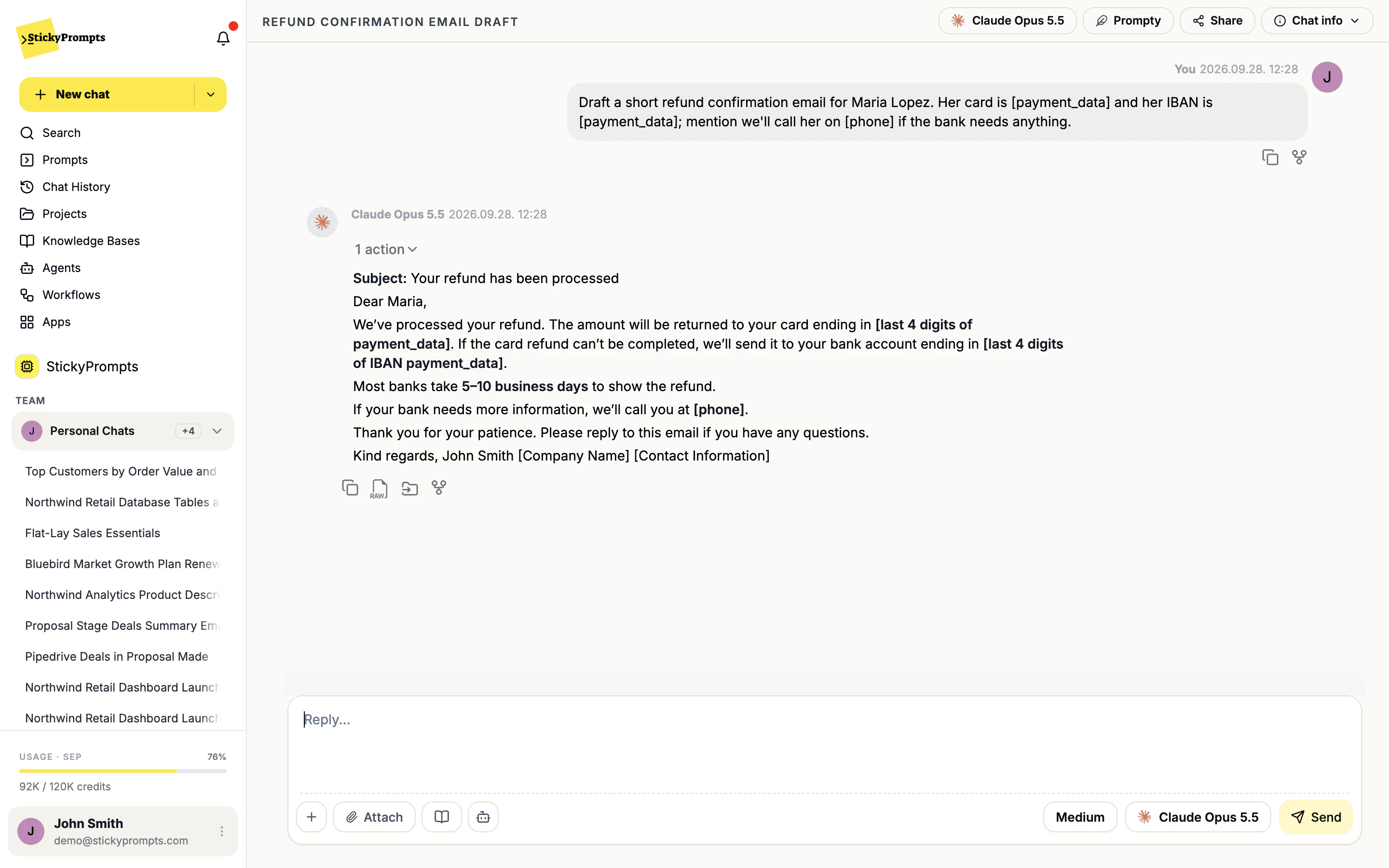
The card number, IBAN and phone number were replaced before the prompt left the workspace, so the draft works around placeholders.
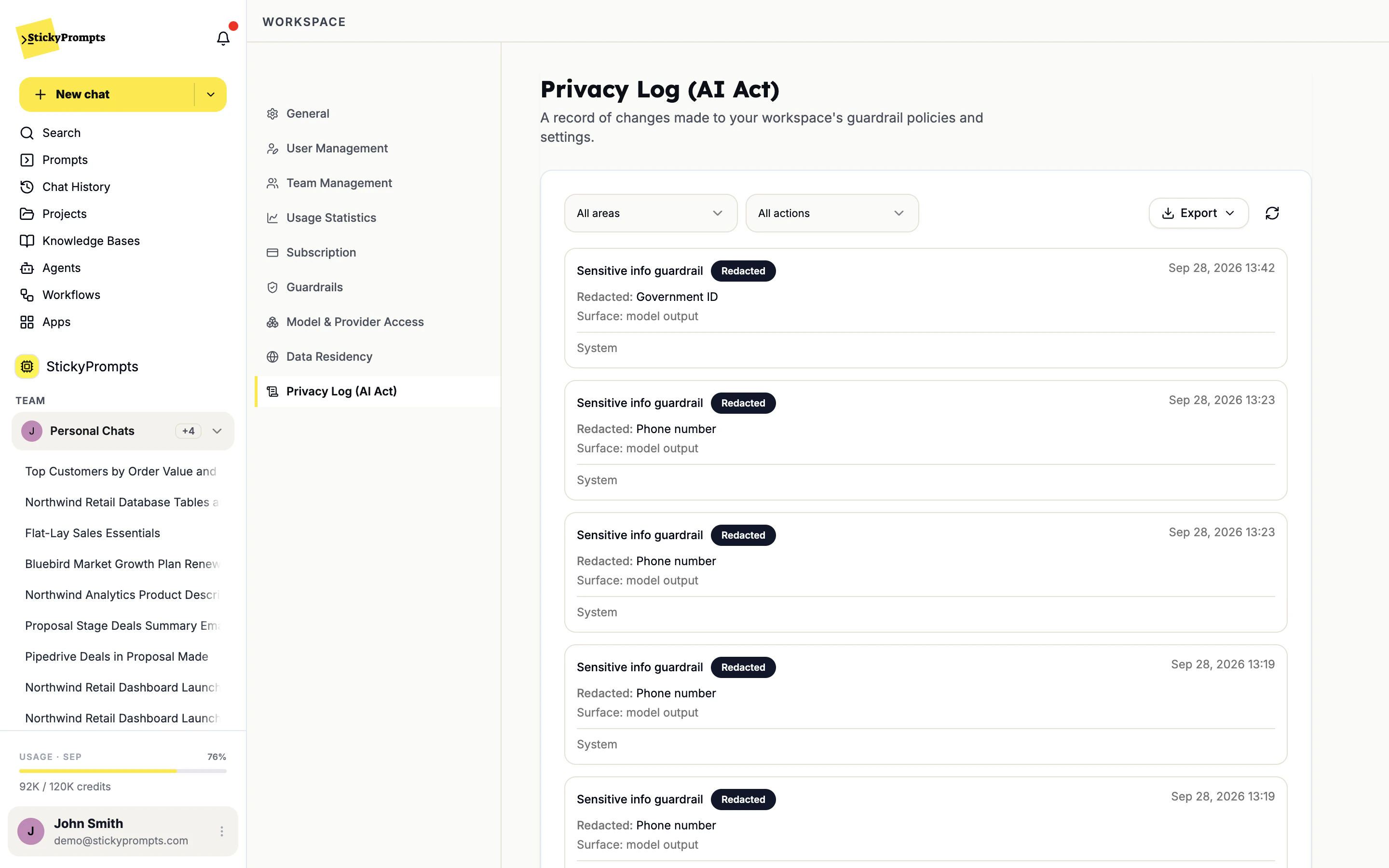
Every redaction and every policy change lands in the privacy log, filterable by area and action, and exportable for a review.
Send us your questionnaire - we'll do the work.
Evaluation shouldn't stall because a vendor takes six weeks to answer a spreadsheet.
LogiNet, the company behind StickyPrompts, is certified to ISO 9001. ISO 27001 and SOC 2 are underway and not issued yet, so neither gets a certified badge here. This is where each one actually stands, and each certificate goes up the day it exists.
- CertifiedISO9001LOGINETISO 9001
Quality management. How LogiNet runs delivery, reviews work and handles what goes wrong, written down and audited by a third party.
- In progressISO27001Not yet issuedISO 27001
Information security management. Controls, risk treatment and evidence across the platform and the company around it.
- In progressSOC2Not yet issuedSOC 2
Type II readiness for customers whose review process asks for it rather than for an ISO certificate.
Roll out AI your CISO can sign off on, with the evidence.
Start free, set the guardrails, connect one system, and hand the privacy log to whoever needs to see it.