Email sending
Available nowSend from your own domain. Chat and workflows can email a colleague by name and attach the file they just made.



One email connection per workspace.
Connect your CRM, your database and your email sender once. Then one sentence in chat looks up the Pipedrive deals in Proposal Made, answers a question from the Northwind retail database, and emails the summary to the right colleague. Scheduled workflows use the same connections.
Email sending, CRM, databases and remote MCP work now, in chat and in scheduled workflows. Everything else in the catalogue is marked for what it is: coming soon, or on the roadmap.
Send from your own domain. Chat and workflows can email a colleague by name and attach the file they just made.
One email connection per workspace.
Look up contacts and deals in plain language. Read-only by default; switch on write access to let the AI add contacts and deals.
Ask a question, get the answer from your own tables. Choose Read only, Read & write or Full access per connection.
Optional SSH bridge for databases with no public endpoint.
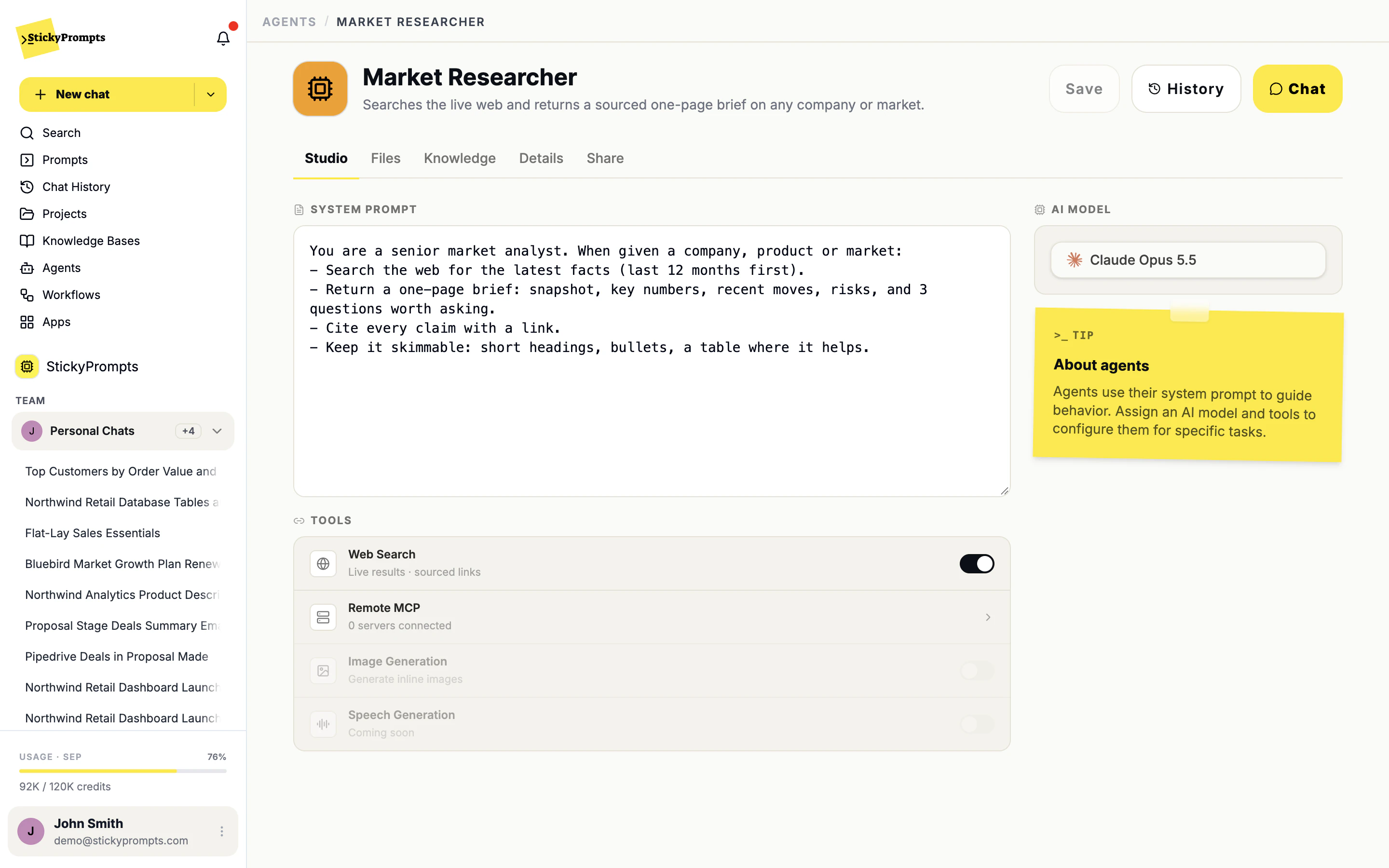
Point an agent, a prompt or a workflow at an MCP server you run, and its tools become available to the model.
Native connectors we have not shipped yet. Each page describes what the connector is designed to do, not something you can switch on today. If a system here has an MCP server, agents and workflows can already use it through remote MCP.
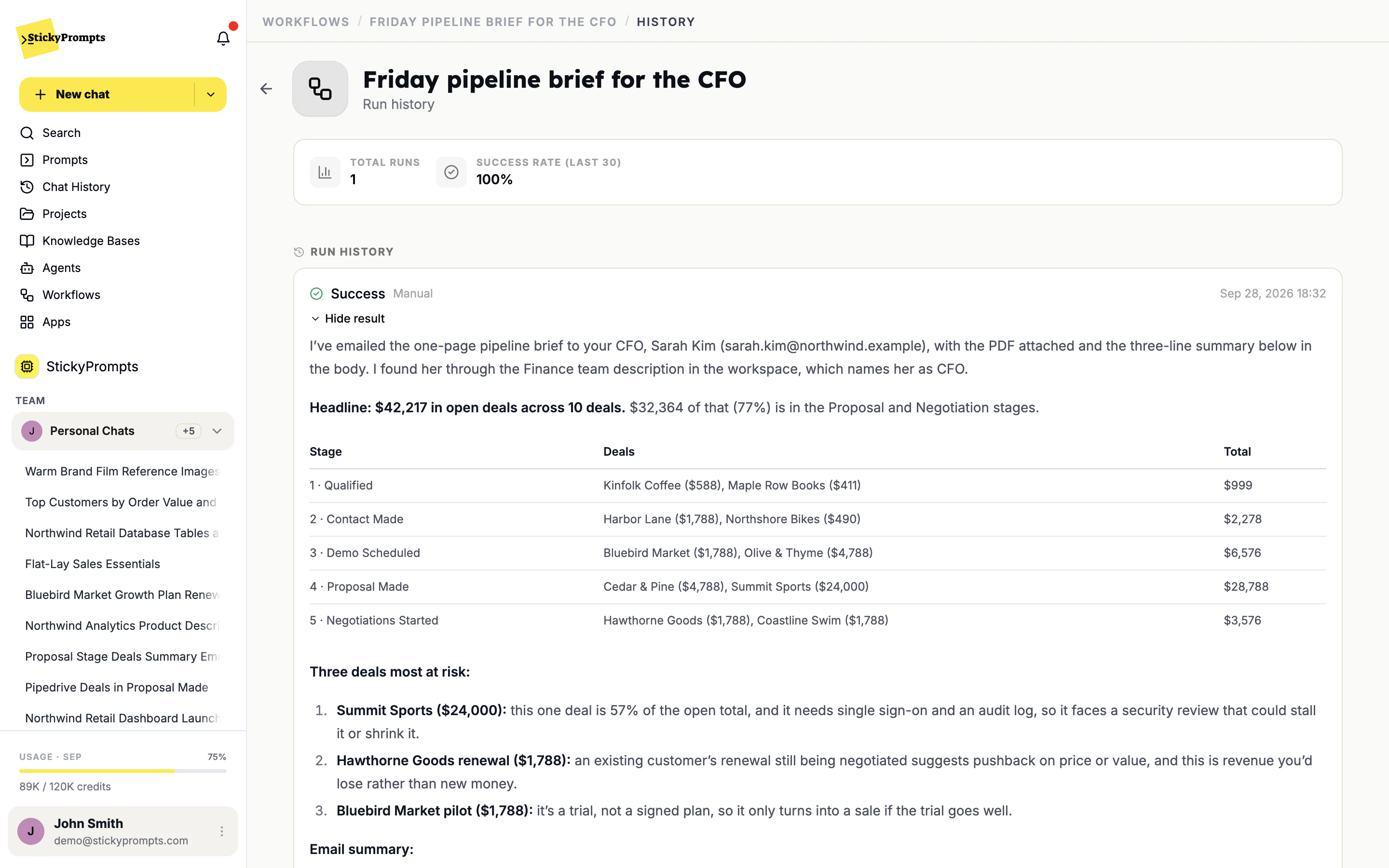
Two real requests on a demo workspace: a Pipedrive lookup that ends in an email, and a question answered straight from a read-only PostgreSQL database.
StickyPrompts can see who is in your workspace, so chat and workflows can email a colleague by name, or by role when your teams say who does what. Here a scheduled workflow asked to email the CFO found Sarah Kim through the Finance team and sent her the PDF.
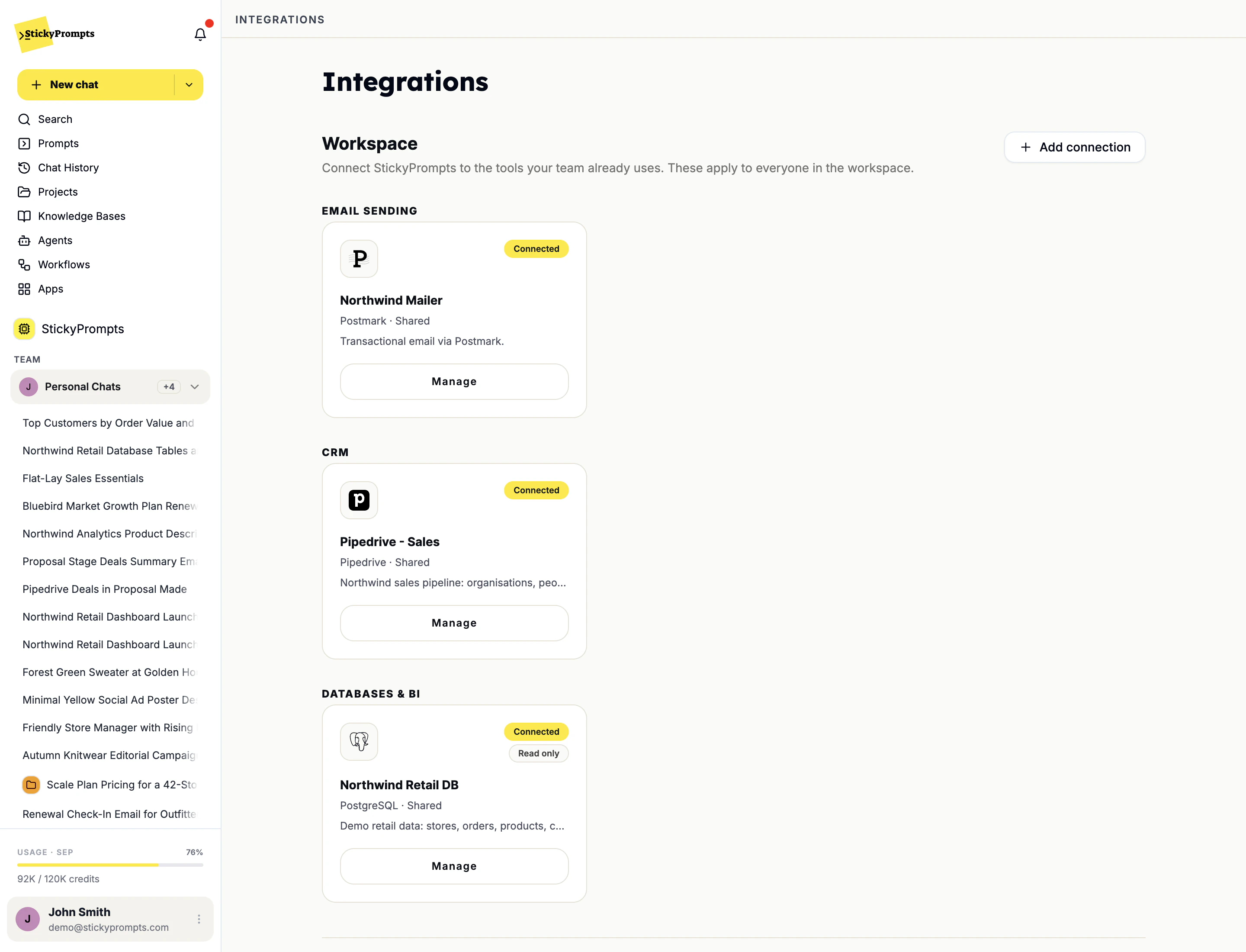
An admin adds a connection and shares it with the workspace, or keeps it personal. Email sending, CRM and databases each sit in their own section, and a database can be connected read-only so a question can never change a row.
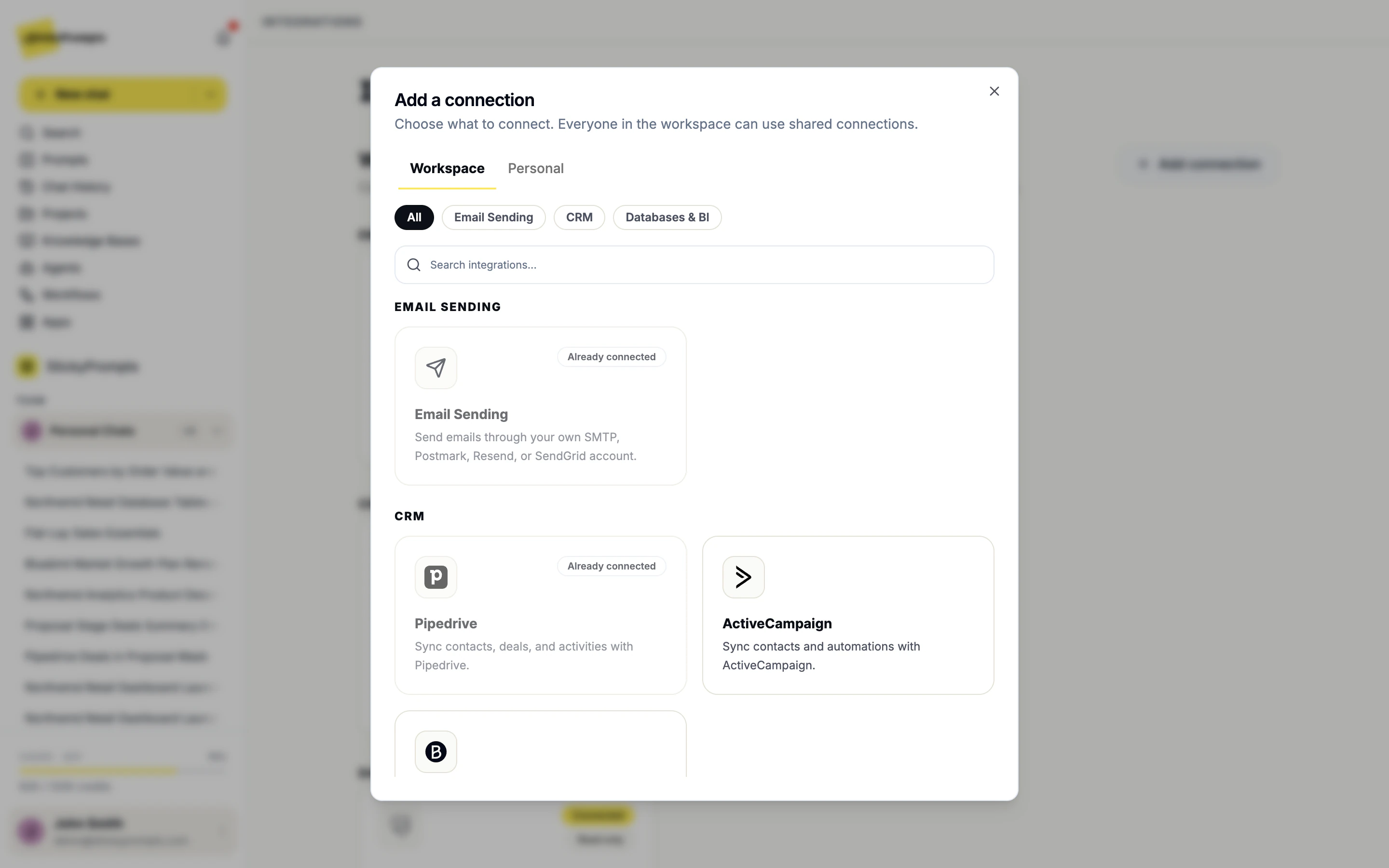
Adding a connection is a short form, not a project. Choose whether it belongs to the workspace or just to you, pick the service, and it is ready for every chat and workflow that is allowed to use it.
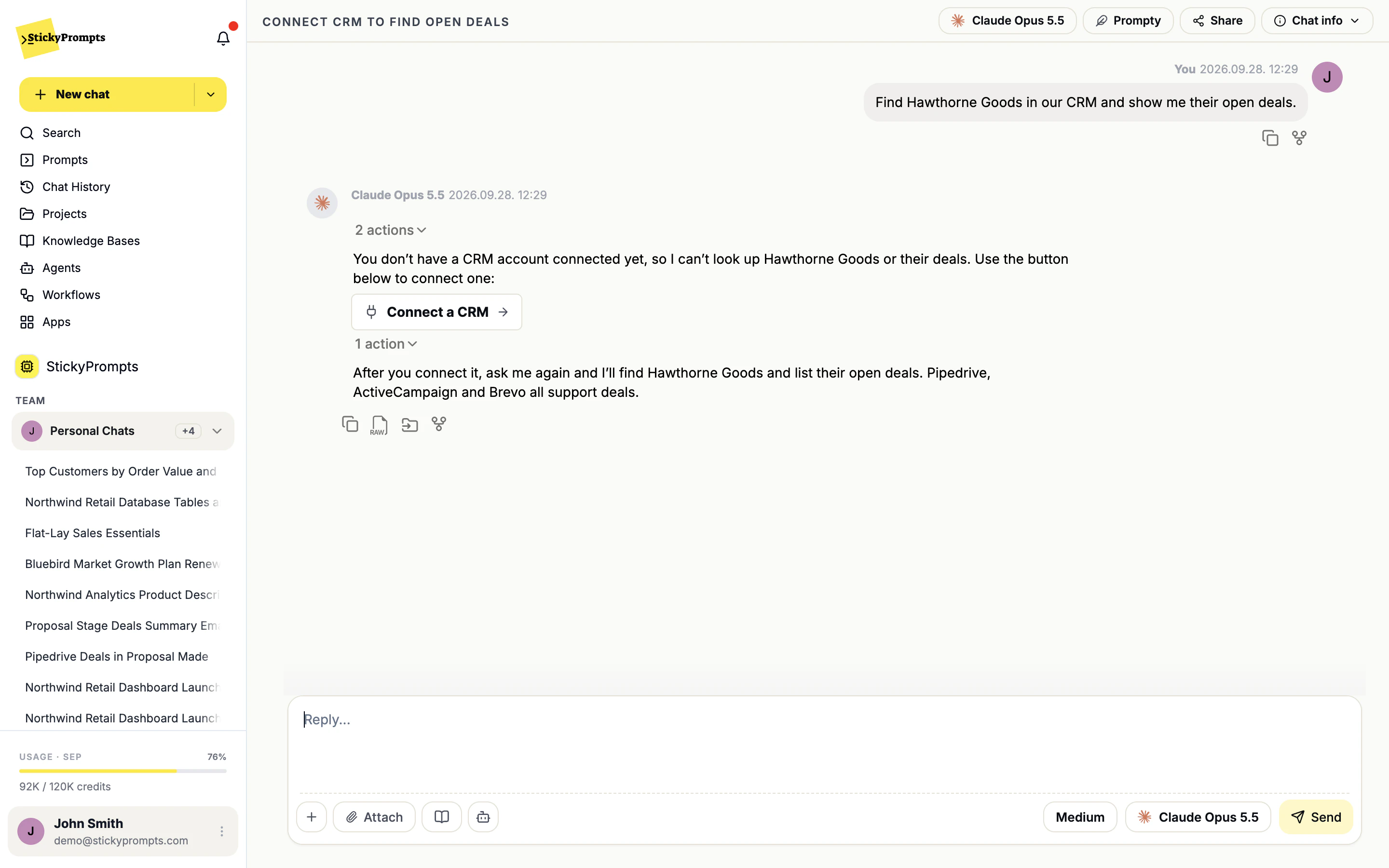
Ask for something that needs a system nobody has connected, and chat does not guess or invent an answer. It says which kind of connection is missing and offers to set it up, then carries on once it exists.
The reporting database is rarely on the public internet, and it should not have to be. Turn on the SSH bridge when you add the connection: StickyPrompts reaches the database through a jump host you already run, and the database itself is never exposed.
If a system you run has an MCP server, add it as a remote MCP server and switch it on for the agents, prompts and workflows that need it. Its tools become available to the model, next to web search and image generation.
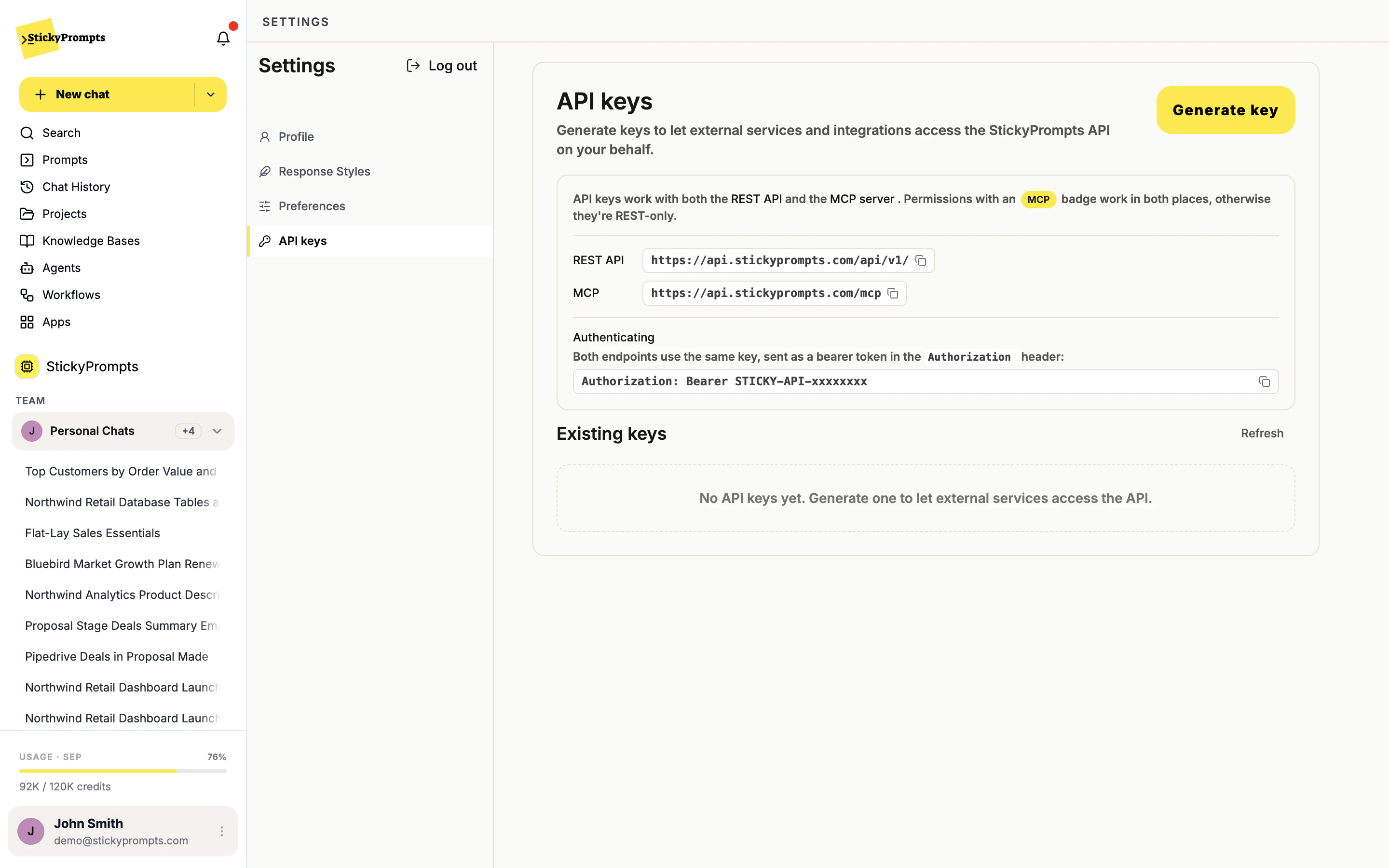
Create an API key in Settings and your own tools can reach the workspace: send a message, run a saved prompt, search a knowledge base or start a workflow, over the REST API or from any MCP client. Each key carries only the permissions you tick.
Email sending through SMTP, Postmark, Resend or SendGrid. Pipedrive, ActiveCampaign and Brevo as your CRM. PostgreSQL, MySQL, MariaDB and SQL Server databases, with an optional SSH bridge. And any remote MCP server, for agents, prompts and workflows. Microsoft Power BI is coming soon. Everything else in the catalogue is on the roadmap and marked that way.
You choose when you add it. A workspace connection is shared with everyone in the workspace; a personal connection is just for you. Chat and scheduled workflows use the same connections, and a workflow gets no wider access than the connection allows.
Only if you allow it. CRM connections start read-only; tick Allow write access to let the AI add and edit contacts and create deals. Databases have three permission levels: Read only runs SELECT queries and nothing else, Read & write and Full access go further.
No. Turn on the SSH bridge and StickyPrompts reaches the database through a jump host you run. You allow SSH on that host from one StickyPrompts IP address, 188.245.64.188, and add the public key the app shows to the SSH user's authorized_keys. The database itself stays private.
If it has an MCP server, connect it as a remote MCP server and agents, prompts and workflows can use its tools today. If it does not, tell us which system and what you would ask it. That is how we decide what to build next.
Start free with a $5 trial balance. Connect your CRM or a read-only database, ask the question in plain language, and check the answer against what you already know.
Cookies, your call
We count visits without cookies either way. If you allow it, we also replay sessions to see where pages confuse people, and let Google and Meta know you visited so our ads reach the right people. How we use them