Set it once. It runs without you.
Once a job has been done by hand fifty times, it should not need a person any more. Write what should happen in plain English, pick when it runs, and the workflow does the steps - pulling the data, making the file, emailing the right colleague.
On the schedule, or when you press go.
Whichever starts it, the instructions, the tools and the run history are the same.
On a schedule
Hourly, daily, weekly, monthly, or a custom cron expression when you need something specific - in your own timezone. The Monday morning report that nobody enjoys assembling.
- Friday pipeline brief for the CFO
- Daily store pulse at 7 a.m.
- Monday competitor digest
By hand
Press Run now whenever you want it early, or keep an occasional, fiddly job as a workflow anyone can run - so the procedure is not re-derived each time.
- Onboarding pack for a new client
- Quarterly board summary
- Ad-hoc data pull
The Friday afternoon job, on a timer.
The value is rarely in running one prompt on a timer. It is in the steps around it that used to be somebody's Friday afternoon: getting the numbers, making the file, sending it to the right person.
Just say what should happen. It does the steps.
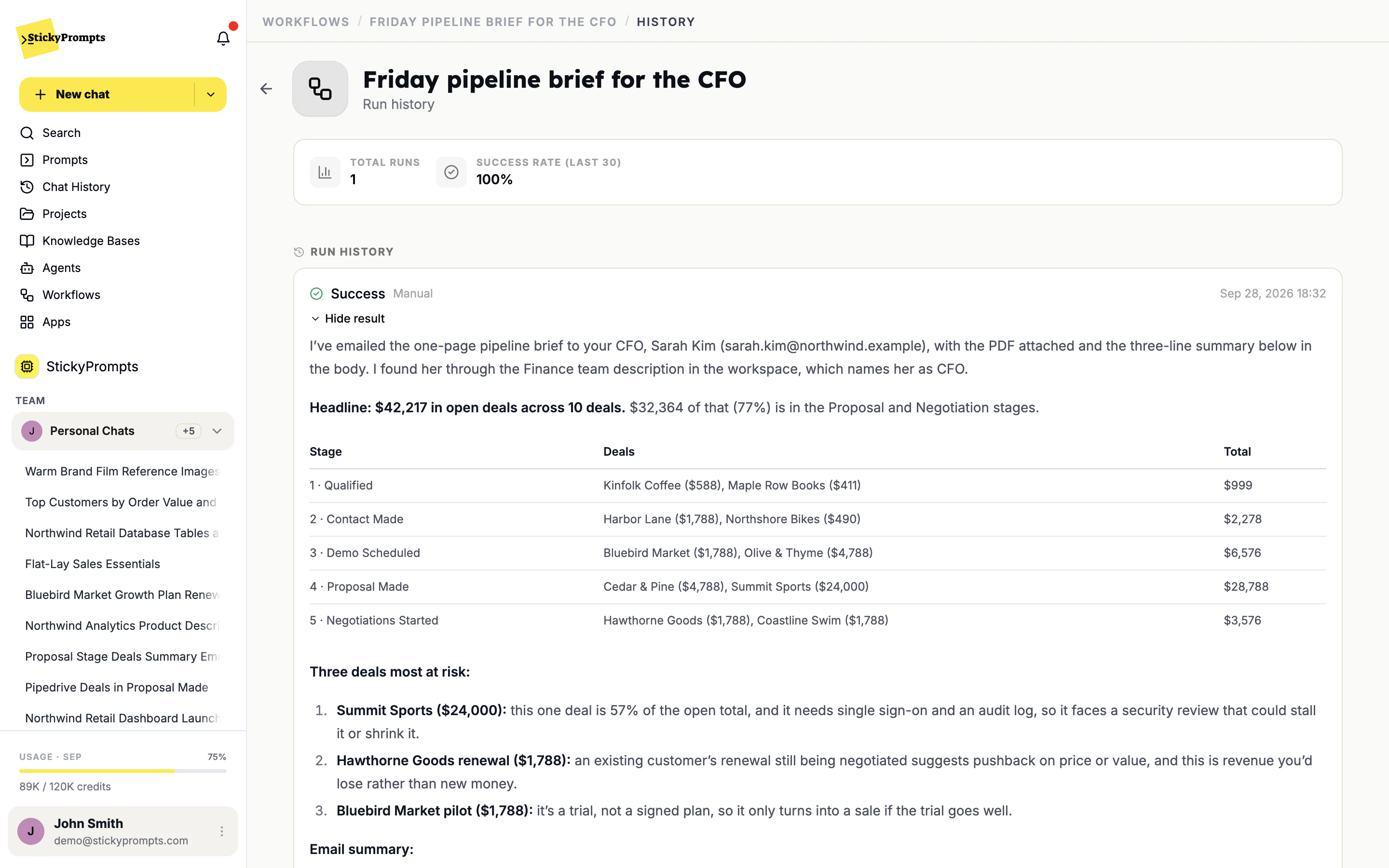
This workflow's whole configuration is one paragraph: pull the open deals from Pipedrive, turn them into a one-page PDF brief, and email it to our CFO. It found Sarah Kim through the Finance team, attached the PDF and sent it - nobody typed an address, and nobody built an email step.
- Plain-English instructions instead of a flowchart
- PDF or Word files made and attached as it goes
- Colleagues found by name or role in your workspace
Emailed to the CFO. Found on its own.
The run result says exactly what it did and why: who it sent the brief to, how it found her, the numbers it used, and the limits of the data it had. The PDF is right there in the run.
- Who it contacted, and how it identified them
- The summary it sent, and the file it attached
- Caveats about the data, stated rather than hidden
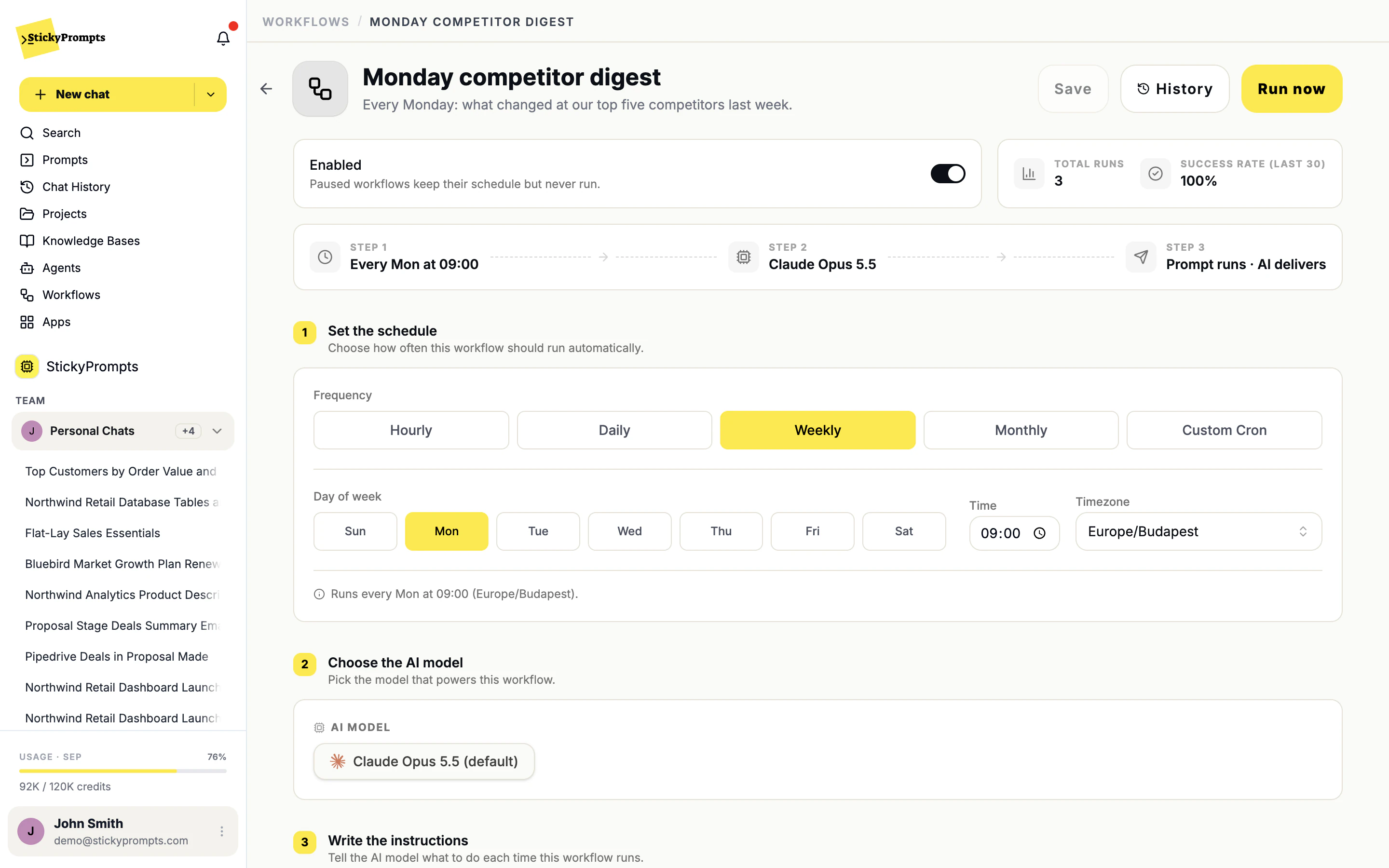
When, which model, and what to do.
A workflow is set up in three steps: the schedule, the model that powers it, and the instructions it follows each time. Start from a template such as Sales report email, Weekly summary digest or Invoice reminders, or write your own. Here, a Monday competitor digest that runs every week at nine, and can be run by hand whenever someone wants it early.
- Hourly, daily, weekly, monthly or a custom cron, in your timezone
- Any model in the catalogue, chosen per workflow
- Pause it without losing the schedule, or press Run now
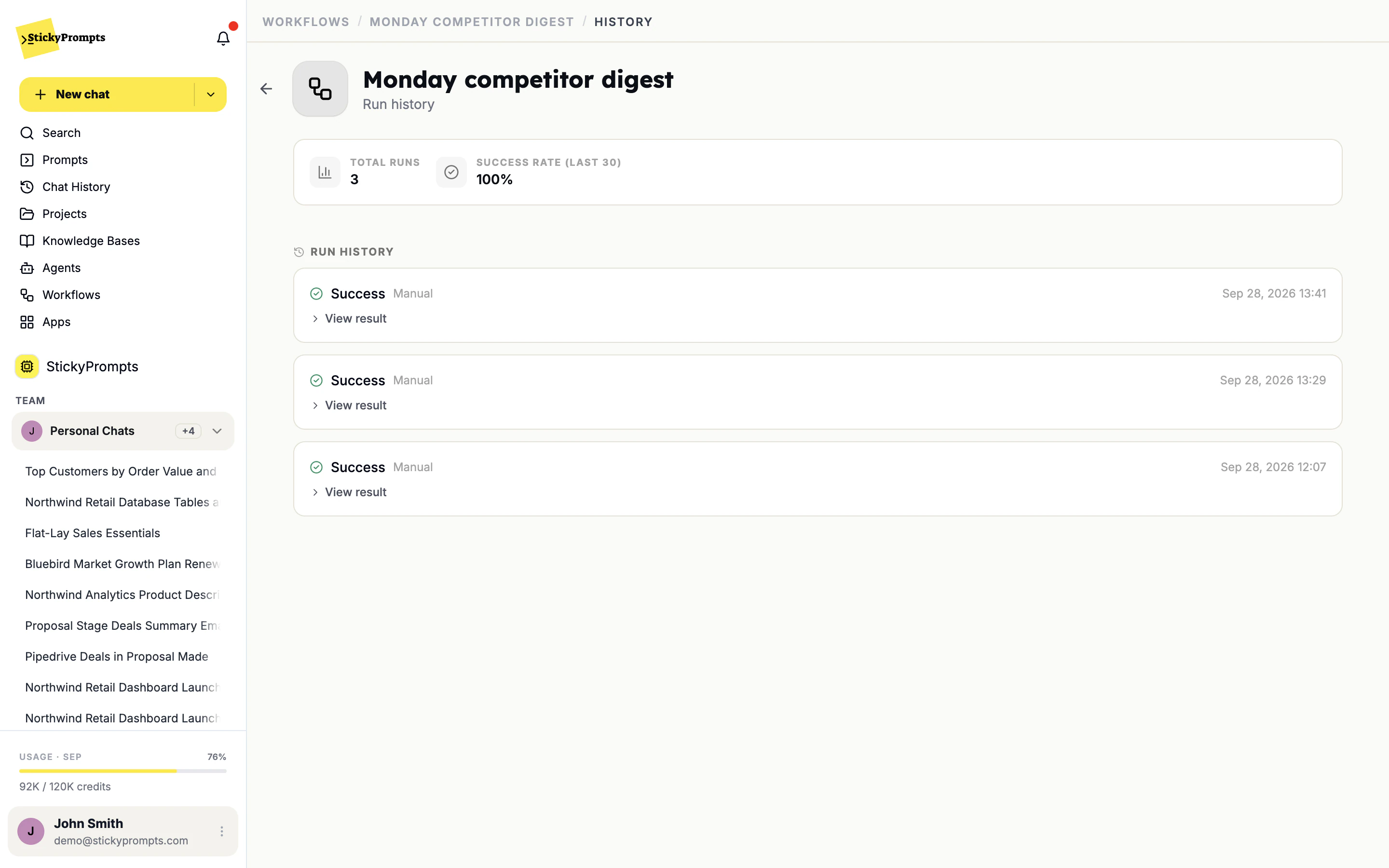
Automation you can actually audit.
Every run is recorded: whether it succeeded, what started it, when it ran and the full result it produced. When something goes wrong at 3am, you open the run rather than trying to reconstruct it.
- Success or failure, and whether it was scheduled or manual
- The result of every run, one click away
- Total runs and the success rate over the last 30
- The weekly report somebody assembles by hand every Monday
- A customer churn digest for the account team every Monday
- The pipeline as a PDF, emailed to the CFO every Friday
- An inventory alert when a store runs low on a best-seller
- Invoice reminders drafted and sent to the right contacts
- The month-end summary that always slips to the last day
What teams ask about workflows.
When should this be a workflow rather than an agent?
A workflow runs on its own, on a schedule or when someone presses Run now. An agent waits for someone to talk to it. If the job should happen every Monday at nine without anyone asking, it is a workflow. If people need to ask follow-up questions, build an agent.
What does a run cost?
Whatever the steps inside it use, measured in credits the same way as chat. Usage Statistics breaks consumption down by model and by user, so a workflow that runs hourly on a large model is easy to spot.
Can workflows reach systems inside our network?
Yes, through the same connections as chat - including an SSH bridge through your own jump host for a database with no public endpoint. The workflow does not get a special, wider set of permissions.
Do we have to build the email step, the PDF step and so on?
No. There are no action blocks. Write the outcome in the instructions - "turn it into a one-page PDF and email it to the CFO with a three-line summary" - and the model uses the right tools in the right order. If it cannot find someone or something, it says so in the run result.
What happens if a run fails?
It shows as failed in the run history with the result it produced, and the success rate reflects it. Open the run to see what happened, adjust the instructions, and press Run now to try again.
Can we test one before it goes live?
Press Run now as many times as you like and read each result. Pausing keeps the schedule, so you can switch it on when you are happy.
Stop doing by hand what already has a procedure.
Start free with a $5 trial balance. Turn your most-repeated prompt into a scheduled run this afternoon.