One set of controls for everything AI in your company.
Admins decide which providers each team may use, where the workspace's data is stored, and what happens when someone pastes a card number or an API key into a prompt. The rules live in one place, in Workspace settings, and every time a guardrail fires it is written to the Privacy Log.
What an admin actually gets to decide.
Nine settings that answer the questions Security, Legal and Finance ask before they say yes. All of them are in the app today, under Workspace.
Guardrails, sensitive info detection, EU-only endpoints and the Privacy Log are included from the Business plan. Compare plans
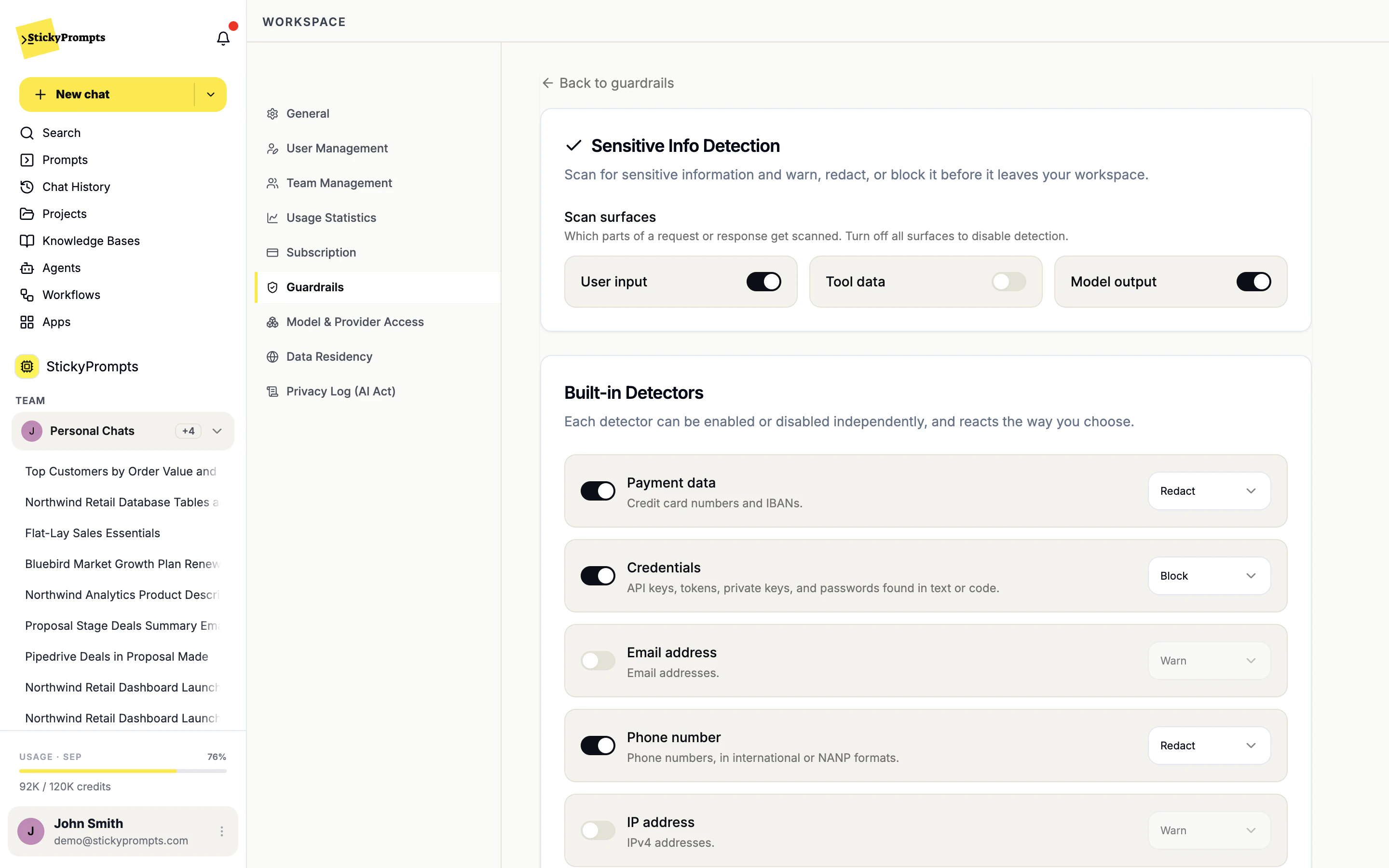
Warn, redact or block, per detector.
Sensitive info detection scans what people type, what tools return and what the model writes back. Card numbers and IBANs, credentials, email addresses, phone numbers, IP addresses and government IDs each get their own action, and your own patterns can be added as regular expressions. Watch it catch them as you type.
- Choose which surfaces are scanned
- Warn, redact or block for each detector
- Every trigger recorded in the Privacy Log
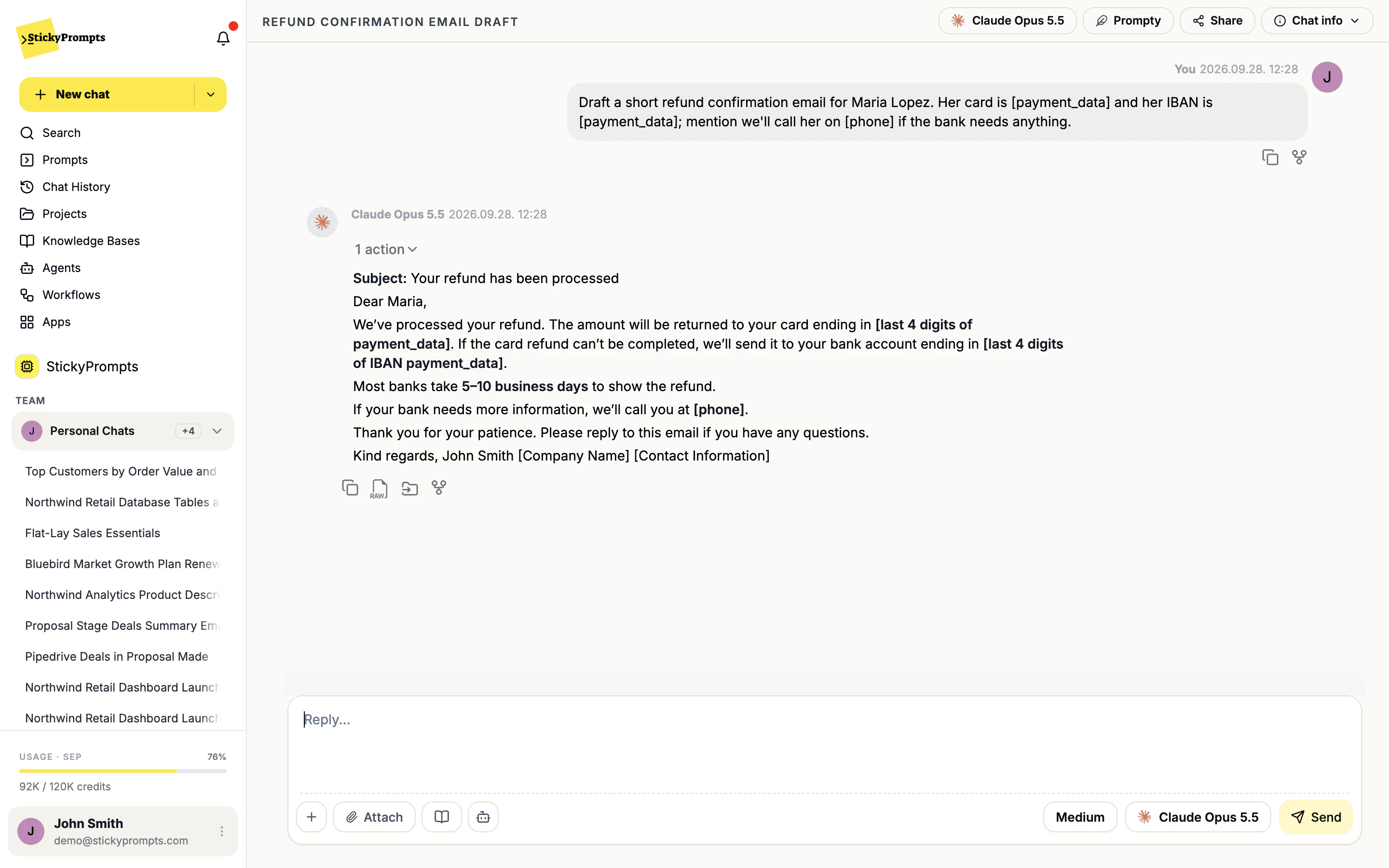
The model gets placeholders.
With redaction on, the numbers never reach the provider. The model works with [payment_data] and [phone] in their place, and still writes a usable reply. A Northwind support agent can paste a customer's refund details and draft the email without the card number leaving the workspace.
- Redaction happens before the request leaves
- Replies stay useful without the raw values
- Prompt injection detection is coming soon
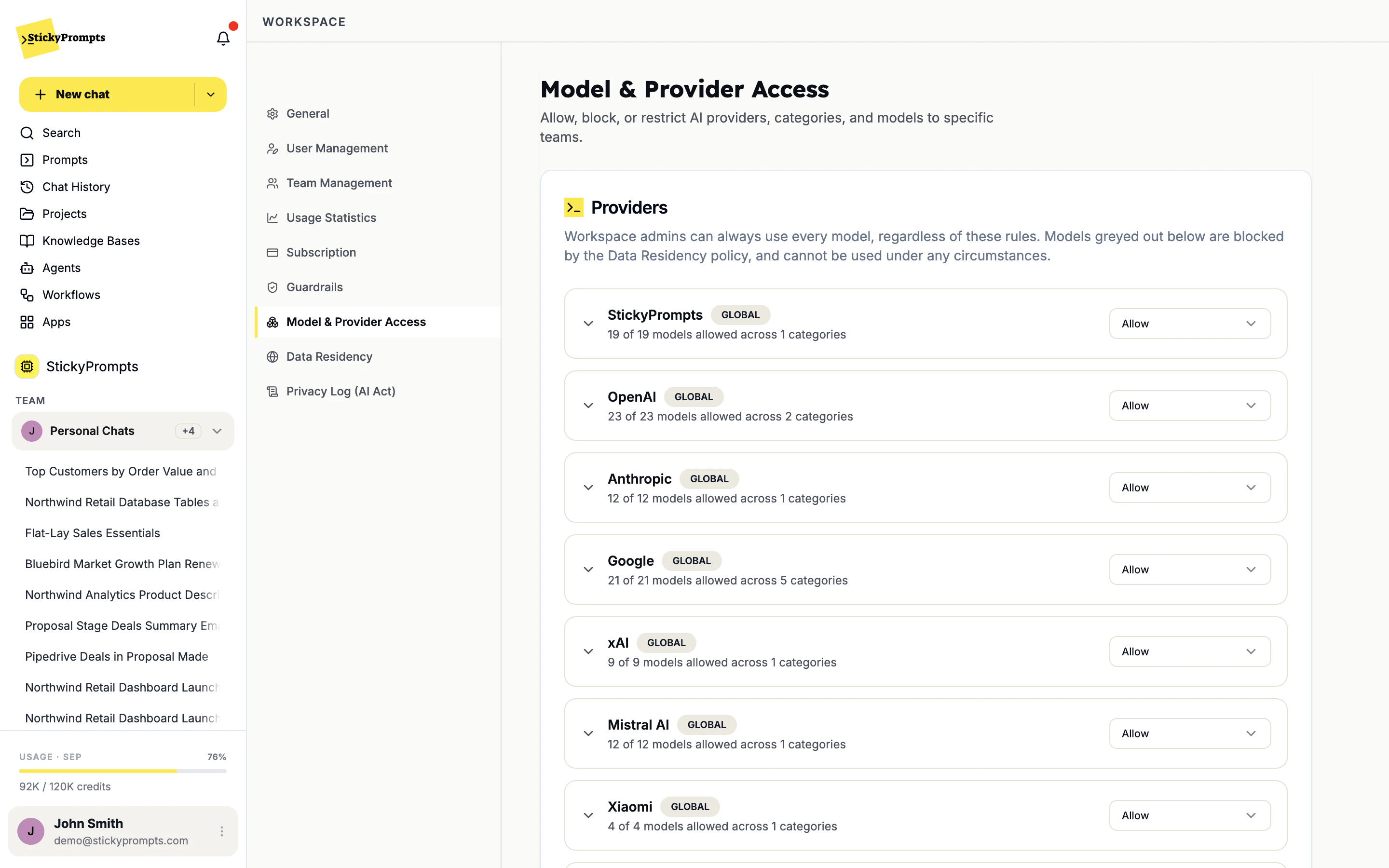
Decide who may use which provider.
Each provider gets one setting: Allow, Block, or Specific teams. Northwind can open every provider to Marketing for image work and keep Finance on a shorter list. Models blocked by your data residency settings are greyed out and cannot be used by anyone.
- Allow, Block or Specific teams, per provider
- Workspace admins can always use every model
- Residency rules apply to the model list automatically
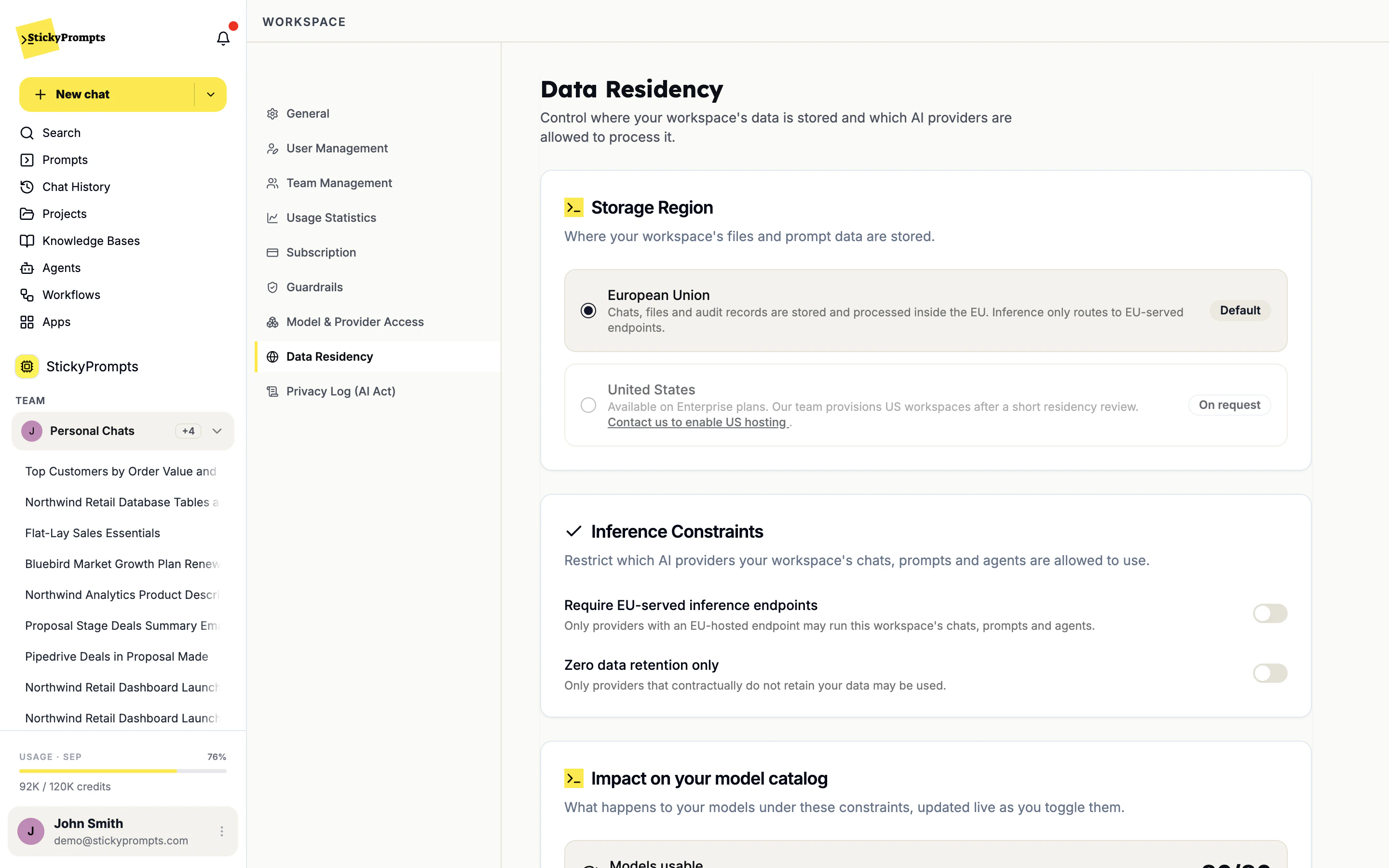
Your data in the EU, by default.
New workspaces store chats, files and records in the European Union. From there you can tighten inference as well: require EU-served endpoints, or allow only providers that contractually keep no data. The impact on your model catalog updates live before you save, so nobody is surprised on Monday.
- EU storage by default, US on request for Enterprise
- Require EU-served inference endpoints
- Zero data retention providers only, if you choose
A record you can hand over.
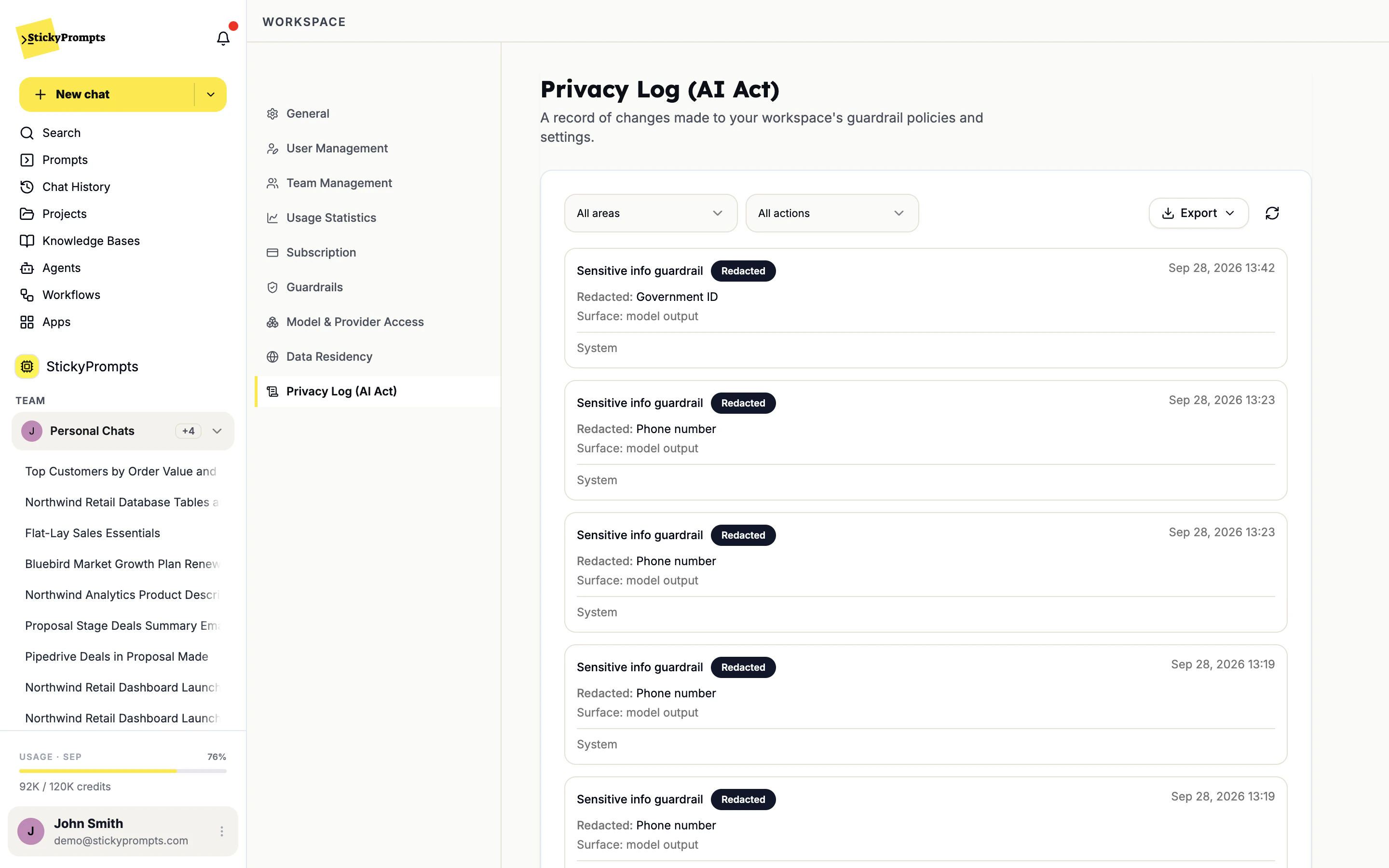
Every guardrail trigger and every change to your policies lands in the Privacy Log: what happened, which detector, which surface, when. When your DPO or an auditor asks how personal data is handled, you answer with the record and the settings behind it, not a promise.
- Warned, Redacted and Blocked events
- Policy changes recorded alongside triggers
- Filter by area and action, then export
- A guardrail set once covers chats, prompts, agents and workflows in the workspace, not one tool at a time
- One Privacy Log to filter and export, instead of an export per tool
- IT decides on a provider or a region once, for every team
- New capabilities arrive inside the controls you already set
ISO 9001: certified · ISO 27001: in progress · SOC 2: in progress. Certifications are held by LogiNet, the company behind StickyPrompts.
Set the guardrails first, then invite the team.
Choose your providers, your guardrails and where your data lives before anyone sends a prompt, then roll out team by team. Book a demo and we will walk your security team through Workspace settings.