AI work that outlives one person's laptop.
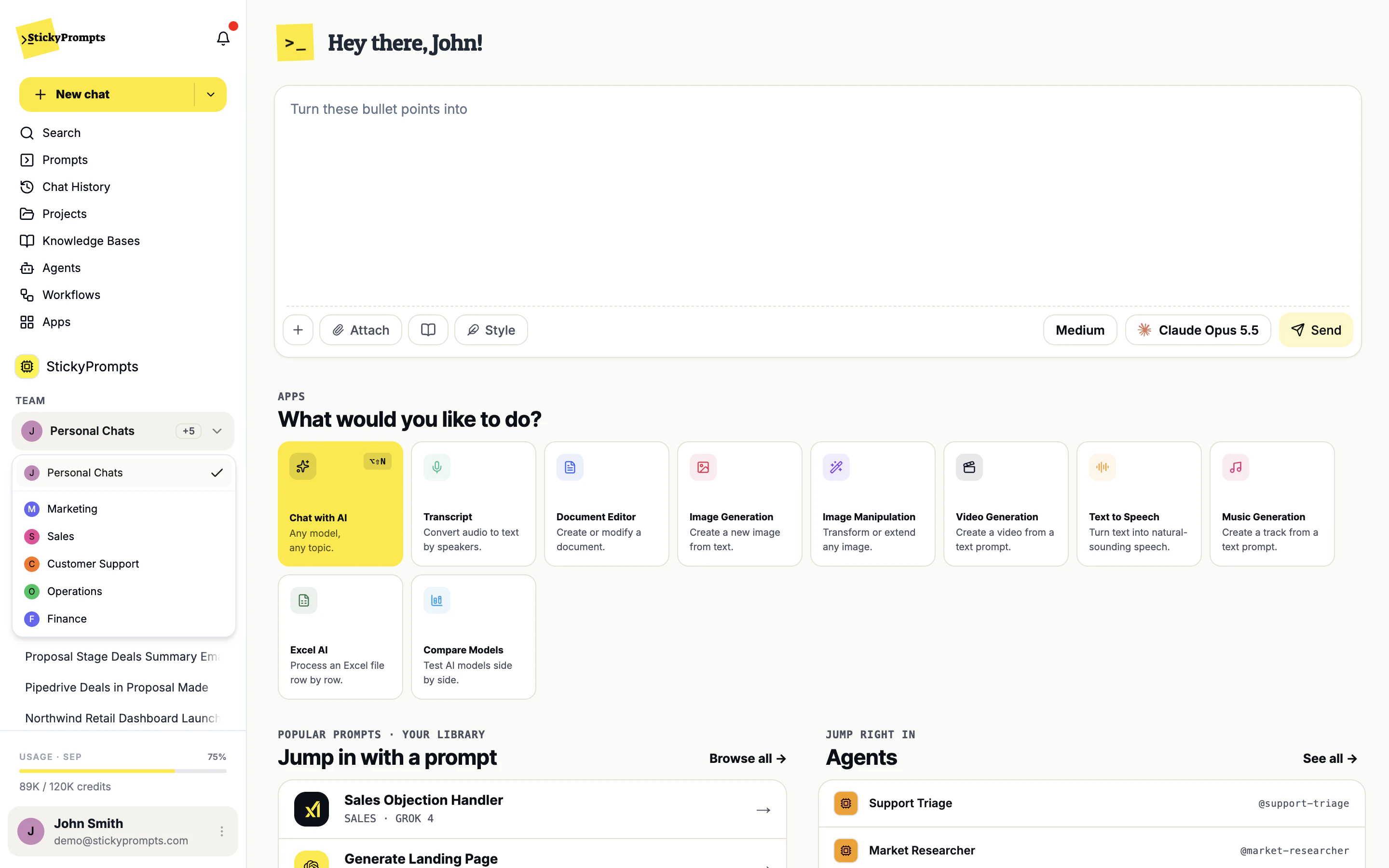
In a personal AI subscription, everything useful your colleague worked out lives in their chat history and leaves with them. A workspace makes the context shared by default: the same knowledge, the same prompts, and team chats where the discussion and the AI's answers sit side by side.
Everything a team needs, in one boundary.
A workspace is not a folder. It is the boundary for people, knowledge, permissions and connectors, which is what makes it something IT can actually govern.
Talk it through, then ask @ai.
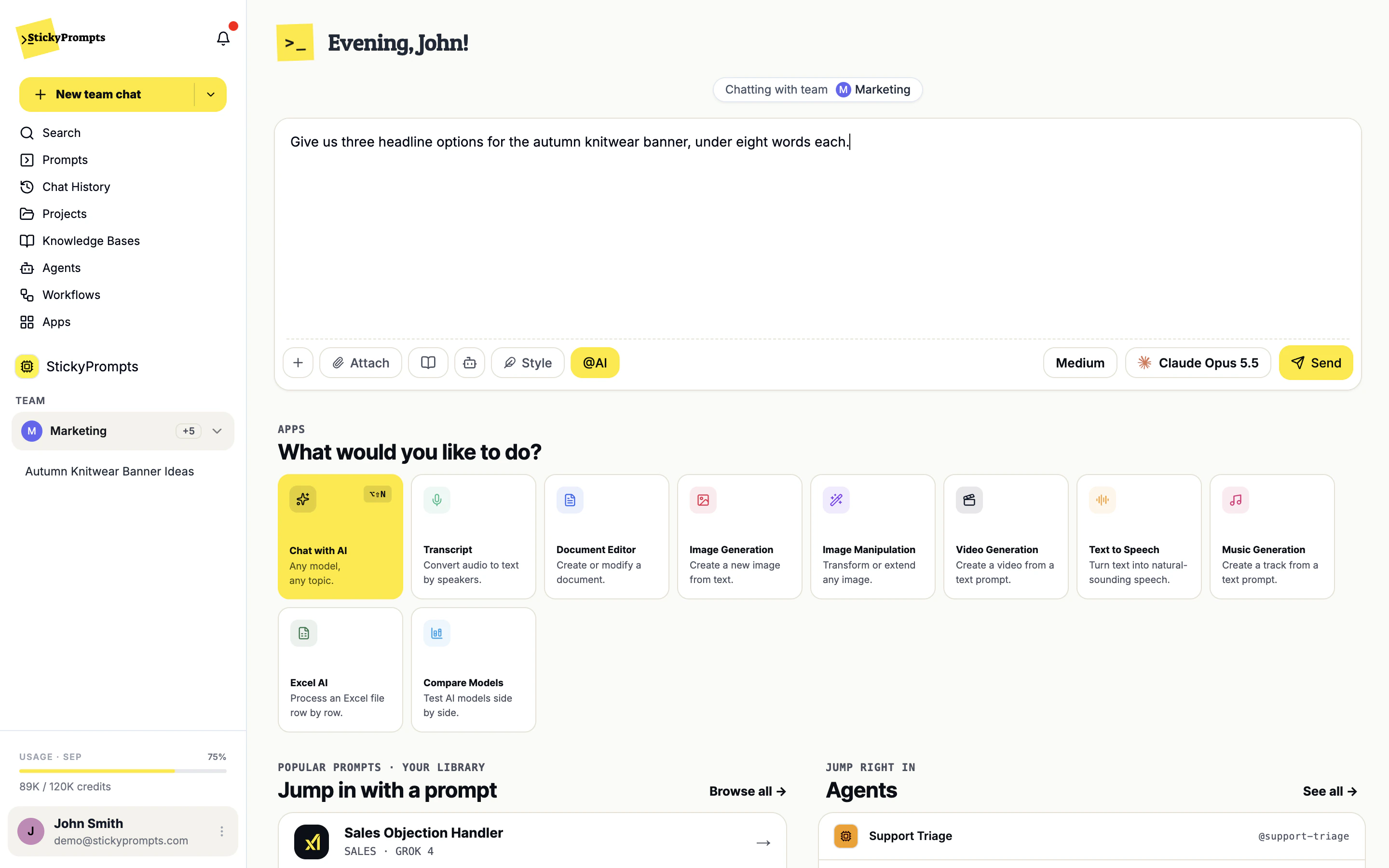
Pick a team in the sidebar and start a team chat. Colleagues discuss the work the way they would anywhere else, and when someone mentions @ai, the model answers in the thread for everyone to see. No screenshots of private chats pasted into a channel.
- Personal Chats and every team, one switch apart
- The AI answers only when someone asks it to
- The same models, files and knowledge as any chat
One workspace, many teams.
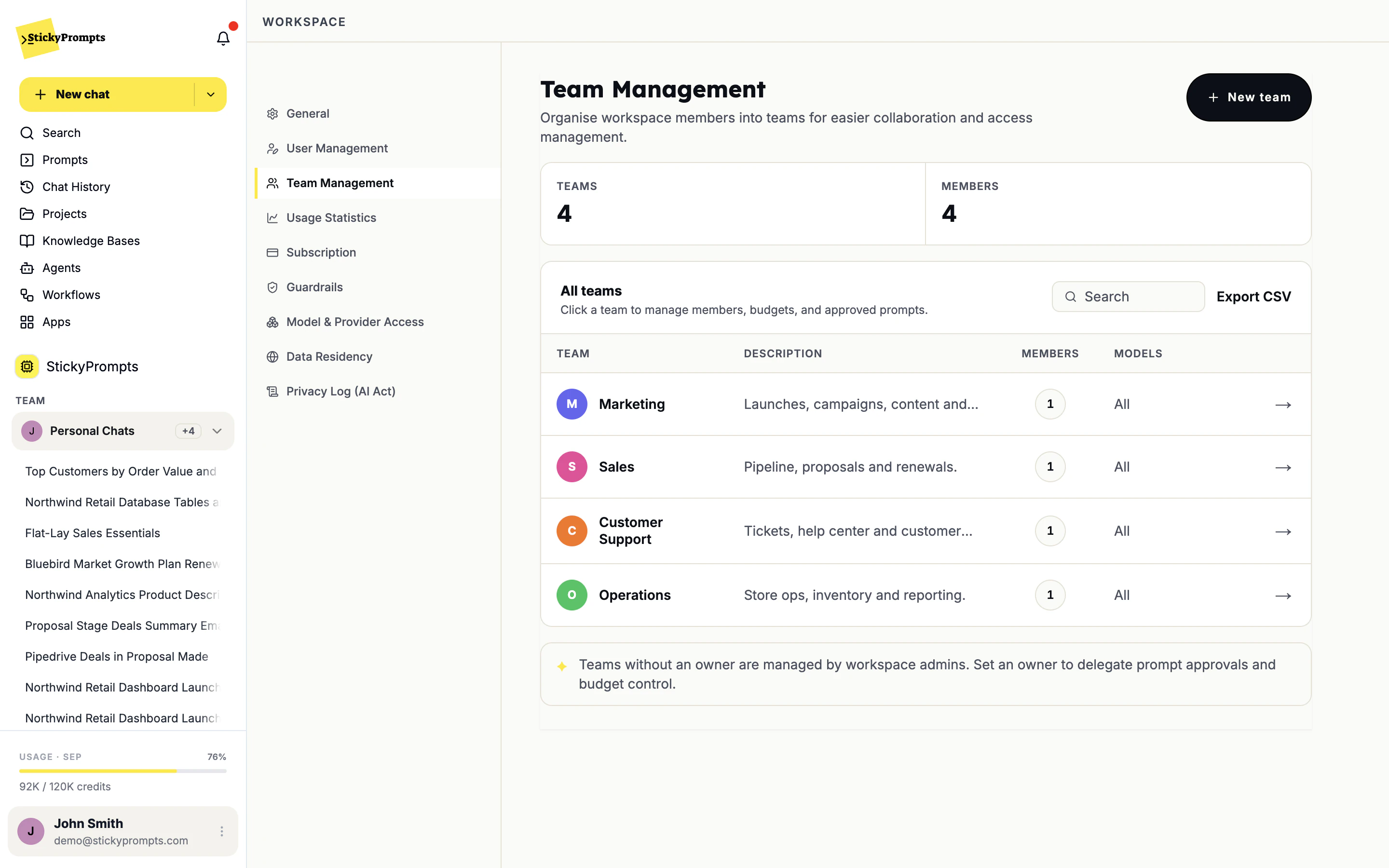
Group people into teams - Marketing, Sales, Support, Operations - each with its own members and model access. A team can have an owner who approves its prompts and keeps an eye on its budget; teams without one are run by the workspace admins.
- Teams with their own members and models
- Team owners for prompt approval and budget
- Export the whole structure as CSV
Everything for one job, in one place.
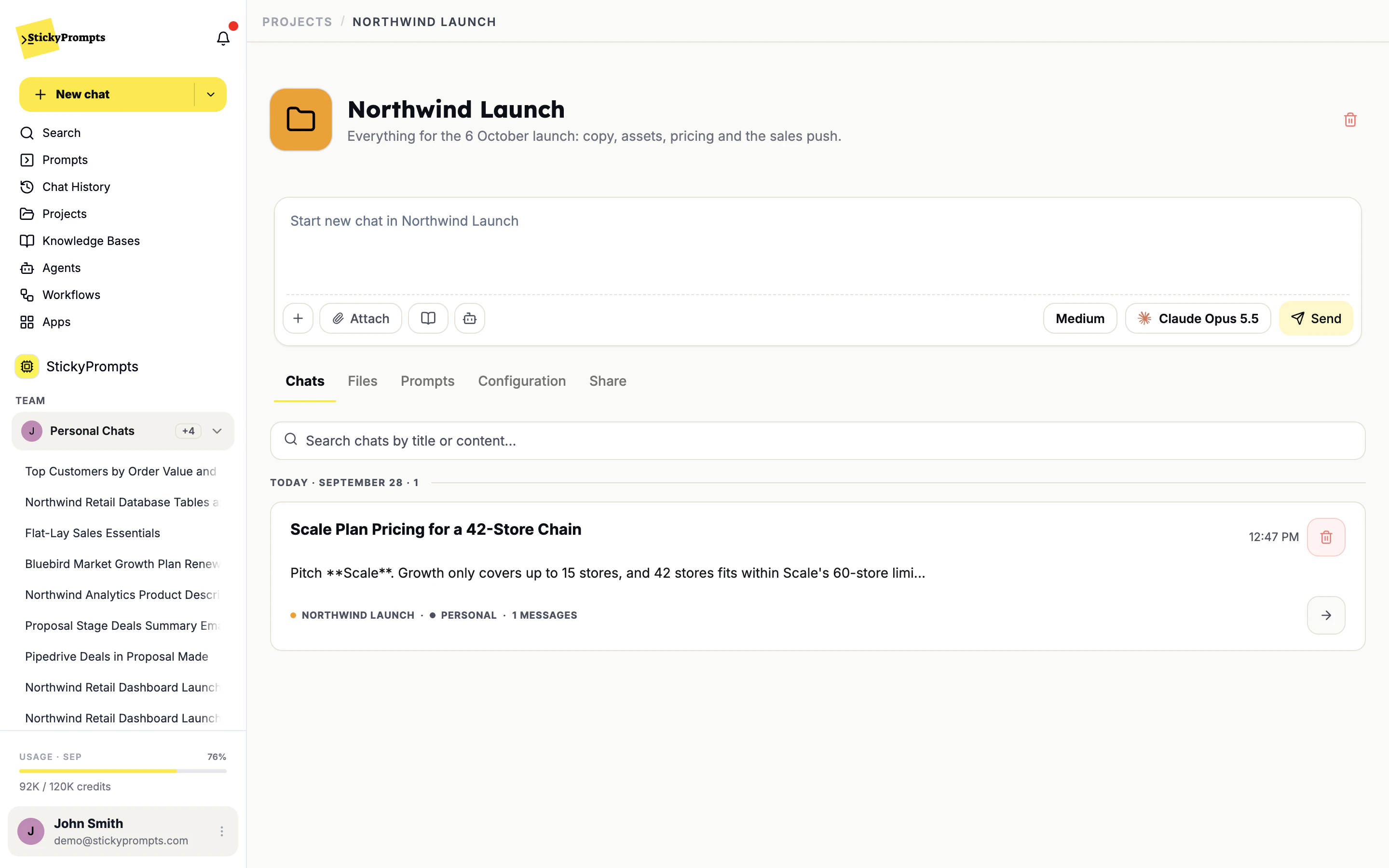
A project keeps the chats, files, prompts and standing instructions for a piece of work together. Start a chat inside it and the model already knows the brief, the pricing sheet and the brand voice.
- Chats, files and prompts per project
- Project instructions every chat inherits
- Share a project with the people on it
- New joiners inherit the team's best practice instead of rediscovering it
- Knowledge stays when a person leaves - it belongs to the workspace
- One shared plan, so heavy and light users balance out instead of hitting separate walls
- Model access is set per team, not negotiated per person
- Admins govern a workspace, not thirty individual accounts
- Guardrail triggers and policy changes land in one privacy log
What teams ask about workspaces.
What is the difference between a workspace and a team?
The workspace is your company: one set of users, rules, integrations and billing. Teams live inside it. A person can belong to several teams and switches between them, and Personal Chats, in the sidebar.
Who can see a conversation?
A personal chat is yours until you share it. A team chat belongs to the team it was started in. Projects and prompts are shared deliberately, with the people you choose.
Who decides who can use which model?
Workspace admins, per provider: allow it, block it, or allow it for specific teams only. Admins can always use every model, and models ruled out by your data residency settings are greyed out for everyone.
What happens when someone leaves?
An admin removes them in User Management. The prompts, projects, knowledge bases and team chats they worked on stay in the workspace, which is the point of not keeping that work in personal accounts.
Stop losing the good work in private chat histories.
Start free with a $5 trial balance. Set up your first workspace in the time it takes to write a brief.