Your company's best prompts, in one place.
Every team has a few prompts that reliably work: the renewal email, the product description, the weekly summary. Today they live in private chats and one person's notes. Save them in the library with their variables, model and files, and anyone at Northwind can run them from a short form.
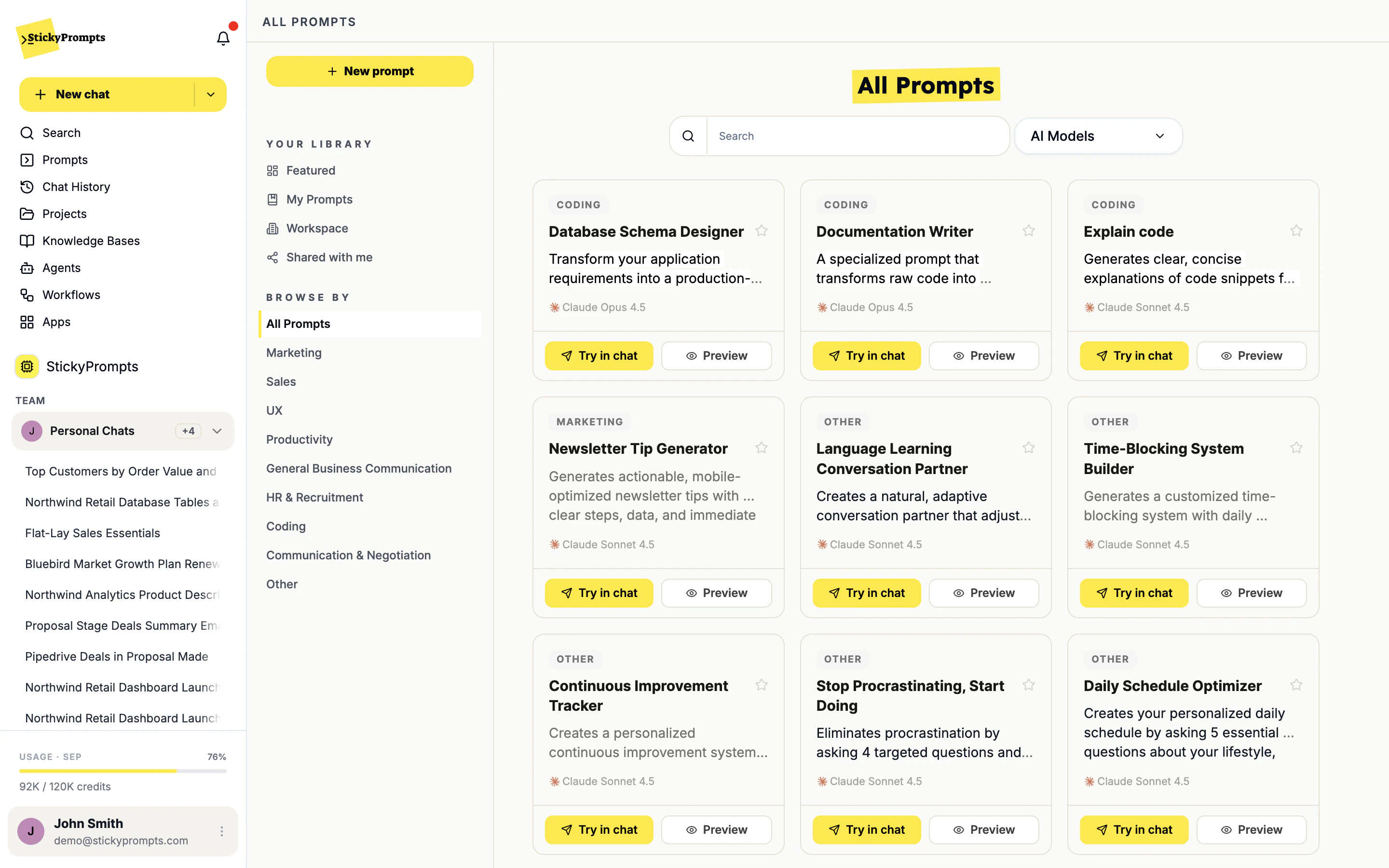
A prompt worth keeping is more than its text.
The wording is the easy part to copy. What makes a prompt give the same good answer for everyone is everything saved around it.
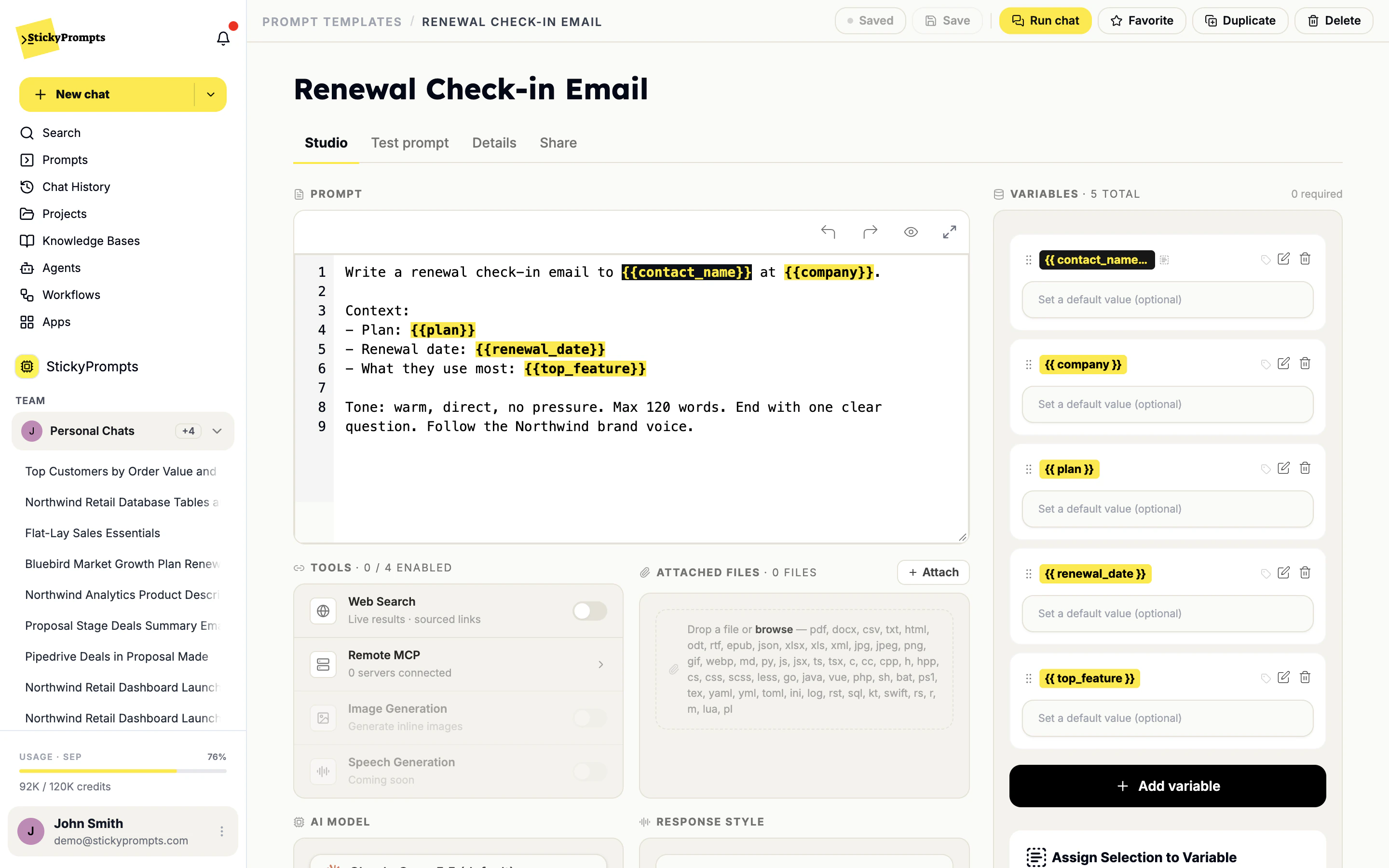
Write it once. Fill in the blanks.
Put {{contact_name}} or {{renewal_date}} anywhere in a prompt and it becomes a variable automatically. Give each one a default, make it required or optional, and choose the model, tools, files and response style the prompt should always use.
- Variables detected from {{double braces}} as you type
- Defaults, required fields and an Always ask form
- Its own model, tools, files and response style
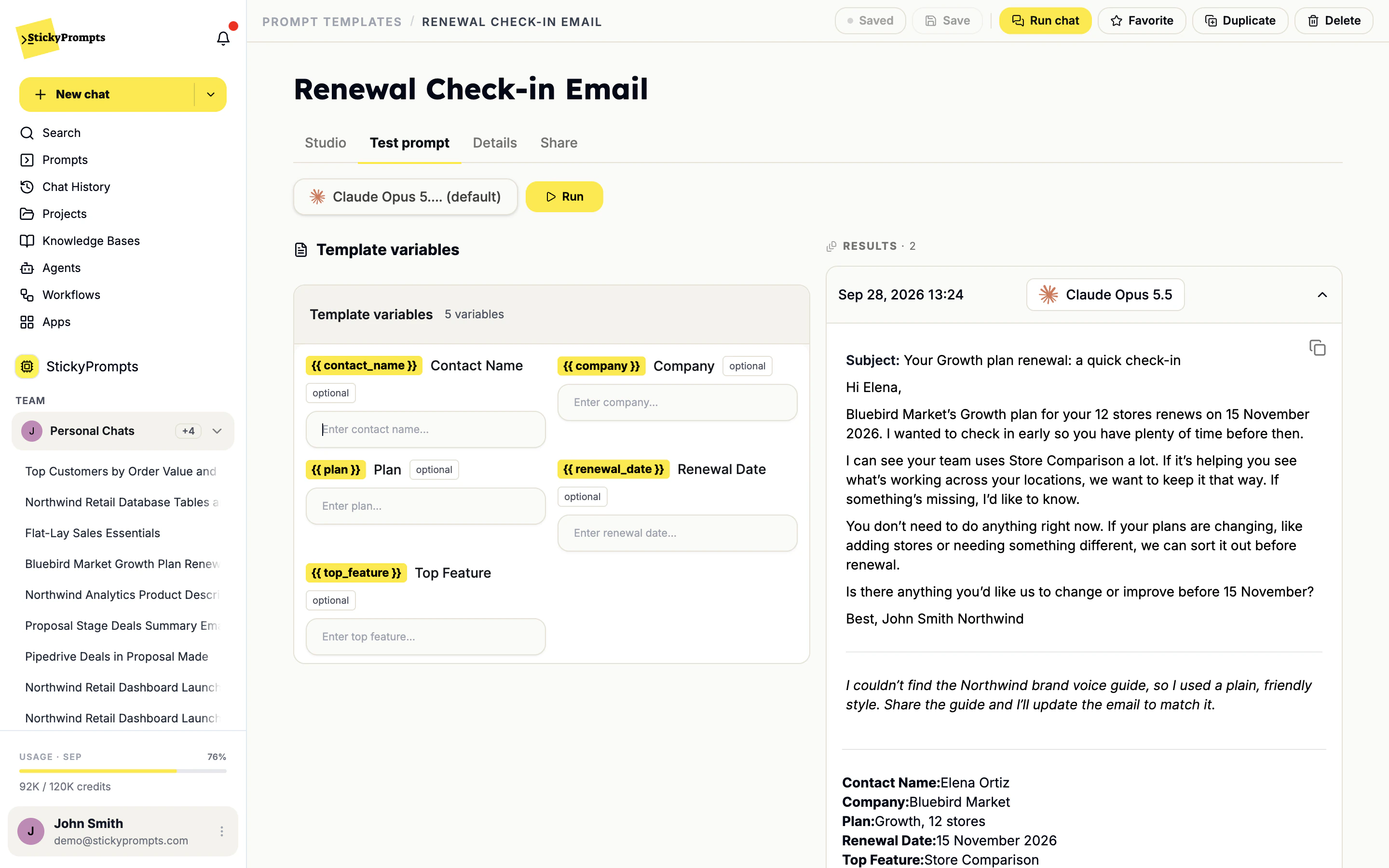
Check the answer before sharing it.
The Test prompt tab asks for each variable, runs the prompt on the model you picked and keeps every result with its date and model. Northwind's account team tried the renewal email on one of its accounts, Bluebird Market, before sharing it with the rest of Sales.
- One field per variable, filled with real values
- Every run saved with its date and model
- Run chat opens the prompt in a normal chat
From saved prompt to finished draft.
Open a prompt from the library, fill in the five variables and send. The model, tools and files come with it, so a new joiner gets the same quality of draft as the person who wrote the prompt.
- Try in chat straight from the library card
- Favorite the ones you use every week
- Duplicate a shared prompt to adapt it for your team
- Everyone starts from the version that already works
- New joiners run the team's prompts in their first week
- Colleagues fill in a form instead of editing someone else's wording
- The model and files a prompt needs are saved with it
- Good prompt work stays with the company when people move on
- Teams stop writing the same prompt in parallel
What teams ask about the library.
Is this just a folder of text files?
No. A library prompt carries its variables, its model, its tools, its files and its response style, and it runs with one click from the library or from chat. A text file carries the wording and nothing else, so everyone who pastes it gets a slightly different result.
Who decides what goes into the workspace library?
You do. Teams can have owners who approve prompts and control budgets; teams without an owner are managed by workspace admins. Most good workspace prompts start as somebody's private draft in My Prompts.
Can prompts be private?
Yes. A new prompt lives in My Prompts until you share it. Prompts other people share with you appear under Shared with me, and workspace prompts appear under Workspace for everyone.
What does a colleague need to know to run one?
Nothing about how it was built. They open it, fill in the variables the form asks for, and run it. The model, tools and files you chose come along automatically.
Can we import what we already have?
Paste them in. There is no special format. Wrap the parts that change in double braces, such as {{customer}} or {{deadline}}, and the editor turns them into variables as you type.
Turn the prompts that work into everybody's prompts.
Start free with a $5 trial balance. Paste in a dozen of your team's best, add the variables, and share them with the workspace.