Answers from your documents, with the receipts.
A general model knows the internet and nothing about your company. Grounding it in your own files is what turns a confident guess into an answer you can act on - provided it names the document it came from and only the right people can use it.
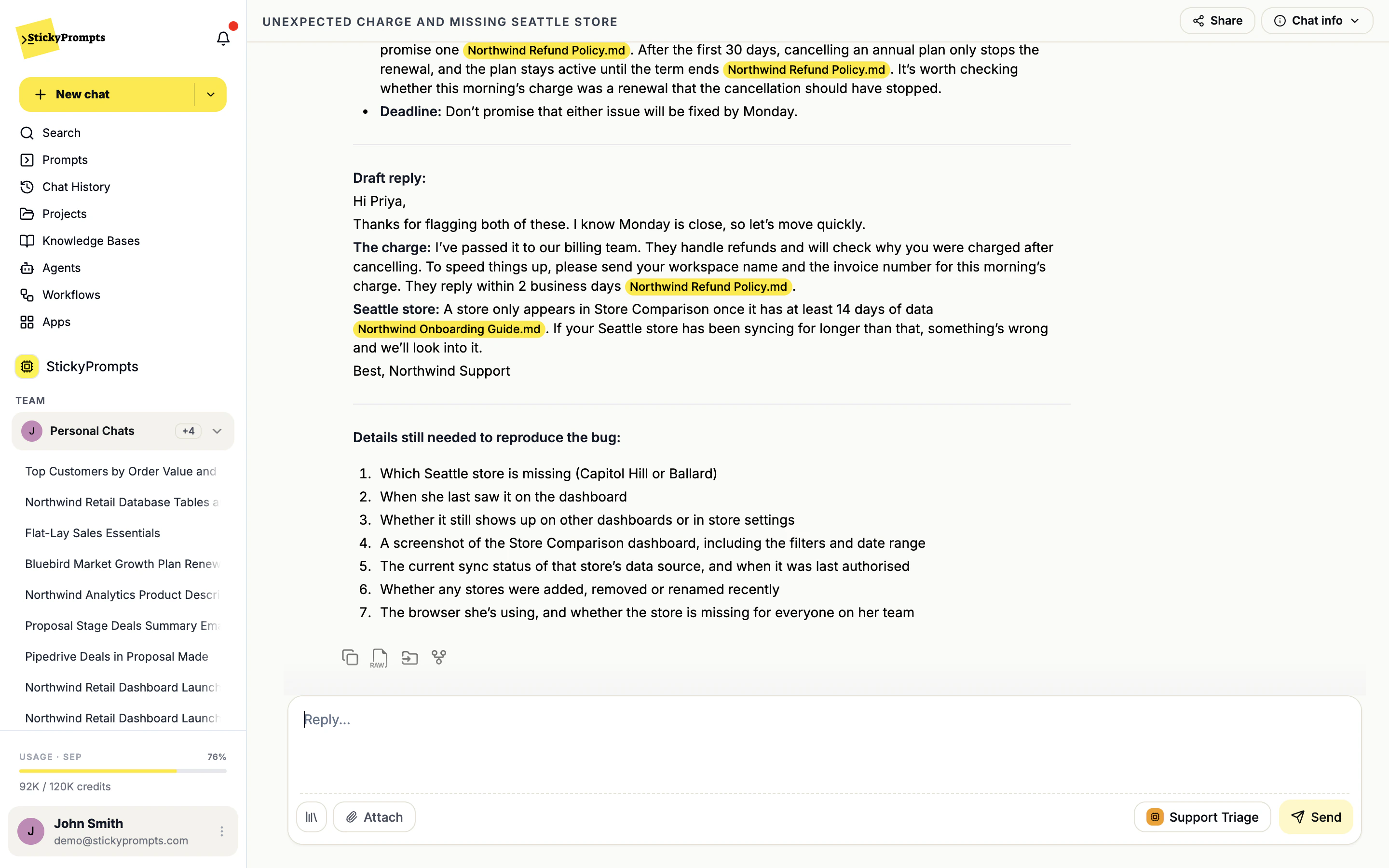
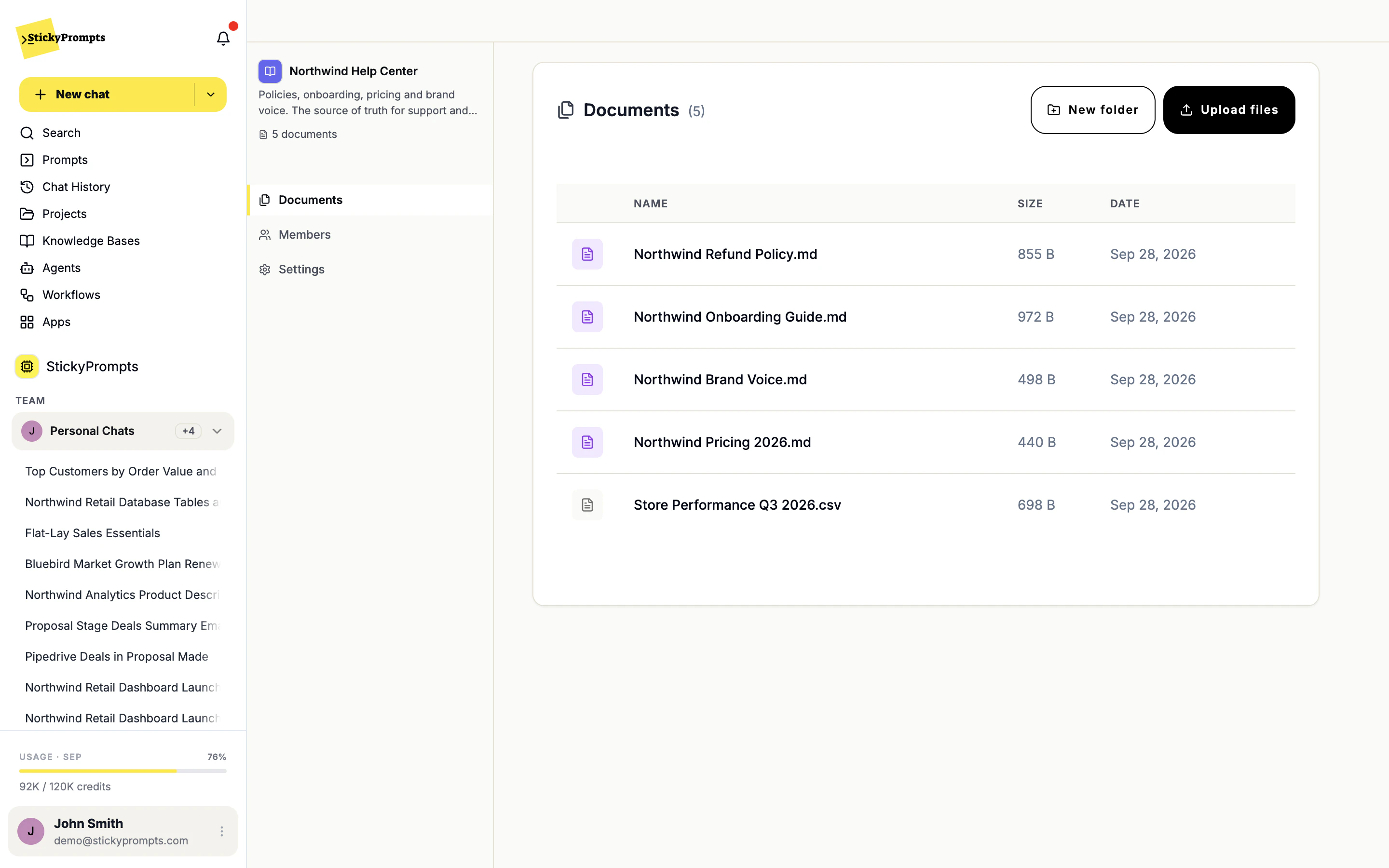
Named sources, clear owners, one place.
Searching documents is easy to demo and hard to trust. What keeps people using it after the first month is being able to check every answer.
Every answer shows where it came from.
Each claim carries the document it came from, right on the sentence it supports. That makes an answer checkable in a click, and it makes a wrong answer diagnosable - you can see whether the model misread the source or the source itself was out of date.
- The source file highlighted on the sentence it supports
- A misread source and an outdated source look different
- Works in any chat where the knowledge base is picked
A folder of the documents people ask about.
A knowledge base is a named collection of files: policies, guides, price lists, a CSV of last quarter's numbers. Upload them once, organise them in folders, decide who can use them, and every agent or prompt that should answer from them can.
- PDF, Word, Excel, CSV, Markdown and more
- Members and settings per knowledge base
- One collection, shared by any agent or prompt
- HR handbook and policies - the questions people ask twice a week
- Product documentation, so support answers match the manual
- Contract and DPA precedents, cited back to the file
- Sales collateral and approved answers for tenders
- Internal engineering runbooks and architecture decisions
- Regulatory and audit documentation, kept in one searchable place
What teams ask about knowledge bases.
How is this different from attaching a file to a chat?
An attachment lives in one conversation. A knowledge base is standing context for the team: organised in folders, shared with its members, and available to every agent and chat that should answer from it. Nobody has to attach the handbook thirty times.
Which file types can we upload?
PDF, DOCX, XLSX, CSV, TXT, Markdown, EML, and JPG, PNG or WEBP images.
Who can use a knowledge base?
The members you add on its Members tab. Agents only read the knowledge bases you tick for them, so a support agent answering from the Northwind Help Center never sees the finance folder.
How do we stop it quoting an out-of-date policy?
Keep the knowledge base current the way you would a shared drive: upload the new version and remove the old one. Because answers name the file they used, an outdated source is visible the first time it is quoted.
Where is our content stored?
In the European Union by default, with US hosting available on request for Enterprise. Admins can also limit the workspace to EU-served inference endpoints or to zero-data-retention providers.
Point it at the document everyone asks about.
Start free with a $5 trial balance. Upload the handbook, tick it on an agent, and the question everyone asks gets an answer with a source.