One assistant per job, shared by the team.
An agent is your best instructions for a job, the tools it may use, the documents it answers from and the model that does the thinking. Build the Support Triage agent once, and everyone on the Northwind support desk gets the same policy-correct reply, with the source named.
The way your best person does the job, written down.
Most teams already have a few people whose answers everyone trusts. An agent turns how they work into something the whole team can ask, at any hour, with the same sources.
Instructions, tools and a model. Nothing else.
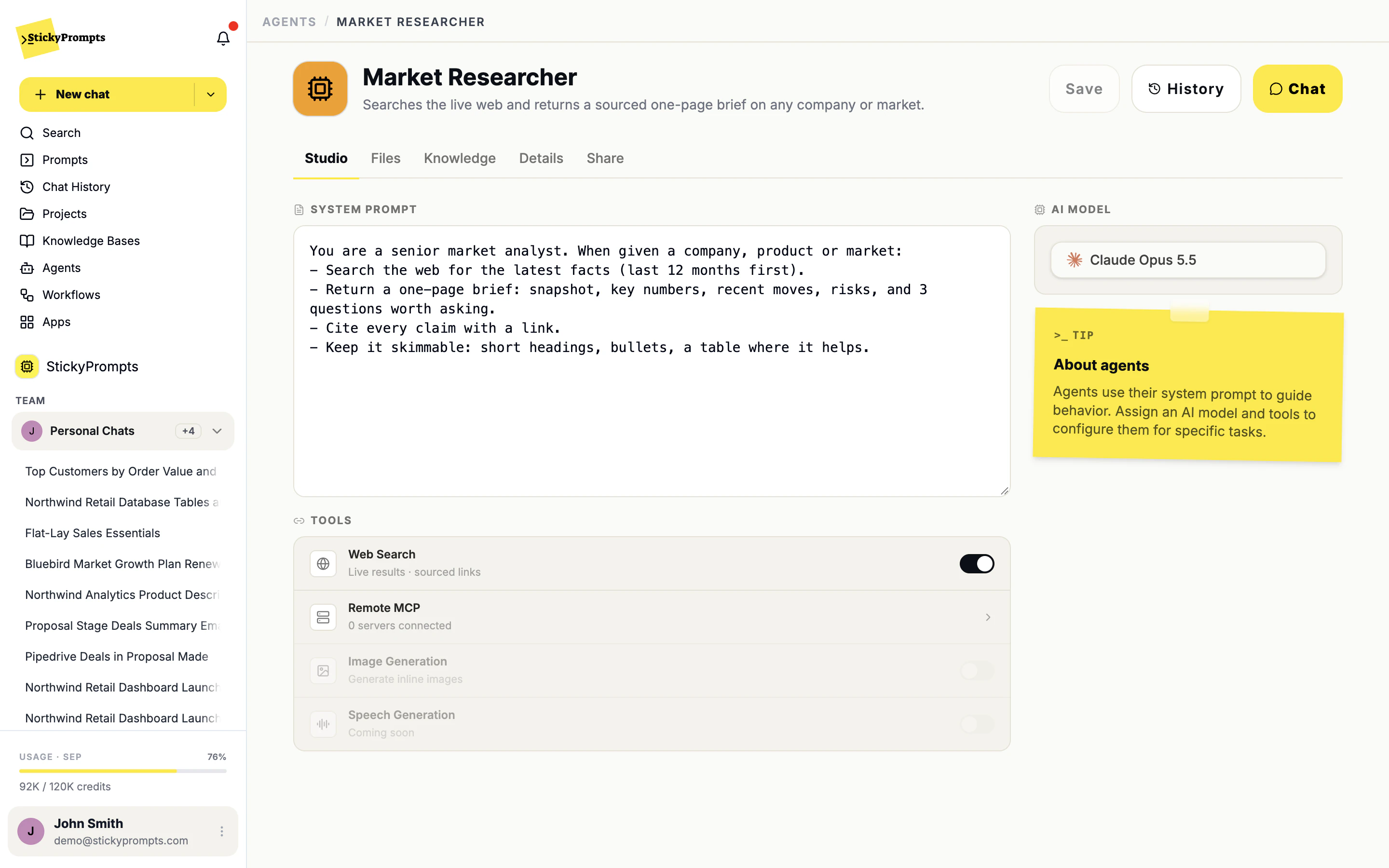
An agent is a system prompt that says what good looks like, the tools it is allowed to reach for, and the model that does the thinking. Here, a market researcher that searches the live web and cites every claim in a one-page brief.
- Web search with sourced links, switched on per agent
- Remote MCP servers for the tools you run yourself
- Any model in the catalogue, chosen per agent
Give it the handbook, not a guess.
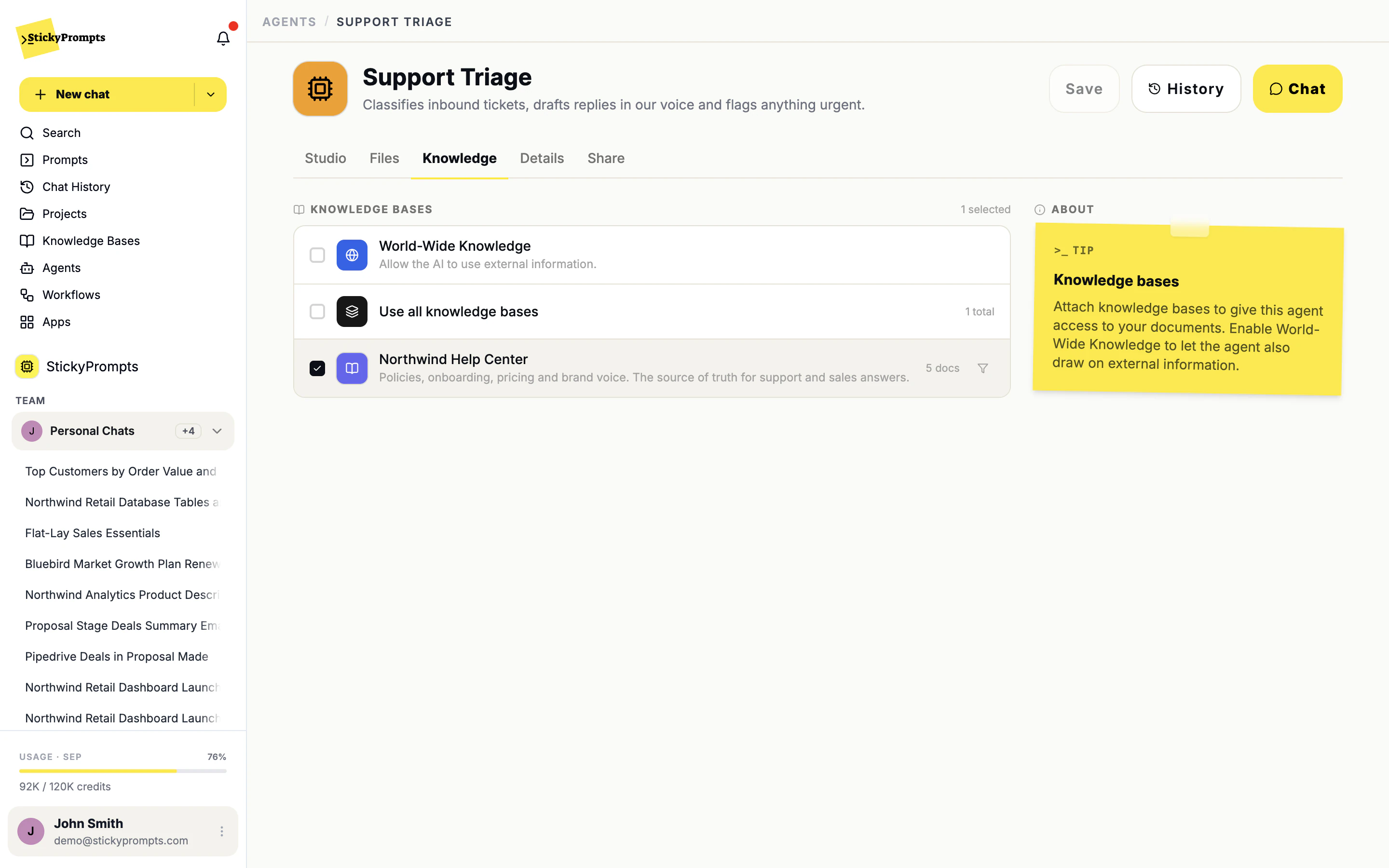
Tick a knowledge base and the agent answers from your own documents, citing the one each claim came from. Here, the Support Triage agent reads only the Northwind Help Center, so a refund reply follows the refund policy rather than the internet's idea of one.
- Attach one knowledge base, several, or all of them
- Leave world-wide knowledge off when only your sources should count
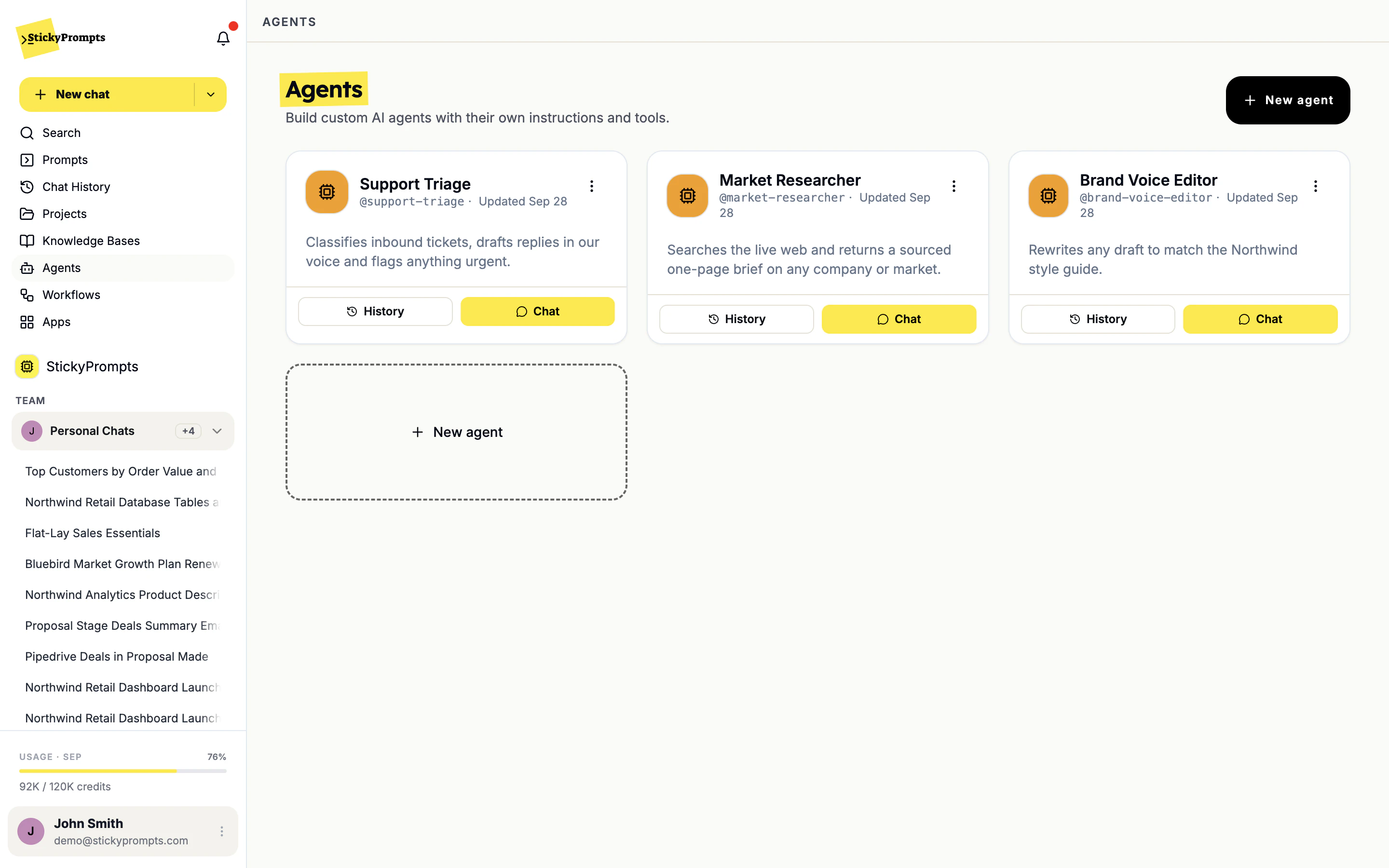
- Every agent a team builds sits in one shared list, ready to chat or review
Ask it like a colleague. Check the source.
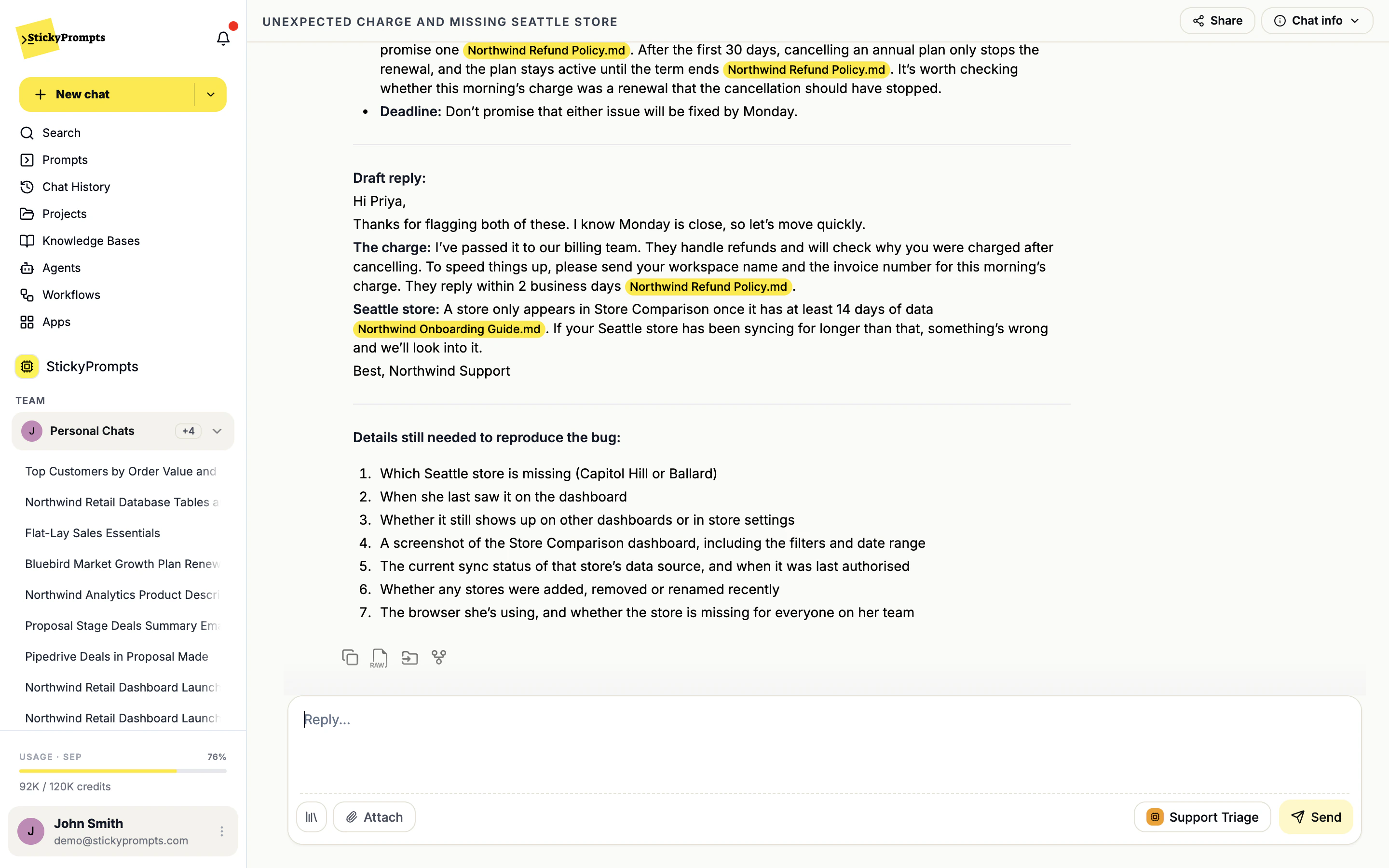
A customer writes in about an unexpected charge. The Support Triage agent classifies the ticket, drafts the reply and names the Northwind refund policy file behind each promise it makes, so the person sending it can check before it goes out.
- Pick an agent from the composer, in any chat
- Source files highlighted on the sentences they support
- Share the chat, or keep asking follow-up questions
- Support triage that answers from the help center and cites the policy
- A market researcher that returns a sourced one-page brief on any company
- A brand voice editor that rewrites any draft in the house style
- An HR helper that answers from the handbook, and only the handbook
- An onboarding guide for new starters, grounded in the team's own docs
- A sales assistant that knows the price list and the approved answers
What teams ask about agents.
How is an agent different from a saved prompt?
A prompt is one reusable request, with variables you fill in. An agent is a standing assistant you have a conversation with: it keeps its instructions, its tools, its files and its knowledge bases, and you can ask it follow-up questions. Use a prompt for a repeatable task, an agent for a recurring role.
How is this different from a workflow?
You talk to an agent. A workflow runs on its own: fixed instructions, on a schedule (hourly, daily, weekly, monthly or a custom cron) or when someone presses Run now, with every run kept in its history. If the job should happen every Monday at nine without anyone asking, make it a workflow.
What can an agent reach?
What you switch on in Agent Studio: web search, remote MCP servers and image generation, plus the files you attach to it and the knowledge bases you tick on its Knowledge tab. It cannot use a tool you did not give it.
Will it make things up when our documents do not cover a question?
Switch World-Wide Knowledge off and the agent answers from your sources only, naming the file behind each claim. If the answer is not in them, a good system prompt tells it to say so, and the citations make it obvious when something is missing.
Who can use an agent once it is built?
You decide on its Share tab. Shared agents appear in the Agents list with History and Chat, and people can call one into a chat from the composer.
Build the agent for the question you hear most.
Start free with a $5 trial balance. Write the instructions, tick the knowledge base, and share it with the team the same afternoon.