Describe the shot. Or give it a still.
Describe the shot, or hand it a starting frame, a last frame and a few reference images. Pick Veo, Seedance, Sora, Wan or HappyHorse, set the ratio, resolution and length, and it renders in the background while you get on with your day.
Control over the frame, not a roll of the dice.
What separates a usable clip from a lucky one is control: where it starts, where it ends, what it must look like and which model draws it.
Pick the model that fits the shot.
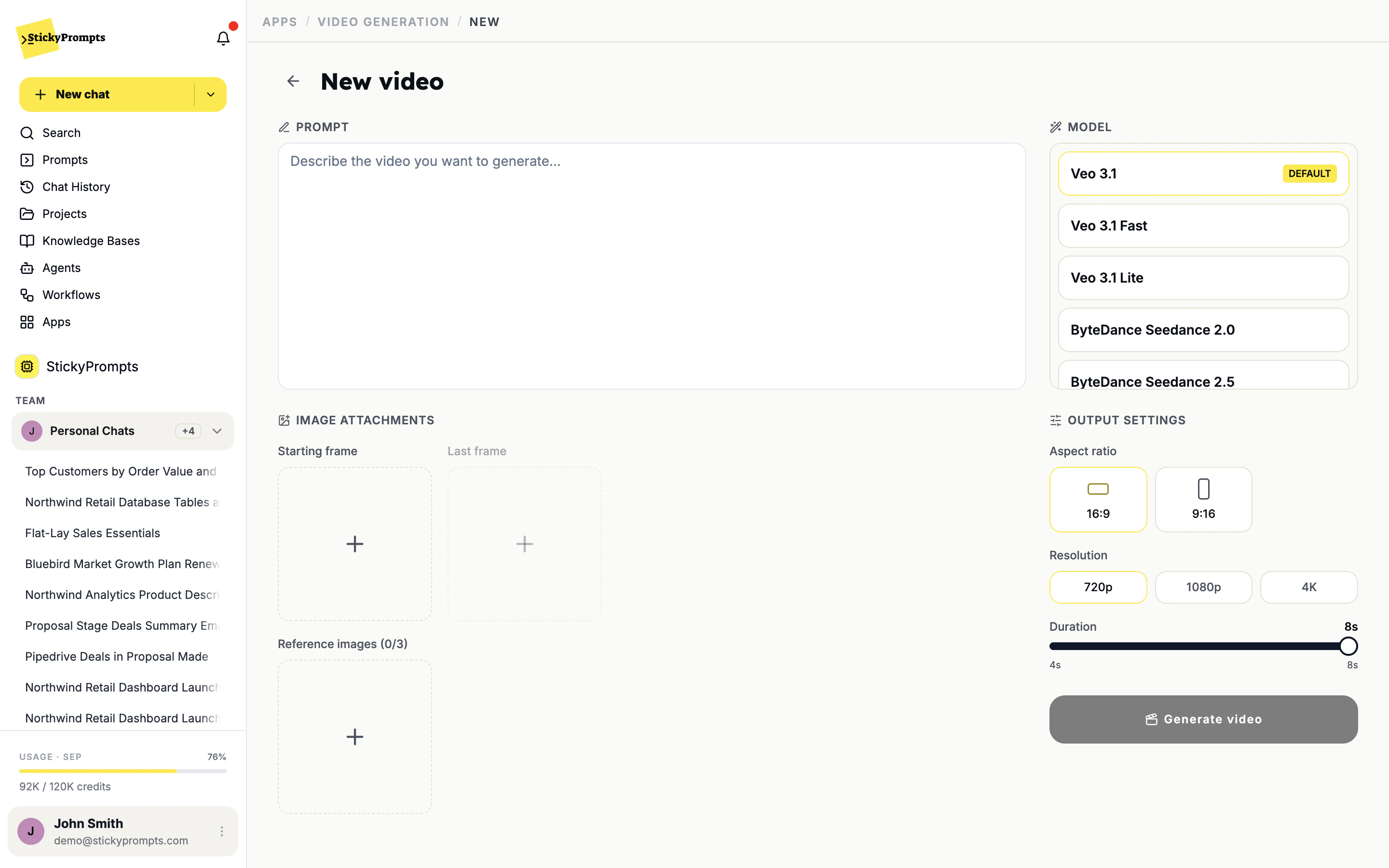
Veo, Seedance, Sora, Wan and HappyHorse sit in one list. Describe the scene, optionally give it a starting frame, a last frame or reference images, choose the aspect ratio, resolution and length, and generate. It runs in the background, so you can keep working while it renders.
- Starting and last frames for image-to-video
- Aspect ratio, resolution and length per model - up to 30 seconds on Seedance 2.5
- The cost of every clip shown next to it
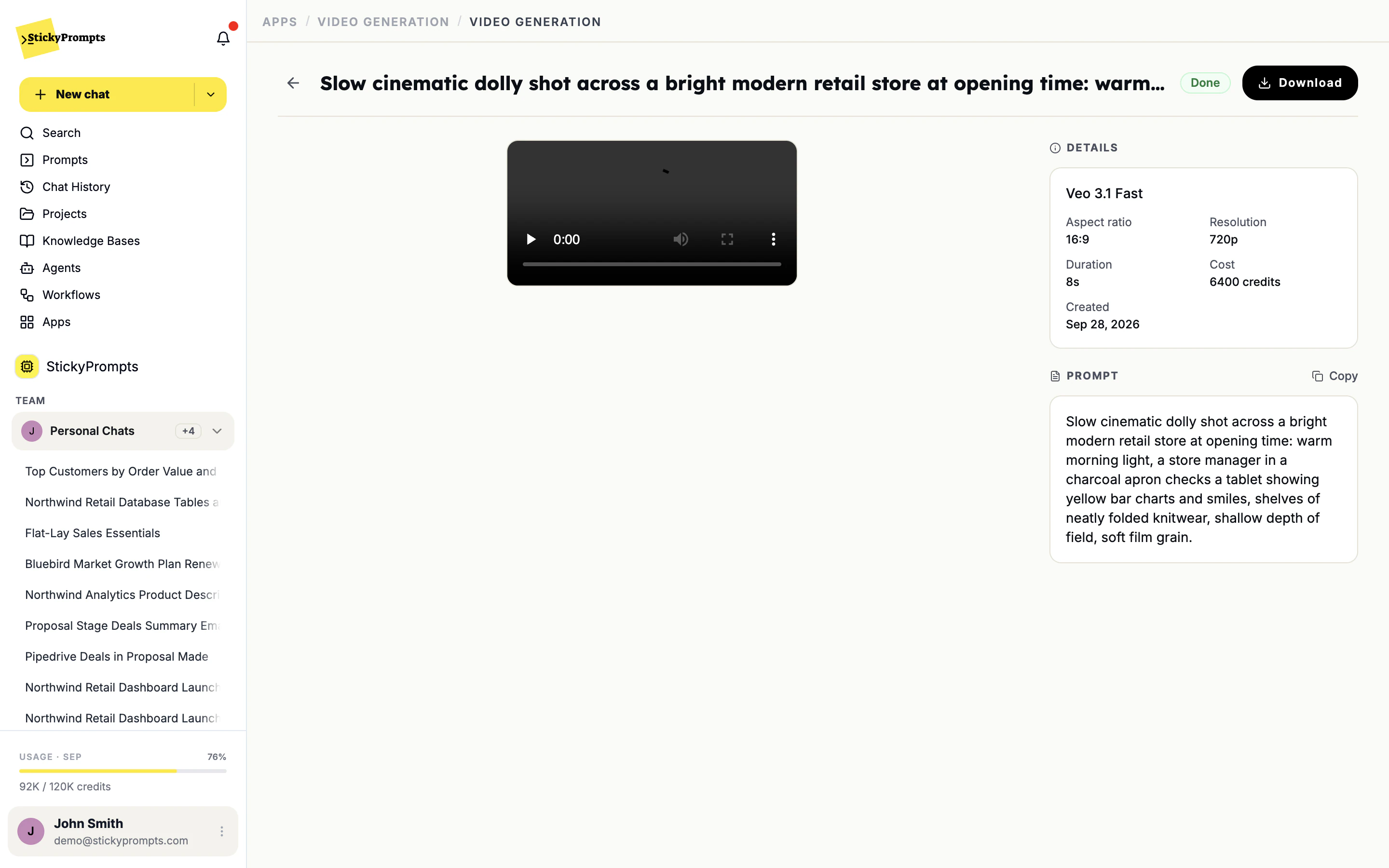
The recipe stays with the clip.
Each finished clip keeps what made it: the model, the aspect ratio, the resolution, the length, the credits it cost and the full prompt. Copy the prompt to make the next one in the same style, or download the clip and put it to work.
- Model, ratio, resolution and length on every clip
- The cost in credits, next to the clip that spent it
- Copy the prompt, download the video
Let a great writer direct the shot.
Generate the look in chat - Claude Opus 5.5 wrote these reference images and the Seedance prompts - then drop an image in as the starting frame and let Seedance 2.5 animate it.
- Images from chat become first frames or references
- The model writes the video prompt, down to camera and light
- Renders in the background while you keep working
Our own film, start to finish.
Reference images from Claude Opus 5.5, shots animated with Seedance 2.5, a soundtrack Opus composed with the music tool, and real recordings of the app. Cut together, nothing else.
- Social clips and paid variants, tested before a real shoot
- Product clips animated from stills you already own
- Internal comms and training clips nobody had budget to film
- Animatics and mood clips ahead of a production
- Vertical and landscape versions of the same idea
- Event and recruitment clips, with a voice-over from the speech app
What teams ask about video generation.
How long can a clip be?
It depends on the model: four or eight seconds on Veo 3.1, and up to thirty seconds on Seedance 2.5. Each generation is one clip; our own film above was several clips cut together in an editor.
Can it build a whole film from a brief, shot by shot?
Not yet. Breaking a brief into a shot list and editing several shots together is on the roadmap. Today you generate each clip on its own, with its own prompt, frames and settings.
Can it use our own footage or product shots?
Your own stills, yes: set one as the starting frame or the last frame, or add it as a reference image, so the product in the shot is your actual product rather than a model's idea of it.
How is this billed?
In credits, like everything else in the workspace. Each clip shows what it cost next to its model and settings, and usage statistics break spend down by model and by user.
Which models are there?
Veo 3.1, Veo 3.1 Fast, Veo 3.1 Lite, ByteDance Seedance 2.0, ByteDance Seedance 2.5, Sora 2 Pro, Sora 2, Wan 2.7, HappyHorse 1.1. Veo 3.1 is the default.
Model availability moves quickly. The models above were last checked in the app on 28 September 2026.
Find out what it can do before the shoot.
Start free with a $5 trial balance. Start with one eight-second clip from a product still you already have.