Operations
Store announcements
Opening hours, a click-and-collect reminder, the weekend offer. Written once, voiced once, played in every store the same way.
Text to Speech · Eleven v3
Store announcements, training audio, a narration for the product video, a jingle for the launch. Type the script or describe the track, pick the model, and press play. Both apps sit in the same workspace as your chats, with the same models, usage record and admin controls.
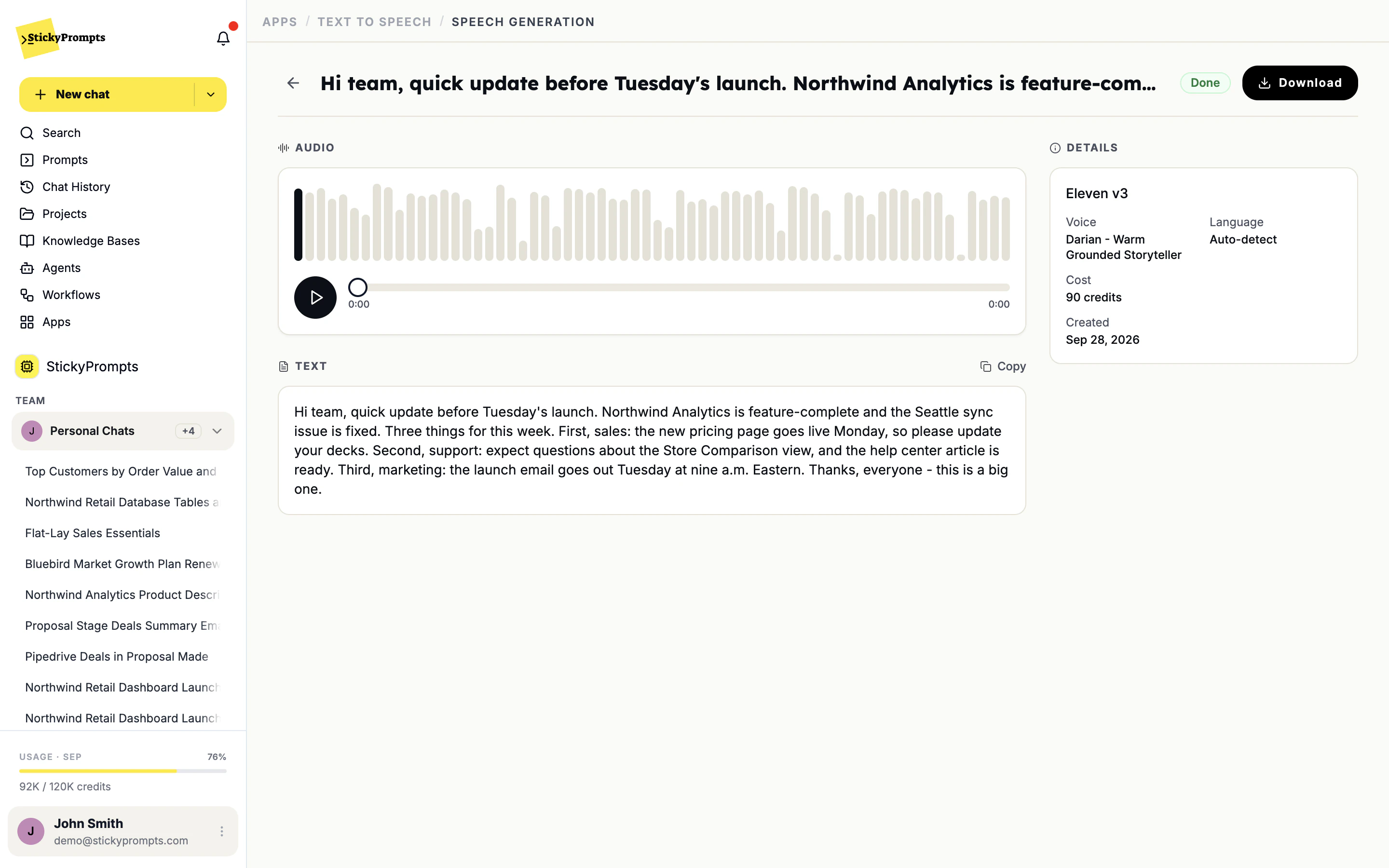
Text Hi team, quick update before Tuesday's launch. Northwind Analytics is feature-complete and the Seattle sync issue is fixed...
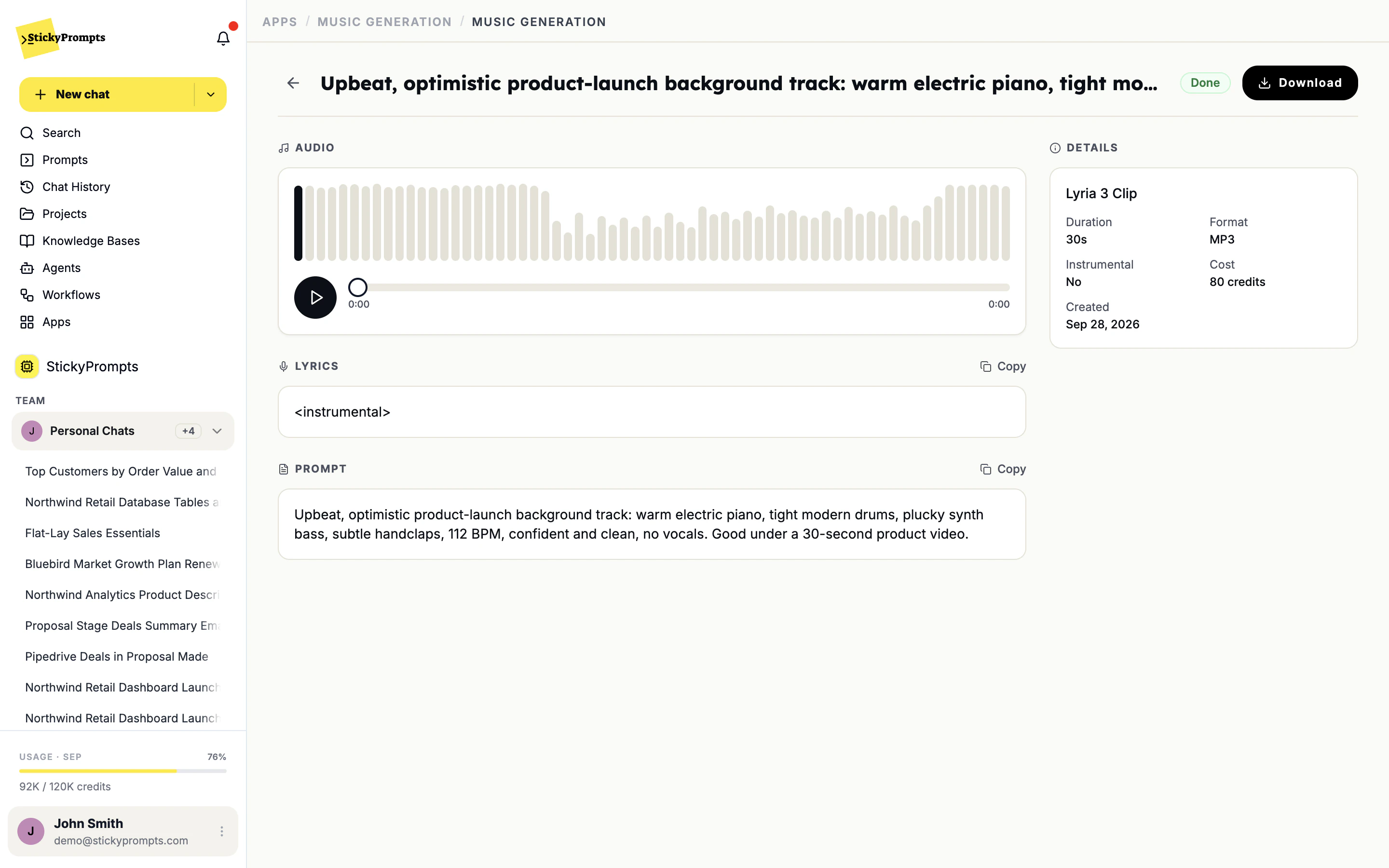
Prompt Upbeat, optimistic product-launch background track: warm electric piano, tight modern drums, plucky synth bass, subtle handclaps, 112 BPM, confident and clean, no vocals.
Text to Speech turns a script into a finished read. Music Generation turns a sentence into a track. Both give you a file you can use the same afternoon.
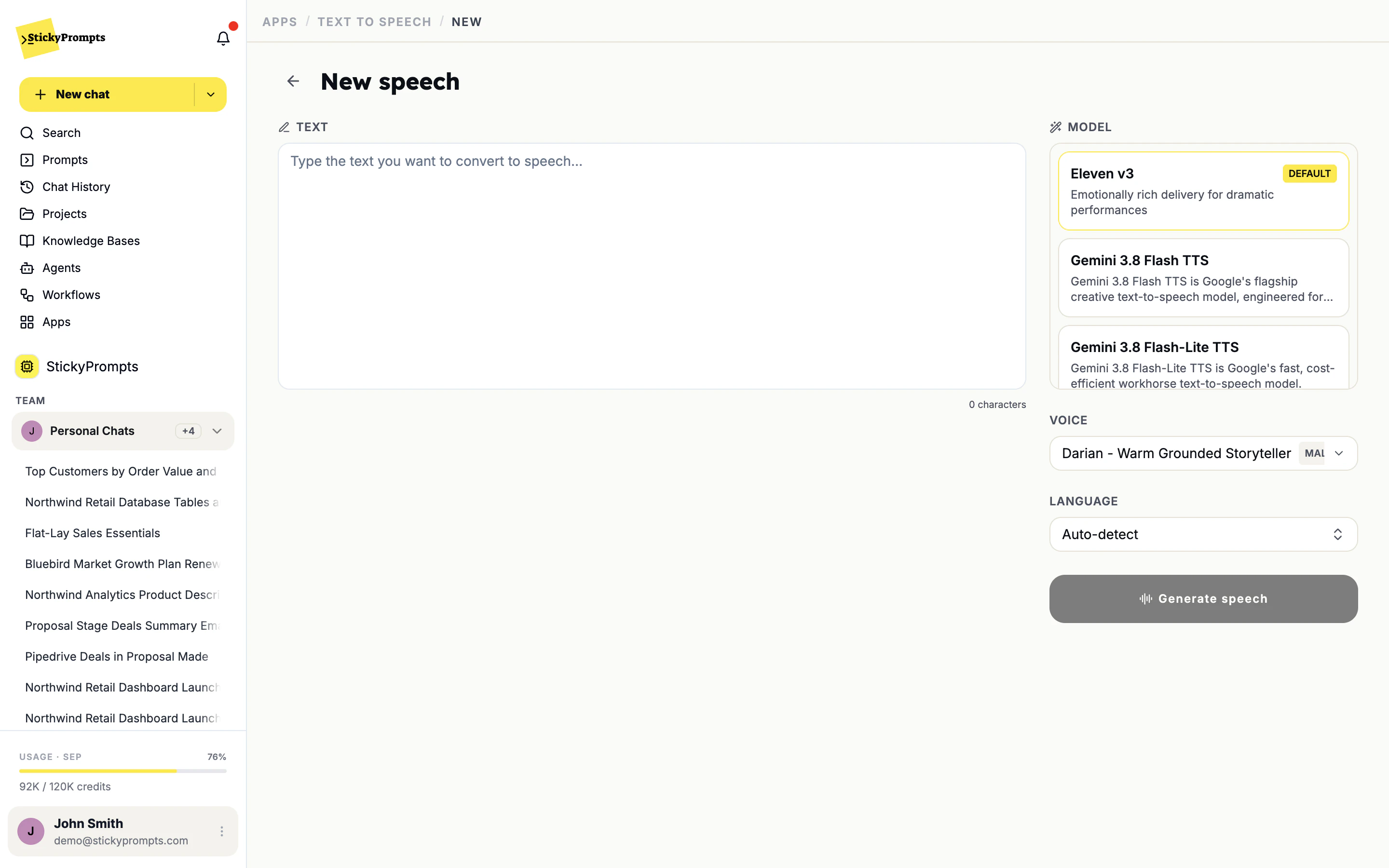
Type or paste the text, choose the model, the voice and the language, and generate. Eleven v3 is selected by default for its expressive delivery; switch to a Gemini TTS model when you want a different sound or a quick draft read.
The result opens with a player, the exact text that was read and the details of the take: model, voice, language, cost and date. If the read is right, download it. If it is not, change a line and generate again.
Northwind runs retail stores and a support line. This is what its teams make with the two apps in an ordinary week.
Opening hours, a click-and-collect reminder, the weekend offer. Written once, voiced once, played in every store the same way.
A 30-second narration for the new autumn range, ready to lay under the cut. Try a second voice before anyone books a studio.
The till procedure and the returns policy as short audio lessons new starters can play on shift, in their own language.
A short, bright sting with the brand's energy for the Northwind Analytics launch video and the social cut-downs.
A calm instrumental loop for the support line, long enough that nobody hears it restart while they wait.
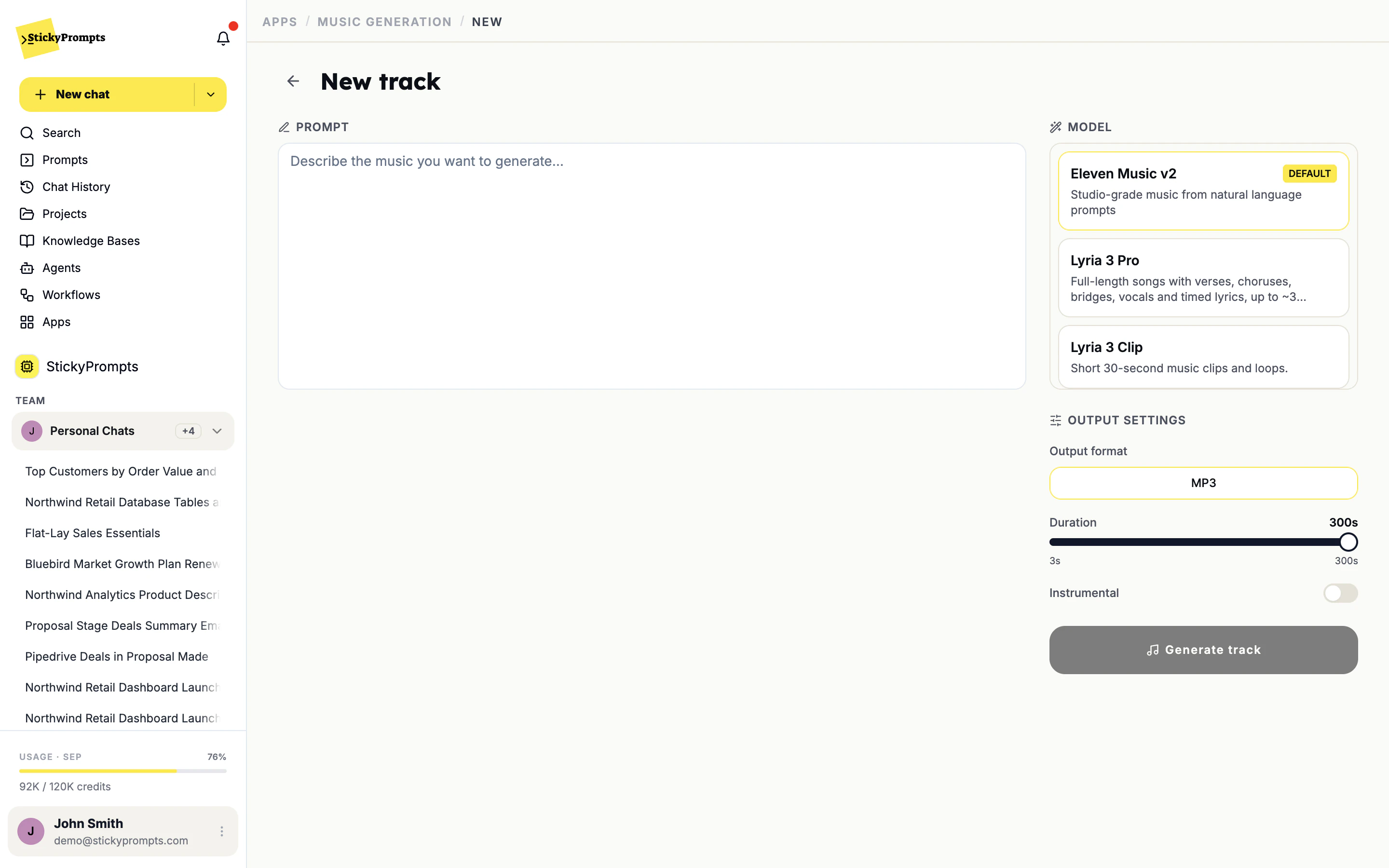
Write what you hear in your head: the mood, the instruments, the tempo, where it will be used. Pick the model, the output format and the duration, turn Instrumental on if it sits under a voice, and generate.
Every track comes back with a player, the lyrics if it has any, the prompt it was made from and a Download button. The prompt is kept, so when marketing asks for the same feel at 60 seconds, you start from what worked.
For speech, Eleven v3 is the default, with Gemini TTS models alongside it. For music, Eleven Music v2 is the default, with Lyria 3 Pro for full songs with verses, choruses and vocals, and Lyria 3 Clip for short clips and loops.
You set the duration on a slider from 3 to 300 seconds before you generate. Lyria 3 Clip is made for short pieces of around 30 seconds; pick Eleven Music v2 or Lyria 3 Pro for anything longer.
Yes. Turn on Instrumental and the track comes back without singing, which is what you want under a voice-over or on a phone line. Where a track has lyrics, they are shown next to the player so you can copy them.
A result page with a player, the text or prompt it was made from, the model and settings, the cost and a Download button. Nothing to export, and the take stays in the workspace for the next person who needs it.
Like everything else in the workspace: each generation is metered as AI usage at the provider's rate plus your plan's commission, and the cost is shown on the result. There is no separate audio subscription to buy or manage.
Start free with a $5 trial balance. Try a few voices on the same script and keep the one that sounds like you.
Cookies, your call
We count visits without cookies either way. If you allow it, we also replay sessions to see where pages confuse people, and let Google and Meta know you visited so our ads reach the right people. How we use them