Snippets
Short facts and instructions you'd otherwise retype.
- Who sets it
- You, or an admin for the workspace
- When it applies
- In chats where you switch them on, several at once
Who you are, what your company sells, how your brand sounds, what a client needs. Write it once as a snippet and switch it on in any chat with the puzzle button. Several at once, on any model, with no project to set up and nothing to upload.
Write a short LinkedIn post announcing our new store in Porto.
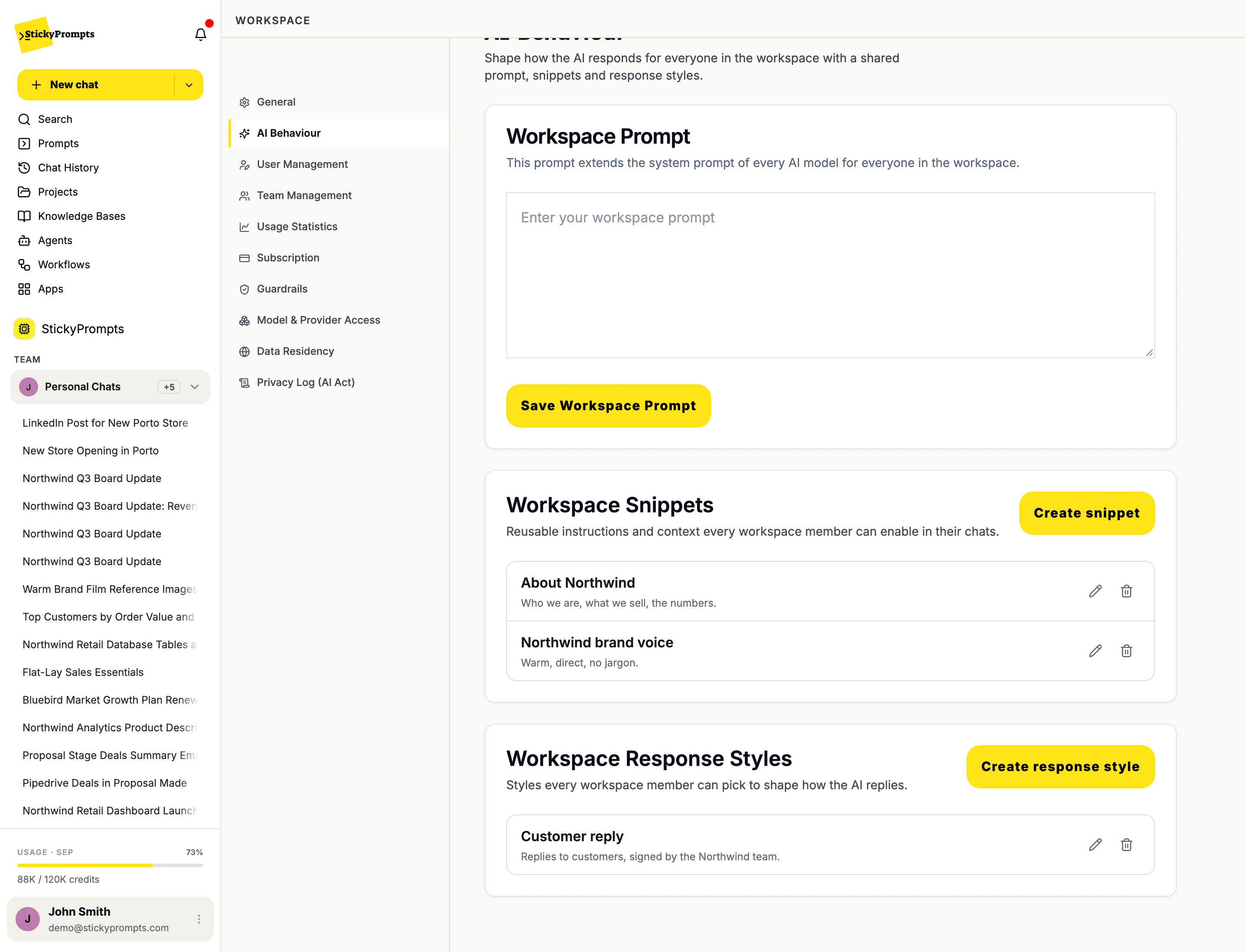
Porto, we're here.
Our new store is now open, and it's our first in the city. We opened our doors in August, and it already feels like home.
Come in and feel the difference for yourself. Soft merino, warm alpaca and organic cotton, made to be worn and loved for years. We choose every piece for its quality and natural materials, because that's what lasts.
Since 2011, we've grown one store at a time, always close to the people we make things for. Porto joins our stores across France, Spain and Portugal, and we're proud to be part of this beautiful city.
Our team in Porto would love to meet you. Stop by, say hello and take your time.
#Northwind #Porto #Knitwear #HomeTextiles #NaturalMaterials
Real answers to the same prompt, same model and style, in the Northwind demo workspace. From a snippetLeft blank
The puzzle button sits in the composer next to Style. It lists your own snippets and the workspace's, each with a one-line description. Tick the ones this task needs and select Apply: the button turns yellow and shows how many are on, and they stay on for the rest of the chat.
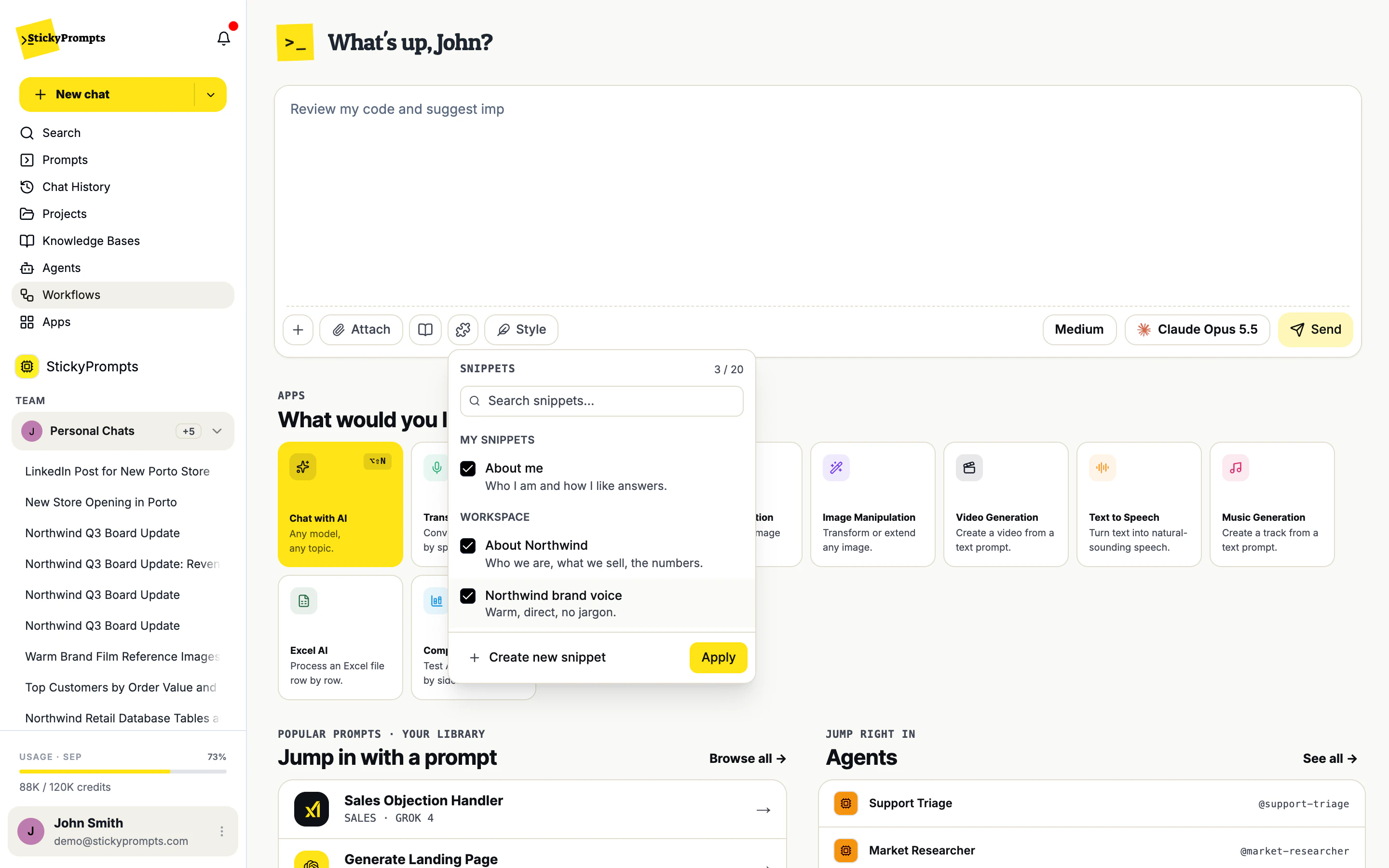
Asked for a LinkedIn post about the new Porto store with no snippets, the model wrote a friendly post for any company, with placeholders for the address and hours and five emojis. With About Northwind and the brand voice switched on, the same model and style wrote Northwind's post: the August opening, merino and alpaca, the stores in France, Spain and Portugal, in Northwind's voice.
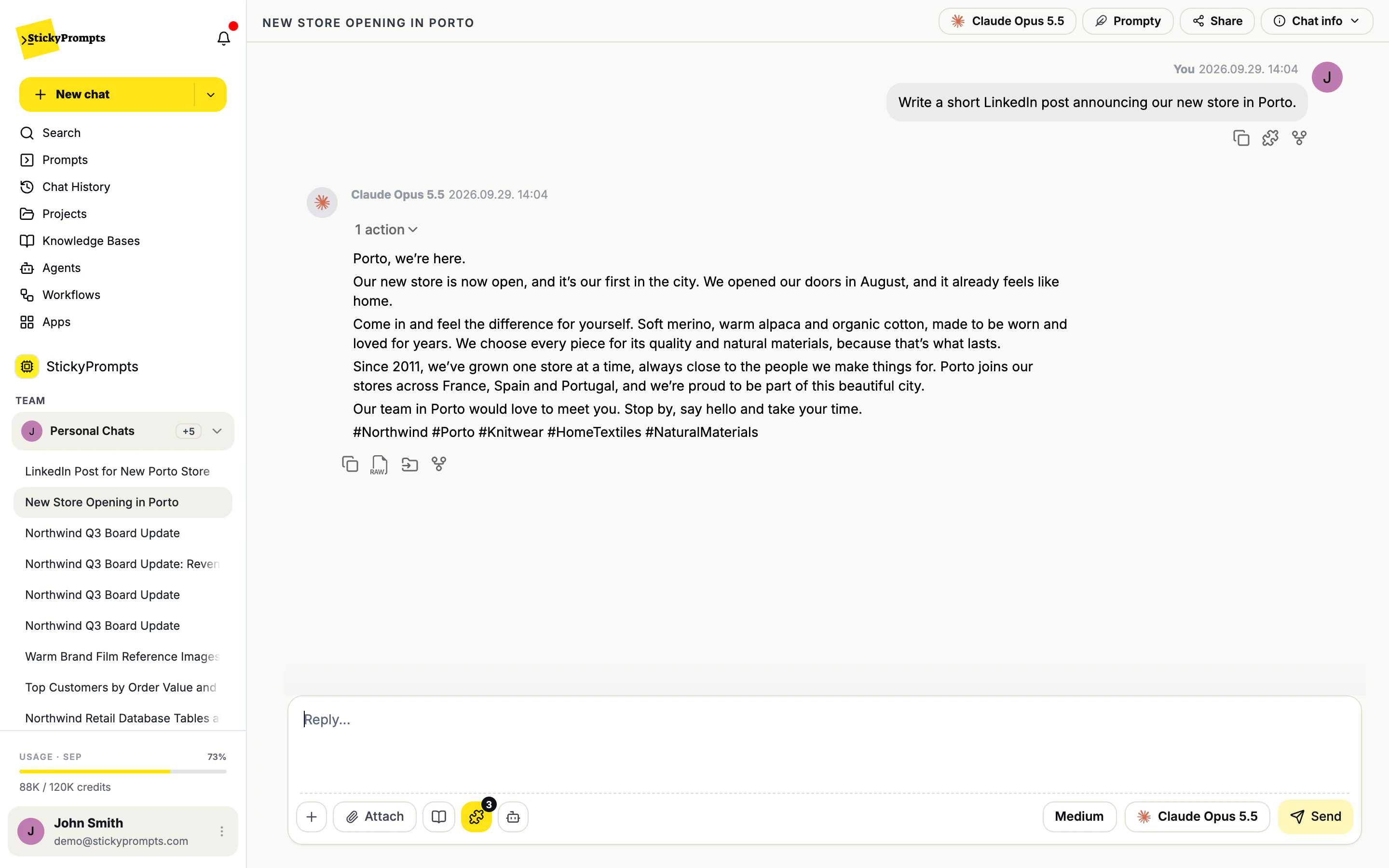
A snippet has a name, a short description for the picker, and the content itself: up to 20,000 characters of context or instructions. Choose who can use it as you save it. Edit it when something changes, and every chat from then on gets the new version.
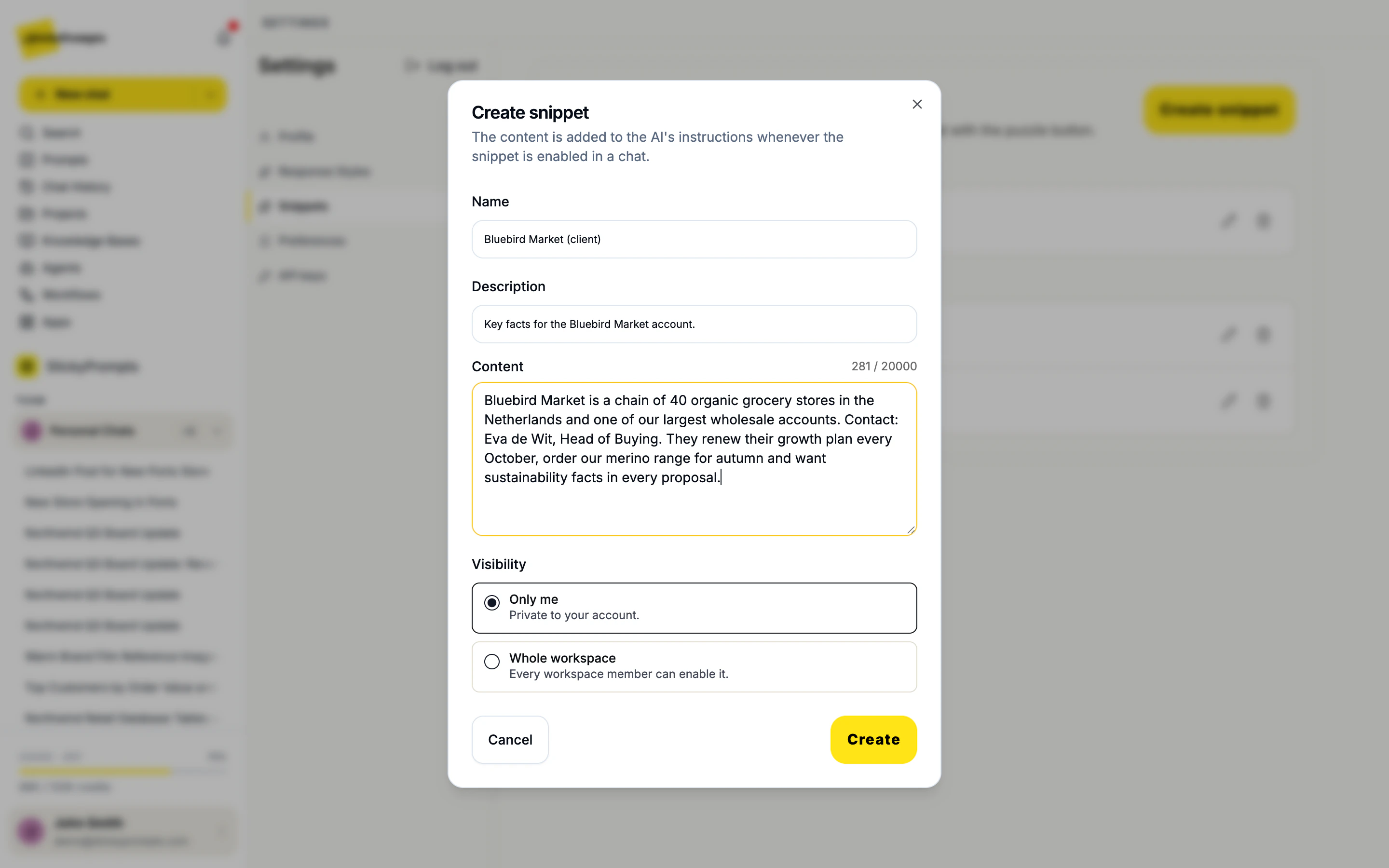
Admins shape how the AI works for everyone from one place: Workspace settings, AI Behaviour. The workspace prompt applies to every chat. Workspace snippets and workspace response styles appear in everyone's composer, ready to switch on, so a new starter writes about the company as well as someone who has been there ten years.
They work together. Most teams use a workspace prompt for the rules, snippets for the facts, a style for the shape, and a knowledge base for the documents.
Short facts and instructions you'd otherwise retype.
How the answer is written: length, shape, tone.
The few rules that should always hold.
Whole documents, searched when a question needs them.
Snippets sit in the composer next to the style and the model, one click away in every chat.
Start with the things you explain most often. If you have typed it into a chat twice, it is a snippet.
Your role, what you look after, who you report to, and how you like answers: recommendation first, amounts in EUR, dates written out.
What you sell and to whom, where you operate, the numbers everyone quotes, and the words you never use about yourselves.
Tone, sentence length, spelling, banned words and phrases. One per brand if you run several.
Who they are, the contact, what they buy, when they renew and what they care about in a proposal.
Names, prices, sizes, materials and the three things customers ask most. Switch it on for support and sales replies.
The claims legal has approved, the ones it hasn't, and how to write about competitors. Turn it on for anything public.
A named piece of text with a short description. When you switch it on in a chat, its content is added to the AI's instructions for that conversation. It can be context (who you are, what the company sells) or instructions (write in British English, never mention prices).
No. Nothing is learned or stored in the background. A snippet is text you wrote and can read, and it is only used in chats where you switch it on. Edit it and the next chat uses the new version.
Projects and knowledge bases are for larger bodies of work and documents you upload. A snippet needs no setup and no files: you write a few lines once, then tick it in any chat, alongside any project or knowledge base you are already using.
You choose when you create one. Only me keeps it private to your account. Whole workspace lets every member switch it on in their own chats. Workspace admins also add shared snippets under Workspace settings, AI Behaviour.
Up to 20 in one chat, and each snippet can hold up to 20,000 characters. Most chats need two or three: about you, about the company, and the brand or client the work is for.
Yes, and they do different jobs. Snippets give the AI the facts; the style decides how the answer reads. The hero example above uses three snippets with the built-in Prompty style.
Start free with a $5 trial balance. Write a snippet about yourself and one about your company, and see how much of every prompt you no longer have to type.
Cookies, your call
We count visits without cookies either way. If you allow it, we also replay sessions to see where pages confuse people, and let Google and Meta know you visited so our ads reach the right people. How we use them